
If you’ve ever stared at a 40‑column CSV at 1 am thinking “there must be a smarter way to do this,” then someone sent you a “quick” Power BI file that took 15 minutes to open… welcome, you’re the target audience.
The current data workflow for a lot of students and junior analysts looks like this:
- Export mess from some app.
- Clean it in Excel or a notebook.
- Fight with charts.
- Paste screenshots into slides.
- Hope nobody asks a question you didn’t pre-compute.
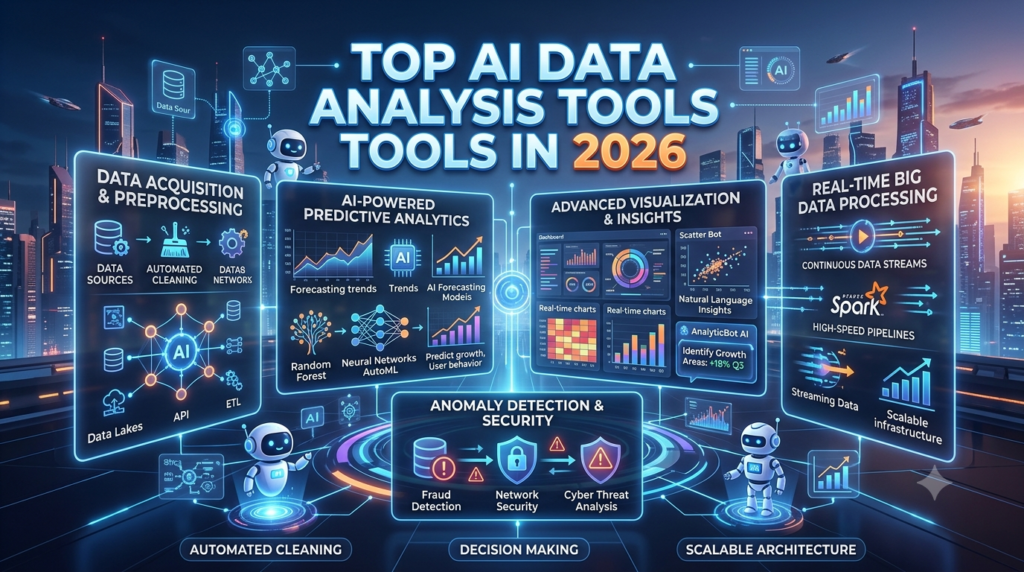
Meanwhile, 2026 AI analytics tools are out here turning plain‑English questions into SQL, building charts on the fly, and even explaining the “so what” in normal language. The augmented analytics market basically “AI for BI dashboards and data storytelling” is already valued somewhere in the tens of billions and is growing north of 20–25% annually in many forecasts.
You’re not short on tools. You’re short on a clear answer to: which AI data tools actually make my life easier, and which ones just bolt a cute chat box onto a dashboard?
Let’s untangle that.
THE THING NOBODY ACTUALLY SAYS OUT LOUD
Here’s the part LinkedIn never admits: most “data-driven decisions” are still made by someone copy-pasting numbers into PowerPoint at the last minute and praying nobody checks their filters.
You know the ritual:
- Manager: “Can we break this down by region and device and new vs returning?”
- You: “Sure, I’ll get that to you.”
- Translation: “Give me three hours and access to coffee and Python.”
Most polished “Top AI tools” posts talk about how AI “democratises data” and “turns everyone into an analyst.” Reality is more like:
- Half the org still sends CSVs around like it’s 2012.
- The one person who knows Looker or Power BI becomes a bottleneck.
- Non-technical stakeholders are scared to click anything in a dashboard.
AI in data analysis is trying to attack exactly that. The better 2026 tools:
- Let you ask questions in plain English and get real charts back (Power BI Copilot, Tableau Pulse, ThoughtSpot, ML Clever, Sigma, Qlik Insight Advisor, etc.)
- Show or describe the SQL/logic behind answers instead of being a black box.
- Generate readable narratives and reports automatically (Powerdrill, camelAI, some BI tools’ “explain this” features).
One 2026 review of AI data analysis tools basically said: the best ones do five things well natural language to charts, text‑to‑SQL transparency, explainable reasoning, business context, and fast iteration. If a tool only nails the first one (“hey look, you can chat with your data!”) but fails at the others, it’s a toy.
There’s another thing people don’t say until you’ve been burned by “AI analytics”:
An assistant without a semantic layer is a confident guess generator.
In other words, if the AI is just improvising SQL on raw tables it doesn’t understand, you’ll get answers that look plausible and are sometimes very wrong. Tools like Looker, Power BI, Qlik, Sigma, and newer semantic-layer-centric stacks care a lot about this.
And the market is not tiny: augmented analytics is projected anywhere from around $20–38B in 2026 depending on who you ask, with CAGRs often in the high teens to mid‑20s and North America holding a big chunk of that. That’s a lot of companies throwing money at “please stop my team drowning in dashboards.”
So when you think “top AI tools for data analysis and reporting,” don’t picture magic. Picture “less time cleaning and plotting, more time arguing about what the numbers actually mean.”
HOW THIS ACTUALLY WORKS THE REAL MECHANICS
Strip away the hype and most AI data analysis stacks are doing a few core things.
1. Natural language to queries (and charts)
You type something like:
- “Show me monthly active users by region for 2025, highlight months where churn spiked.”
- “Compare average order value for mobile vs desktop in Q1.”
The AI:
- Maps your words to known metrics and dimensions (using a semantic model where possible).
- Generates SQL (or similar) under the hood.
- Runs it against your data source.
- Returns a chart and a short explanation.
Tools doing this well in 2026 include Power BI Copilot, Tableau Pulse, Looker + Gemini, ML Clever, Sigma’s Ask Sigma, ThoughtSpot, and Qlik Insight Advisor.
Opinion: when this works, it feels unfair. You spend more time deciding what to ask than writing code.
2. Text‑to‑SQL with explainability
The better tools don’t just spit out charts. They:
- Show the SQL or logic used.
- Let you inspect filters and joins.
- Sometimes explain step‑by‑step reasoning (“filtered to last 12 months; grouped by region; calculated YoY growth”).
That transparency is the difference between “cool demo” and “I’ll actually use this in a report without fearing my job.”
ML Clever’s 2026 review flat‑out says that top tools now expose reasoning, not just answers, and that’s why ML Clever ranks high plain‑English questions, visible text‑to‑SQL, and share‑ready charts in one workflow.
3. Augmented BI inside existing tools
A lot of AI is showing up inside the tools companies already use:
- Power BI Copilot – natural language insights, automated visuals, and increasingly predictive modeling and recommendations woven into dashboards.
- Tableau Pulse – surfaces AI‑generated insights and explanations based on existing dashboards and metrics.
- Looker + Gemini – uses Google’s LLMs over Looker’s semantic layer to answer questions and create summaries.
- Qlik Insight Advisor, ThoughtSpot, Domo AI, etc. – search-driven analytics with AI suggestions layered on top.
Opinion: if you’re already in Microsoft or Tableau land, starting with their AI features is usually smarter than buying some random third‑party chat tool.
4. AI-native analysis tools
Then you’ve got “AI‑first” tools:
- ML Clever, camelAI, Julius, and similar products focus on analysis first, dashboards second.
- They often let you upload CSVs, connect warehouses, and then chat, iterate, and auto-generate charts and narratives.
- Some of the free/OSS‑leaning stack includes camelAI, Power BI Desktop, Looker Studio, Apache Superset, KNIME, Metabase, Grafana, Streamlit, Orange, and H2O.ai as building blocks.
One 2026 article even called camelAI + Power BI Desktop + Looker Studio the best free combo for most small teams.
5. Automated reporting and narratives
There’s a whole sub‑category of tools whose main trick is:
- Turn “data + a few prompts” into full reports: slides, PDFs, summaries, email updates.
- Produce recurring updates (weekly KPIs, anomaly alerts) with AI‑generated commentary on what has changed.power drill+1
Powerdrill Bloom, among others, is pitched as a top AI reporting tool in 2026: you feed it data sources and a brief, it handles structure, charts, and narrative, then you edit.
Short list with real opinions:
- Power BI Copilot – Best if you’re already deep in Microsoft 365; low friction, lots of power, and playing the long game with Fabric.
- Tableau + Pulse – Perfect for teams living in Tableau who want AI to surface insights without rebuilding everything.
- Looker + Gemini – Strongest if you’re in Google Cloud with a well-modeled semantic layer.
- ML Clever / Julius / camelAI – Great for “I have data and questions, but I don’t want to live in BI tools or write SQL.”
COMPARISON WHAT’S ACTUALLY DIFFERENT BETWEEN YOUR OPTIONS
Here’s a simplified view of four big buckets you’ll actually be choosing between.
| Option | What it actually does | Who it’s for | The catch |
| Power BI Copilot | AI inside Power BI: text-to-insights, visuals, modeling, and narrative in Microsoft’s ecosystem. | Teams already on Microsoft 365 / Fabric. | Tied to Microsoft stack; learning curve if you’re new to BI. |
| Tableau + Pulse | AI insights and explanations on top of existing Tableau dashboards and metrics. | Orgs that already love Tableau visuals and dashboards. | Licensing cost; less attractive if you’re starting from zero. |
| Looker + Gemini / semantic BI | LLMs over governed semantic layers (Looker, Qlik, Sigma, etc.) for safe AI analytics. | Data teams that care about definitions and governance. | Requires upfront modeling; not ideal for quick one‑off student projects. |
| AI-native tools (ML Clever, camelAI, Julius) | Upload files or connect DBs, then chat, auto-chart, and export reports. | Students, analysts, and small teams need fast insight loops. | Less enterprise governance; may need a BI tool for large-scale reporting. |
If you’re an AI/tech‑savvy student or early‑career analyst, my honest view:
- You’ll get the fastest personal gains from AI-native tools (ML Clever / camelAI / Julius) plus one free BI tool like Power BI Desktop or Looker Studio .
- When you join a serious company, you’ll almost certainly meet Power BI, Tableau, Looker, Qlik, or ThoughtSpot with AI layered on.
WHAT ACTUALLY HAPPENS WHEN YOU TRY THIS
When you actually plug your messy CSV into one of these tools, it doesn’t feel like magic. It feels like cheating… right up until the AI misunderstands a column name and you have to rescue it.
You open an AI-native analysis tool or something like Power BI Copilot. You upload a dataset say, product analytics or survey results and type:
“Show me churn rate by plan over the last 12 months and highlight any spikes.”
In seconds, it generates:
- A time series chart.
- A few key callouts (“Churn spiked in March and October, largely on the Basic plan.”).
- Optional SQL or DAX, depending on the platform.
The first surprise: no endless clicking through “insert chart → configure axis → fix the colors.” You spend your time asking follow‑ups:
- “Break March churn spike down by region.”
- “Which cohorts had the highest retention?”
- “Create a summary paragraph for a slide.”
Tools like ML Clever, Power BI Copilot, Tableau Pulse, and Looker+Gemini are all built around that “ask → iterate → refine” loop.
The second surprise is where the “augmented” part shows up: some tools will straight up tell you “the biggest driver of this KPI change seems to be X,” or automatically flag anomalies instead of making you eyeball everything. When that works, it’s like having a junior analyst who pre‑screens the data for you.
There’s a pattern most listicles skip: the tools don’t remove the need to think; they remove the excuses not to ask better questions. Because you’re not burning energy writing boilerplate SQL, you start asking more “why” and “what if” questions.
What nobody warns you about: if your underlying data model is trash, AI just becomes a faster way to get misleading answers. I’ve watched AI assistants happily calculate “average revenue” by including test accounts, canceled orders, and currencies mixed together because nobody defined clean metrics or a semantic layer. The fancier the tool, the more dangerous that becomes.
Another pattern you see when teams actually adopt these tools: non-technical people stop waiting for “the data person” to run every small query. Stakeholders can ask basic questions themselves, then call in analysts for the hairy stuff. That’s the part that feels like magic not the chat box, but the unblocking.
One thing that genuinely surprised me: even self-identified “I’m not a numbers person” people are much more willing to explore when they can type questions instead of clicking through 20 filters. It’s a UX problem more than a math problem.
You will still hit limits. The AI occasionally:
- Misinterprets ambiguous column names.
- Picks the wrong grain (daily vs monthly).
- Misses weird edge cases.
That’s where being a data-literate human still matters. But compared to hand-coding every pivot, it’s night and day.
THE ADVICE EVERYONE GIVES VS WHAT ACTUALLY WORKS

“Just learn SQL and Python, you don’t need AI tools.”
Yes, you absolutely should learn SQL and at least some Python/R if you care about data. But treating AI tools as “cheating” misses the point. The market for augmented analytics is exploding because even experienced analysts don’t want to spend their lives on boilerplate queries.
What works: learn the fundamentals and use AI to go faster. Use text-to-SQL tools to generate queries, then sanity-check and adapt them. Use AI to suggest visualizations, then refine them with your knowledge. That’s what a lot of 2026 “best tools” lists are nudging people towards: human plus AI, not either/or.
“Pick one BI platform and do everything there.”
This is how teams end up with monstrous dashboards that try to do too much and end up doing nothing well. BI tools are great for governed metrics and shared views, but they’re not always fun for quick analysis or ad‑hoc exploration.
What works: treat BI as the source of truth and AI-native tools as scratchpads. Do fast exploration and one‑off analysis in tools like ML Clever, camelAI, Julius, or even ChatGPT‑like assistants wired to your data. Once you find a valuable insight, encode it in Power BI/Tableau/Looker as a proper metric or dashboard.
“You can give everyone access and they’ll be ‘data-driven’.”
Lol, no. Access without context just creates chaos people pulling slightly different numbers for the same KPI and arguing in meetings. Some market reports even point out that large enterprises dominate augmented analytics spending precisely because they care about governance.
What works: invest in a semantic layer or at least clear metric definitions. That can be LookML in Looker, semantic models in Power BI, dbt metrics, or even a documented spec. Then let AI reason over those definitions instead of raw tables. This is exactly what some 2026 thought pieces hammer: semantic + AI > AI alone.
“AI reporting means you don’t have to touch slides again.”
Automated reporting tools will absolutely draft slides and narratives for you now. But they still don’t know your stakeholders, politics, or what you’ll be asked live. Letting them ship fully unedited reports is how you end up with weird phrasing, overconfident conclusions, and graphs nobody trusts.
What works: use AI to generate first drafts and recurring updates, then edit with your brain. Take the 80% done: structure, basic charts, initial takeaways. You add nuance, edge cases, and context. Tools like Powerdrill or AI in Power BI/Tableau are great at the boring part; you’re still responsible for not saying something dumb in the exec meeting.
THE PRACTICAL PART WHAT TO ACTUALLY DO
1. Decide your main use case for the next 3–6 months.
Are you:
- A student doing projects / Kaggle / coursework?
- A junior analyst drowning in ad-hoc questions?
- A founder/product person trying to understand basic metrics?
That choice matters more than the tool’s logo.
Rough mapping:
- Student / solo → AI-native tools + free BI (Power BI Desktop, Looker Studio, camelAI, ML Clever, Julius).splunk+5
- Junior analyst in a Microsoft shop → Power BI Copilot + SQL/Python.
- Startup on Google stack → Looker Studio or Looker + Gemini + a warehouse.
2. Pick one “playground” AI tool and one “formal” tool.
For example:
- Playground: ML Clever or camelAI (upload CSVs, ask questions, iterate).camellia+2
- Formal: Power BI Desktop or Looker Studio for dashboards and reports.
Use the playground for fast exploration, then encode final logic in the formal tool when it’s worth preserving.
3. Take one ugly dataset from your life and run it through.
Could be:
- App usage logs from a side project.
- Survey results from a class.
- Shopify/Stripe exports from a tiny store.
Load it into your AI tool and ask 10–15 questions:
- “What are 3 interesting patterns?”
- “Any anomalies in the last 30 days?”
- “Which segment behaves differently?”
Pay attention to where the AI helps and where it fails this is how you learn what it’s good at.
4. Learn to read the logic, not just the chart.
Any time an AI tool answers something non‑trivial:
- Inspect the SQL or measure definition if you can.
- Check filters and joins.
- Try one manual recomputation in Excel or a notebook for a spot check.
You’re training yourself to be the adult in the room the one who can say “this looks wrong and here’s why.”
5. Use AI to speed up “boring” parts of your data work.
For your next project or report, explicitly offload:
- Column renaming and basic cleaning (via code generation).
- Drafting a few standard charts.
- Writing the first draft of the “Findings” section.
Timebox it: “I will spend 20 minutes letting AI propose analyzes and 40 minutes validating and refining.” Make sure AI earns its keep in hours saved.
6. Build a tiny semantic layer for one project.
Even if you don’t have Looker or Power BI models, you can:
- Define 5–10 core metrics in a single place (doc or yaml).
- Clearly state filters, time ranges, and business logic.
- Refer to those definitions when asking AI questions (“use our definition of Active User: logged in at least once in the last 30 days”).
You’re practicing the same discipline big orgs use when they let AI query their warehouses.
7. After 2-3 projects, audit what actually helped.
Look back and ask:
- Which tool did I open the most?
- Where did AI save me real time vs just feel fancy?
- Did I catch any AI‑generated mistakes?
Kill tools you don’t use. That’s how your stack stays lean instead of turning into a graveyard of logins.
QUESTIONS PEOPLE ACTUALLY ASK
What are the top AI tools for data analysis and reporting in 2026?
For general use, lists tend to converge on a core set: Power BI (with Copilot), Tableau (with Pulse), Looker + Gemini, ThoughtSpot, Qlik Sense (Insight Advisor), Sigma, Domo, and AI-native tools like ML Clever, camelAI, Julius, and ChatGPT‑style assistants wired to data. The best choice depends on your stack: Microsoft → Power BI, Google Cloud → Looker/Looker Studio, semantic‑heavy → Looker/Sigma/Qlik, quick analysis → ML Clever/camelAI/Julius.
Which AI data tool is best if I don’t know SQL?
If you want to avoid SQL entirely, consider tools like ML Clever, Julius, ThoughtSpot, Sigma’s Ask Sigma, and Qlik’s Insight Advisor. They’re designed around natural language queries and guided analysis, with text‑to‑SQL under the hood. Power BI Copilot and Tableau Pulse also make life easier for non-coders, especially if your organization already uses those platforms.
Are there good free AI tools for data analytics?
Yes. One 2026 breakdown calls camelAI, Power BI Desktop, Google Looker Studio, Apache Superset, KNIME, Metabase, Grafana, Streamlit, Orange, and H2O.ai as some of the best free options. Power BI Desktop gives you a full analytics environment with natural language Q&A and Copilot integration for free on desktop. Looker Studio covers free reporting for Google data. camelAI and similar tools bring AI analysis to smaller teams without licensing fees.
How do Power BI Copilot and Tableau Pulse compare?
Both aim to bring AI directly into existing BI workflows. Power BI Copilot focuses on text-to-insights, automatic visuals, DAX help, and increasingly predictive analytics and recommendations inside Microsoft Fabric. Tableau Pulse is more about surfacing AI-generated insights and explanations from existing dashboards and metrics, reducing the need for manual exploration. If you’re already deep in Microsoft 365, Copilot is usually the smoother choice; If your org is a Tableau shop, Pulse integrates better with what you already have.
What is “augmented analytics” and why should I care?
Augmented analytics is basically “BI + AI”: tools that use machine learning and natural language to automate data prep, analysis, and insight generation. The market is big and getting bigger multiple reports peg it at tens of billions of dollars in 2026, growing at roughly 18–27% CAGR depending on region and definition. You should care because these are the tools you’ll be expected to use in most data jobs over the next decade; they’re quickly becoming standard, not bonus.
Can AI tools completely replace dashboards and traditional BI?
Not yet, and probably not soon. Dashboards and BI models encode shared, governed definitions and repeatable views that’s hard to replace with pure chat. AI tools shine in ad-hoc analysis, exploration, and narrative generation. Most 2026 expert lists frame them as layers on top of BI, not replacements: you still need good data models and metric definitions for AI to query safely.
How do I make sure AI analytics results are trustworthy?
Three things: clean data, clear metrics, and tool choice. Use tools that expose logic SQL, DAX, filters so you can audit results. Build or use a semantic layer so AI reasons over governed metrics instead of raw, messy tables. And spot-check key outputs manually or with traditional queries, especially early on. The best AI tools are transparent and encourage validation, not blind trust.
Are AI data analysis tools relevant if I’m still in college?
Very. Most industry guides now list AI‑enhanced tools alongside Python, R, SQL, and Excel as “must‑know” for analysts. Learning how to work with Power BI Copilot, Tableau Pulse, Looker Studio, or AI-native tools like camelAI/ML Clever gives you an edge because you can move faster and collaborate better. Just don’t skip the fundamentals: you still need to understand data types, joins, and basic statistics to spot bad outputs.
SO WHERE DOES THIS LEAVE YOU?
You’re sitting in the weirdest moment for data work: AI is good enough to handle a lot of grunt work, but bad enough that you can still absolutely embarrass yourself if you trust it blindly.
The macro picture: augmented analytics is exploding in value, especially in software-heavy regions like North America, as companies pour money into tools that promise to turn “everyone” into a semi‑competent analyst. The micro picture: you still need at least one person in the room who understands where the numbers came from.
One concrete thing you can do today: take a real dataset you care about (class project, side hustle, app logs), load it into a free AI-native tool like camelAI or ML Clever plus something like Power BI Desktop or Looker Studio, and force yourself to answer five real questions with AI help then validate each one the old‑fashioned way. You’ll learn more from that one session than from reading five more tool roundups.
It won’t be clean. You’ll catch the AI misreading a column, forget to filter something, or realize your own mental model of the data was off. But that’s the actual job now: not “never use AI,” and not “let AI do everything,” but “use AI to move faster while thinking harder.”
If you’ve made it this far, you’re either very into data or procrastinating something else. Either way, not bad use of time.
If you only remember one line, let it be: the best AI data tool is the one that makes you ask better questions and shows its work. Power BI / Tableau / Looker with their AI layers plus one AI-native analysis playground will take you further in 2026 than memorizing yet another Excel shortcut.
Your next move is simple: pick one stack to practice with this month (Microsoft, Google, or AI-native + free BI), use it on a real dataset, and decide based on how much faster and more confident you feel, not on who had the best marketing site.