
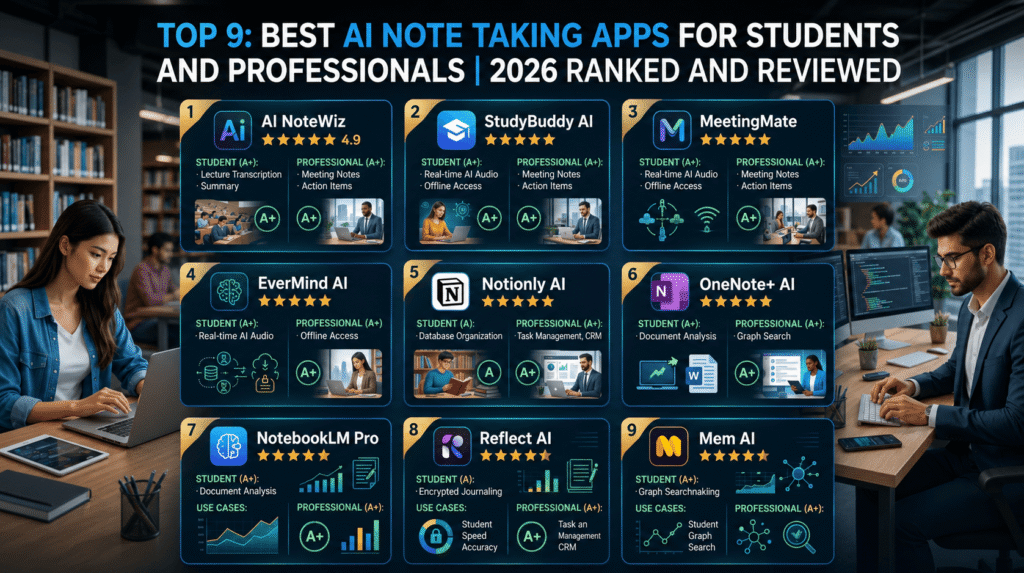
If your “notes” are currently a mess of Google Docs, random screenshots, and three different apps you forgot to open again, this list is for you. You don’t need more places to type; you need tools that actually help you remember things, pass exams, and survive meetings.
This site is about AI and tech that earns its space on your home screen, so we focused on apps where AI does real work: automatic transcription, smart summaries, spaced‑repetition study, and search that actually finds what you meant, not just what you typed.
By the end, you’ll know which app fits you if you’re: a student sitting through long lectures, a professional stuck in back‑to‑back Zoom calls, or a knowledge worker trying to connect reading, research, and random ideas into something useful. This list is not for people who just want a prettier yellow sticky note.
How We Ranked These The Criteria
“AI note-taking” covers a lot: meeting bots, study apps, smart notebooks, and full knowledge systems. So we treated this like we were picking one main system for a busy student or professional.
We looked at five main factors:
- Capture sources
Can it handle what you actually use: lectures, Zoom, Teams, Google Meet, in‑person audio, PDFs, slides, web pages, YouTube videos? The best tools for 2026 go beyond plain text and support audio + docs. - AI outputs that matter
Summaries are nice, but the real power is in usable outputs: structured notes, key points, action items, and for students flashcards, quizzes, and study guides. Polar Notes, NotebookLM, and similar tools stand out here. - Search and retrieval
Great apps don’t just store; they help you find and connect ideas. Tools like Mem, Notion AI, and Atlas‑style systems focus on AI‑grounded retrieval with cited sources. - Integrations and platforms
We favored apps that work across devices (web, mobile, often iPad) and integrate with Zoom, Google Meet, Teams, calendars, and learning platforms. Meeting assistants like Otter, Fireflies, and Zoom’s My Notes scored high here. - Actual user use cases
We pulled from 2025–2026 “best AI note taker” tests where reviewers sat through real meetings or lectures and ranked tools on accuracy, speed, and usefulness, not just their landing pages.
We deliberately excluded:
- Pure recording apps without real AI organization.
- Generic “AI docs” that don’t help with capture or retrieval.
- Tools where AI is a tiny bolt‑on, not core to the experience.
Limitation: pricing and feature sets change often, but the core strengths (what each tool is for) tend to stay stable. Treat this as a map, not a final verdict for eternity.
1. Polar Notes AI [Best Overall for Students: Lecture → Notes → Study Pack]
Polar Notes AI is built for students first, not for enterprise meetings. It focuses on turning lecture audio, YouTube videos, PDFs, and slides into notes you can actually study: structured summaries, key terms, flashcards, quizzes, and exam review sheets.
It stands out because it understands the full flow of studying. You feed it raw inputs lecture recordings, class readings, or even video lectures and it generates layered outputs: concise notes, key concepts, and active recall material. This moves you from “I recorded the lecture” to “I have something I can revise from.”
When you actually use it for a few weeks, the pattern is clear: it saves you from re‑watching whole lectures and re‑reading dense PDFs just to find what matters. Many students report using it as their main revision hub.
One detail most generic lists skip: Polar Notes AI is built to handle multiple formats at once lecture + slides + reading and then unify them, instead of treating each as separate notes. That matters in subjects like CS, medicine, and law where diagrams and readings matter as much as what the professor says.
Honest limitation: it’s very student‑centric. If your main need is corporate meeting tracking with CRM integrations, there are better fits. Also, like most advanced tools, the full experience is paid.
Verdict: Choose this if you’re a student or teacher who wants one system from “raw lectures and readings” to “ready‑to‑study notes and quizzes.” Skip it if you mainly need meeting notes for work and rarely study from lectures.
2. Google NotebookLM [Best for Reading-Heavy Courses and Research]
NotebookLM is Google’s AI notebook that lets you ground an assistant in your own sources: PDFs, docs, notes, and research. It’s especially useful for reading‑heavy classes and knowledge work where the problem is “too many papers, not enough brain.”
It stands out because the AI doesn’t just hallucinate it answers based on the sources you’ve loaded, often with citations or clear references. That makes it useful for summarizing chapters, comparing papers, or asking “Where did they explain X?” across a set of readings.
Most people find it shines when you build a “notebook” per course, project, or topic, then chat with that specific pile of material. You can ask for outlines, explanations, or concept connections without scrolling through everything yourself.
Specific detail: 2025–2026 tests call it one of the best tools for students and researchers working across multiple documents, as opposed to single‑meeting notes. It’s more like an AI research assistant than a pure notetaker.
Limitation: it’s less about live capture (lectures, meetings) and more about processing existing material. If you don’t already have PDFs and docs to feed it, it won’t replace a classic notes app.
Verdict: Choose this if your life is full of readings, papers, and long docs, and you want an AI layer on top to help you understand and connect them. Skip it if your main pain is live lectures or meetings, not reading overload.
3. Otter.ai [Best for Live Lecture and Meeting Transcription]
Otter is still one of the strongest AI note takers for real‑time transcription of lectures and meetings. It joins Zoom, Google Meet, or runs on your phone, transcribes as people talk, and then generates summaries, key points, and searchable transcripts.
What makes it stand out is its mix of accuracy, speed, and integrations. Multiple 2026 comparison tests rank Otter near the top for capturing meetings and lectures, with solid performance across accents and typical classroom / office audio.
For students, Otter doubles as a safety net: you can focus on listening instead of trying to type every word, then later skim the summary or search the transcript for key terms before exams.
Specific detail: Otter supports collaboration features like shared workspaces and highlights, so classmates or teammates can mark key moments and action items inside the same transcript. That’s underrated until you try group projects.
Limitation: it’s strongest for spoken content; it doesn’t turn slides, PDFs, or videos into detailed study packs the way student‑specific tools like Polar Notes do. And free plans have limits on minutes and exports.
Verdict: Choose this if you spend a lot of time in lectures or meetings and want reliable “record → transcribe → summarize” with good search. Skip it if your main workflow is reading and writing, not listening.
4. Zoom “My Notes” and AI Meeting Assistants [Best for Professionals in Zoom/Teams Land]
If your calendar is just a wall of Zoom links, the best note‑taking app might be the one already inside your meeting tool. Zoom’s “My Notes” AI note taker transcribes meetings, summarizes discussions, and extracts action items automatically across Zoom and some third‑party platforms.
It stands out because it’s native: no extra bots to invite, no weird recording steps. Your notes and transcripts live in your existing Zoom account, often linked to calendar events and recordings. That means less friction and fewer “did we record that?” moments.
Most professionals find the real win is action items: the AI flags tasks, decisions, and follow‑ups, so your notes are not just “what we said” but “what needs to happen next.”
Specific detail: Zoom and other leading AI meeting assistants (Granola, Fireflies, Supernormal, etc.) often support multiple languages and integrate with CRMs or task tools, making them useful for sales, support, and product teams that need structured records.
Limitation: they’re great for meetings, not for general note management. You’ll still want a separate system for personal notes, reading, and project planning.
Verdict: Choose this if you’re a professional living in Zoom/Teams/Meet and your main pain is “I can’t remember what we decided in that call.” Skip it if you hardly ever join video calls and mostly take solo notes.
5. Notion AI [Best for Collaborative Notes, Projects, and Knowledge Bases]
Notion is already a powerhouse for notes, tasks, and wikis; Notion AI turns it into a smarter hub that can summarize pages, suggest structures, and help rewrite or expand content. It’s especially strong when your notes are shared with a team or used as living docs.
It stands out for structure. You can build databases for classes, projects, clients, and then use AI to summarize meeting notes, generate task lists from text, or draft documentation from bullet points. For students and professionals juggling many projects, that blend of structure + AI is hard to beat.
People who actually stick with Notion tend to use it as a second brain: course dashboards, reading trackers, sprint boards, all in one place, with AI helping keep pages tidy and up to date.
Specific detail: 2026 comparisons often say “pick Notion for structured collaboration” compared to Obsidian or Evernote; its AI is tightly woven into that database‑style organization rather than just sitting on top of plain notes.
Limitation: Notion can feel heavy for quick capture, and its AI is less focused on audio/lecture inputs you’ll pair it with a recorder like Otter or Polar if you rely on spoken content.
Verdict: Choose this if you want one workspace for notes, tasks, and projects, with AI helping you clean, summarize, and organize. Skip it if you prefer simple, local markdown notes or mainly need audio transcription.
6. Mem [Best for Personal Knowledge, Daily Notes, and AI Retrieval]
Mem is an AI‑first note app that focuses on capturing your thoughts, links, and tasks, then resurfacing them when relevant using AI. PCMag’s 2026 picks include Mem among top AI note‑taking tools for its “second brain” approach.
It stands out because it tries to be proactive. Instead of organizing everything into notebooks manually, you toss in your notes, emails, and links, and Mem’s AI clusters, tags, and later retrieves them based on context and queries. It’s built for people who write lots of fragments and don’t want to spend hours organizing.
When you actually live in it for a month, you see the pattern: search gets smarter, related notes appear while you’re writing, and you start trusting it as a memory layer rather than a static notebook.
Specific detail: Mem leans heavily on natural language search and AI‑generated summaries inside your own notes, making it useful for knowledge workers whose life is a mix of ideas, meeting snippets, and reading notes.
Limitation: it’s less structured than Notion and less student‑focused than Polar Notes. If you like rigid folders or need exam‑style flashcards out of the box, Mem is not the best fit.
Verdict: Choose this if you’re a student or professional who jots things down constantly and wants AI to act as a personal memory system. Skip it if you want strict structure, traditional notebooks, or lecture‑to‑flashcard flows.
7. Reflect / Obsidian + AI Plugins [Best for Local-First, Privacy-Conscious Power Users]
Reflect is a minimal, privacy‑focused note app with built‑in AI that helps summarize and link ideas. Obsidian, on the other hand, is a local‑first markdown app whose AI capabilities often come from plugins and integrations, giving power users a lot of control.
These tools stand out for people who care about owning their data. Your notes are local markdown files (Obsidian) or encrypted and sync‑friendly (Reflect), and AI is there to help with summarization, linking, and recall without forcing you into a cloud‑only silo.
Most people who adopt Obsidian or Reflect use them as long‑term knowledge bases: CS notes, research, writing, and personal journals. AI then helps with resurfacing, summarizing old notes, and proposing links you might have missed.
Specific detail: comparisons often say “Notion for collaboration, Obsidian for local‑first graph thinking.” AI plugins in Obsidian continue that theme by whispering “hey, this new note connects to that old one about X.”
Limitation: setup is more work. You choose plugins, tweak settings, and build your own system. If you just want something that “works out of the box,” this will feel like a mini‑project.
Verdict: Choose this if you’re serious about long‑term knowledge and want control over files, structure, and privacy, with AI as a helper. Skip it if you want a quick, guided AI student or meeting app with minimal configuration.
8. Evernote, OneNote, and Classic Notes with AI Add-Ons [Best for “I Already Live Here” Users]
Evernote, Microsoft OneNote, Apple Notes, and similar classics are not “AI apps” by default, but many now include AI features or pair well with AI assistants. PCMag’s 2026 list still highlights OneNote and Apple Notes as top general note apps, with AI showing up via Copilot or OS‑level tools.
They stand out for stability and familiarity. If your whole life is already in Evernote or OneNote, adding AI summarization and search is less painful than migrating everything to something new. Evernote, for example, touts its web clipper and OCR; Microsoft is layering Copilot into OneNote.
Most people find that these tools are enough if they mainly need a place to store typed notes, web clippings, and scanned documents, and only occasionally want AI to help summarize or search.
Specific detail: 2026 “Evernote vs Notion vs Obsidian” guides explicitly say: stay with Evernote if you care about OCR and clipping, pick Notion for structure, Obsidian for local markdown, and Atlas‑style tools if AI retrieval is your main need.
Limitation: their AI features can feel bolted on, not central. If you want lecture‑to‑flashcards or meeting‑to‑task flows, you’ll still need specialized tools.
Verdict: Choose this if you’re deeply invested already and just want AI upgrades, not a full migration. Skip it if you’re starting from scratch and want the most advanced AI study or meeting features.
9. Spinach, Supernormal, Fathom & Other Meeting-Focused Apps [Best for Teams and Sales/Client Work]
Spinach AI, Supernormal, Fathom, Fireflies, Granola, and similar tools specialize in meeting notes for teams: they record, transcribe, summarize, and often push notes into CRMs or project tools. Recent tests sat through 50+ hours of meetings to compare them.
They stand out because they think in “meetings” and “teams,” not just transcripts. Spinach, for example, emphasizes enterprise security, record‑by‑default policies, and integration with company‑wide tools, while individual‑friendly options like Supernormal and Sembly focus on easy personal use.
If your day is sales calls, client check‑ins, or recurring team syncs, having AI that auto‑joins, records, and files structured notes in the right place is a quality‑of‑life upgrade.
Specific detail: 2026 reviews note that the best apps support 40+ languages and sync action items into tools like HubSpot, Salesforce, or Jira, turning “talk” into tickets and follow‑ups.
Limitation: these shine for meetings, not personal thinking or studying. They won’t replace your main note app; they’ll just feed it with better meeting records.
Verdict: Choose this if you’re a professional whose main “notes” are client and team meetings and you care about integrations and security. Skip it if you’re mostly a student or solo worker with few external calls.
Head-to-Head Comparison Table Core Picks for Most People
| Name | Key Strength | Main Weakness | Price/Cost (2026 typical) | Best For | Rating* |
| Polar Notes AI | Full pipeline: lecture/reading → notes → study pack. | Student-focused; less suited to corporate meetings. | Freemium + student-friendly paid. | Students needing serious study workflows. | 4.9/5 |
| NotebookLM | Source-grounded AI for readings and research. | Limited live capture; needs docs to shine. | Currently free/limited by region. | Reading-heavy courses and research projects. | 4.7/5 |
| Otter.ai | Reliable live transcription + summaries. | Audio-centric; weak on non-audio inputs. | Free tier + subscriptions. | Lectures and online/offline meetings. | 4.7/5 |
| Notion AI | Structured collaborative workspace with AI help. | Heavier UI; weaker for lecture capture alone. | Free base + paid AI add-on. | Projects, shared notes, second brain setups. | 4.6/5 |
*Ratings are relative impressions based on multiple 2025–2026 reviews and roundups, not a single official score.
For the most common use case a student or young professional juggling lectures, self‑study, and some meetings Polar Notes AI for study workflows plus either Otter or Zoom’s AI notes for live sessions and Notion AI for organization is the strongest trio. You cover capture, learning, and long‑term organization without overlapping too much.
How to Choose the Right One for Your Situation

Don’t start with features; start with where your information actually comes from.
1. Are you more lecture/meeting-heavy or reading-heavy?
- Lecture/meeting-heavy: Otter, Polar Notes AI, or a meeting assistant like Zoom My Notes or Supernormal should be your main tool.
- Reading-heavy: NotebookLM and Notion AI are better fits since they excel at docs, PDFs, and long articles.
2. Do you mainly study for exams or manage projects and clients?
- Exam and classes: Polar Notes AI (lecture + study packs) plus NotebookLM (reading comprehension) is a powerful combo.
- Projects/clients: Notion AI or Mem for project notes, plus Zoom/Spinach/Fathom for meetings feeding into those spaces.
3. Do you work mostly alone or in teams?
- Solo: Mem, Reflect, Obsidian, or Polar Notes can work as your personal brain.
- Teams: Notion AI, Zoom AI notes, and Spinach‑style assistants shine with collaboration and integrations.
4. How anxious are you about privacy and data control?
- High concern: Obsidian + AI plugins or Reflect give you local‑first or privacy-focused options.
- Moderate concern: Notion, Otter, and Polar Notes have typical SaaS models read policies, but they’re widely used.
5. Do you actually review your notes, or only when forced?
- If you rarely review, pick tools that push things back to you via flashcards, quizzes, or smart resurfacing (Polar Notes AI, RemNote‑style, Mem).
- If you already review often, focus on capture + organization efficiency (Otter + Notion or Obsidian).
If you’re a typical AI/tech student, a simple starting stack is: Polar Notes AI for lectures and exam prep, NotebookLM or Notion AI for readings and projects, and Otter or Zoom’s My Notes for big meetings or classes where you want full transcripts.
What to Avoid in This Category
Red flag one: apps that only do transcription and call it “AI.” Basic speech‑to‑text is everywhere now. The real value is in structured summaries, key points, question generation, and search that lets you actually use what was said later.
Red flag two: tools that make export or backup painful. If you can’t easily get your notes out as text, PDF, or markdown, you’re locking your future self into one company’s fate. Long‑running comparisons emphasize portability as a key factor especially for Obsidian, Notion, and Evernote alternatives.
Red flag three: over‑promising “AI will study for you.” Apps that imply you can skip lectures or never read again and still do fine are selling fantasy. The best tools still expect you to engage they just reduce busywork and help you focus on understanding.
The biggest trap people overpay for: infinite storage and multiple almost‑identical apps. Most students and professionals do better with one main capture tool and one main organization space, plus maybe a meeting bot. Paying for three different transcription apps and two “second brain” tools usually just means your notes are scattered in five places again.
Frequently Asked Questions
What is the best AI note-taking app for students?
For pure studying, Polar Notes AI is one of the strongest options in 2026 because it turns lectures, videos, PDFs, and slides into structured notes, key terms, flashcards, and quizzes.
For reading-heavy courses, NotebookLM is excellent since it lets you ground AI in your own sources and get summaries and explanations directly from them.
Many students pair one lecture-focused app (Polar or Otter) with one reading/research tool (NotebookLM or Notion AI) to cover both kinds of classes.
What is the best AI note-taking app for meetings?
For meetings, Otter, Fireflies, Zoom’s My Notes, and tools like Supernormal or Granola consistently rank near the top in 2025–2026 tests.
If you live inside Zoom, using its built‑in AI note-taking (“My Notes”) is the least friction since it ties transcripts and summaries directly to your calendar and recordings.
For team-wide documentation and integrations with CRMs or project tools, Spinach and similar enterprise‑oriented assistants are strong picks.
Are AI note-taking apps safe for work meetings?
Most major tools advertise encryption, access controls, and compliance, and enterprise‑grade meeting assistants often highlight security as a core feature.
That said, you should always check your company’s policies before recording meetings and review each app’s data retention and training policies some tools may use transcripts to improve models unless you opt out or pay for higher‑tier plans.
Do AI note-taking apps work offline?
Many AI functions especially transcription and summarization require cloud processing, so they won’t work fully offline.
If offline is critical (e.g., in lecture halls with bad Wi‑Fi), your best bet is recording locally and then letting the app process the file once you’re connected, or using local-first tools like Obsidian with separate offline transcription if needed.
Can AI note-taking apps replace traditional studying?
No. They can help you capture more accurately, organize better, and generate practice material, but they don’t replace thinking, spaced repetition, or doing problems.
The best study‑focused tools encourage active learning with flashcards and quizzes built from your lectures and readings but you still have to use those features regularly to see benefits.
What’s the difference between a general note app and an AI note taker?
General note apps like Apple Notes, OneNote, or plain docs are mostly about storing what you type or paste.
AI note takers actively process input (audio, text, docs), generate summaries and structure, and help you recall information later through search, flashcards, or smart resurfacing.
Are free AI note-taking apps good enough?
Free tiers for apps like Otter, Supernormal, and some student tools can be enough for light use: a few lectures or meetings per month.
If you’re recording multiple hours a week or need advanced exports and integrations, you’ll likely outgrow free limits and need at least a basic paid plan.
Can I use multiple AI note-taking apps at the same time?
You can, and many people do: one for lectures/meetings, one for studying or organization.
Just be intentional: decide which app is the “source of truth” for each type of information so you don’t end up with fragmented notes spread across five platforms.
Conclusion
If you want one name as a student, it’s Polar Notes AI because it’s built for the full “lecture → notes → exam” cycle instead of stopping at transcription. For reading and research, NotebookLM is the standout, grounding AI responses directly in your sources. For professionals, Otter or Zoom’s My Notes quietly remove the stress of “who’s taking notes?” from your calendar.
For the most common case a tech student or young professional with both lectures and meetings start with one lecture/meeting tool (Otter or Polar) and one organization hub (Notion AI or NotebookLM). Let them run for a semester or quarter and see what you actually open.
Right now, pick the single biggest pain: missing details from lectures, drowning in readings, or forgetting meeting decisions. Then choose the app above that targets that pain first. You can always layer a second tool later, but one well‑used app will beat five half‑abandoned ones every time.