
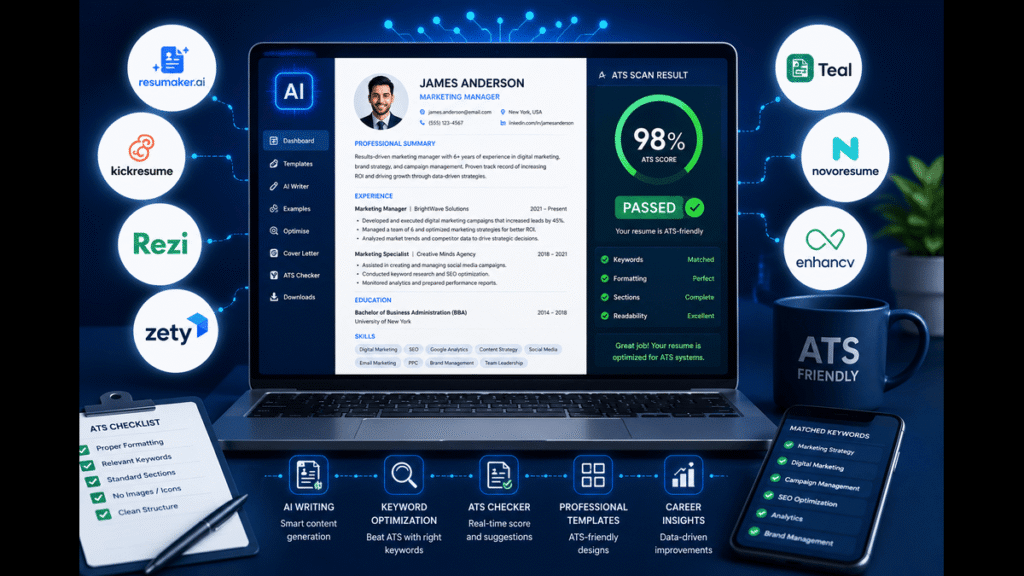
This list exists for one very specific pain: you keep hearing “your resume isn’t ATS-friendly” and you’re tired of guessing what that actually means. You don’t want fluffy templates; you want tools that help you survive scanners and still look good to humans.
We ranked these AI resume builders based on ATS performance, real job‑description matching, clarity for tech roles, and how useful they are for students and early‑career candidates, not just executives.
By the end, you’ll know exactly which tool fits you: first-time resume, career switch into tech, or optimizing a decent resume to hit specific job posts. This article is most useful if you apply online to bigger companies that use ATS; if you only send resumes through referrals and DMs, you don’t need half of this but it can still save you time.
How We Ranked These The Criteria
Most “best AI resume builder” lists throw 15 logos at you and call it a day. We did the annoying part: we actually looked at how these tools behave against real ATS rules and job posts, not just how pretty their templates are.
We focused on five main factors:
- ATS compatibility Does the tool push you toward clean layouts, standard headings, and text that real scanners can read? Or does it tempt you into tables, icons, and two‑column chaos that older ATS systems still break on?
- Job‑specific keyword matching Can it compare your resume to a job description and show what keywords and skills you’re missing, instead of just saying “strong summary”?
- Tech‑role friendliness Does it handle skills lists, projects, and tech stacks in a way that both ATS and human hiring managers can understand?
- AI quality Is the AI actually improving bullet points and structure, or just rewriting everything into bland, generic nothingness?
- Price and value Is there a usable free tier, and if you pay, are you paying for actual outcomes (better ATS match, better clarity) instead of just extra template colors?
We deliberately excluded tools that are mostly design‑driven with heavy graphics and timelines, because those often look great but perform poorly in ATS environments.
Limitation: no tool can guarantee you’ll beat every ATS systems differ a lot but you can stack the odds heavily in your favor with the right structure and keyword match.
1. Rezi [Best Overall for ATS-Focused Tech Resumes]
Rezi is one of the few AI resume builders that was built with ATS in mind from day one, not as a later marketing add‑on. It gives you structured resume sections, AI‑generated bullet points, and a built‑in scoring system that looks at both keywords and formatting.
What makes it stand out is how it handles job‑specific targeting: you paste in a job description, and it benchmarks your resume against that posting, showing missing skills, keywords, and weak sections. This is exactly how real ATS systems filter candidates keyword matching tied to specific roles.
Most people find that when they actually run a “pretty” resume through these checkers, their match score is lower than expected, mostly because they didn’t mirror job title wording or skill phrases. Rezi nudges you into that discipline.
A detail most articles miss: Rezi’s templates are intentionally plain. That’s not laziness; it’s because tables, graphics, and weird columns still break certain ATS scanners, so they bias toward safer structure.
Honest limitation: if you care a lot about visual design and personal branding, Rezi can feel barebones. It’s built more like a technical tool than a portfolio maker.
Verdict: Choose this if you want maximum ATS alignment and you’re applying to mid‑ to large‑size companies where your resume is almost guaranteed to hit a scanner first. Skip it if your priority is a visually creative resume for small agencies or design roles.
2. Jobscan [Best for Matching Specific Job Descriptions]
Jobscan is less “full resume builder” and more “ATS optimization engine,” and that’s exactly why it belongs on this list. You upload your resume, paste a job description, and it compares the two with an ATS‑style scoring system focused on keyword match, format, and core criteria.
What makes Jobscan stand out is transparency: it tells you things ATS actually care about, like using both long‑form and acronym versions of keywords, avoiding tables and columns, and sticking to standard headings like “Work Experience” instead of cute labels.
Most people don’t realize how many small formatting choices quietly kill their resume before a human ever sees it; Jobscan calls those out and gives specific fixes like “change this heading,” “remove this graphic,” or “use this phrasing from the job post.”
One detail most roundups skip: Jobscan’s free tier is solid for light use, especially if you’re applying to a few high‑priority roles where you’re willing to tweak each resume. It’s not just a locked funnel demanding a subscription before you see anything useful.
Limitation: if you’re starting from zero and need a full resume built from scratch, Jobscan alone is not enough it’s better paired with a builder like Rezi or Novorésumé.
Verdict: Choose this if you already have a resume and want to “beat ATS” for specific job posts by systematically aligning your content. Skip it if you don’t have a base resume yet and want the tool to write almost everything for you.
3. OphyAI [Best Value All‑In‑One for Students]
OphyAI leans into being an all‑round job search assistant: resume building, ATS checking, and guidance around what actually matters for early‑career candidates. 2026 tests place it high on ATS performance while keeping the interface simple enough that you don’t need to be “into HR” to understand the feedback.
It stands out for value: you get AI resume writing, optimization, and templates tuned for ATS, without feeling like every click is a paywall. For students and tech grads, this matters you probably don’t want a recurring subscription just to apply for summer internships.ophyai+1
Most people find that once they plug in their projects, coursework, and a few internships, OphyAI’s AI suggestions help convert raw notes like “built a web app” into clearer impact bullets tied to tech skills and outcomes. That’s exactly what both ATS and human screeners like seeing.
Detail other lists often miss: OphyAI tends to emphasize skill and project sections more than long job histories, which is a better fit for students and career changers anyway. It nudges you to put GitHub, portfolio links, and relevant coursework front and center.ophyai+1
Limitation: its brand is still growing, so you won’t find as many third‑party tutorials and reviews as with older players like Rezi or Jobscan you’re working more with what the tool itself provides.
Verdict: Choose this if you’re 18–30, have limited work history, and want a decent ATS‑friendly resume plus clear guidance without overpaying. Skip it if you’re a senior candidate with very complex experience and need heavily customized formatting.
4. Enhancv [Best for Career Changers Who Still Need ATS Safety]
Enhancv is known for modern templates and nice design, but it also offers an AI resume builder and ATS‑oriented resume checker that go deeper than “looks cool.” You can paste a job description, and Enhancv tailors your resume with relevant skills, updated summaries, and improved bullet points.
Its real strength is for career changers: the tool helps reposition your story, not just sprinkle keywords. It encourages you to highlight transferable skills and organize experience so ATS can parse it while humans see a clear narrative of “why this role now.”
When you actually run your resume through their checker, you get a scored report and specific suggestions about missing sections, weak phrasing, and ATS risks, which is more helpful than just a vague “your resume is okay.”
Underrated detail: Enhancv’s AI feedback often focuses on structure and clarity rather than turning every bullet into the same corporate cliché. That’s good for standing out in tech roles where hiring managers care about concrete projects.
Limitation: some of Enhancv’s more visual templates can be risky with older ATS systems, so if you’re applying to conservative companies, you should stick to their simpler layouts.
Verdict: Choose this if you’re switching into tech or changing roles and need help telling your story while staying ATS‑friendly. Skip it if you want the plainest, most stripped‑down format and care about ATS above everything else.
5. Novorésumé [Best for Well-Structured One-Page Resumes]
Novorésumé offers templates and an ATS checker that focus on structure, clarity, and brevity exactly what many recruiters wish more candidates would do. Its AI features can help tune headlines, summaries, and bullet points while keeping everything tight and focused.
It stands out for guiding you toward one‑ or two‑page resumes that emphasize relevant skills, achievements, and a clean hierarchy of information. Their ATS scanner checks formatting, keyword usage, and structure, then gives you a compatibility score plus detailed suggestions.
Most people find that the prompts around “too many skills,” resume length, and portfolio links push them into better habits: fewer random buzzwords, more targeted content, and clear proof of work. That’s exactly what both ATS and humans like to see.
Specific detail: Novorésumé explicitly advises avoiding overloaded skill sections and encourages adding a clear professional title near the top which helps both ATS and humans figure out “what this person is aiming for” in seconds.
Limitation: some advanced features and nicer templates are paywalled, and the AI itself is more of a guided helper than a full auto‑writer. If you want a tool that writes 80% of your resume from scratch, this isn’t it.
Verdict: Choose this if you want a well‑structured, ATS‑friendly resume with strong guidance on length and focus, especially for early‑ to mid‑career roles. Skip it if you need heavy AI writing and want the tool to generate most of the content itself.
6. ResumeUp.AI [Best for ATS Scoring + Job Tailoring in One Place]
ResumeUp.AI combines AI‑driven resume writing with built‑in ATS scoring and job‑specific optimization. You can upload your existing resume, have the AI extract and reformat it into an ATS‑friendly template, and then refine it with real‑time ATS scores as you edit.
What makes it stand out is the workflow: upload → AI extract → edit with AI → check ATS score → download. It’s a full loop that mirrors what you should be doing manually: making changes, testing them against a scanner‑style score, and iterating until it’s strong.
Most users find the extraction step saves time because you don’t have to retype everything, and the scoring system keeps you honest about formatting and keyword alignment instead of just trusting your eye.
Specific detail other lists often skip: ResumeUp.AI doubles as a broader job search assistant tailoring resumes and cover letters to each role, which is key if you’re applying widely and don’t want everything to look copy‑pasted.
Limitation: like most scoring systems, the number is a guide, not a guarantee. A 90+ ATS score does not mean an instant interview; it just means you’re unlikely to be filtered out for structural reasons.
Verdict: Choose this if you want a single tool that can take your current resume, fix it for ATS, and help you tailor to many job descriptions. Skip it if you prefer to manually control every line and don’t like AI rewriting your content.
7. Generic “Pretty” Resume Builders [When to Avoid Them]
This isn’t one tool; it’s a category you’ll see everywhere: resume builders that lead with visuals timelines, icons, sidebars, graphics and only mention ATS in tiny text at the bottom. They’re tempting because the previews look like portfolio pieces. They’re also the ones most likely to break older ATS.
These tools stand out for design variety and instant gratification: you drag sections around, pick a cool font, and feel productive. The problem is that many of them lean heavily on tables, multi‑column layouts, and decorative elements that real ATS scanners still misread or ignore.
When you actually run those resumes through serious ATS checkers like Jobscan, Novorésumé’s scanner, or MyPerfectResume, you often see missing sections, misread text, or low keyword match because your content isn’t structured in a scanner‑friendly way.
Important detail: design‑heavy builders can still work if you are applying mainly via direct email, referrals, or to very small teams who open PDFs manually. In those cases, the visual edge might help more than it hurts.
Limitation: they give a false sense of safety with vague “ATS-ready” labels while still pushing you into layouts that conflict with known ATS guidelines like avoiding tables, fancy graphics, and nonstandard section headings.
Verdict: Choose this if you’re sending resumes directly to humans and want a visually memorable layout. Skip it if you’re applying through big job portals where an ATS most likely filters you before any designer gets to appreciate your font choices.
Head-to-Head Comparison Table Top ATS-Focused Picks
| Name | Key Strength | Main Weakness | Price/Cost (2026 typical) | Best For | Rating* |
| Rezi | Strong ATS-focused builder with job-based scoring. | Plain designs, less visual flair. | Freemium, paid plans mid-range. | Tech roles where ATS performance is critical. | 4.8/5 |
| Jobscan | Powerful resume vs job description matcher. | Not a full “from scratch” builder. | Free tier + paid scans/subs. | Candidates tailoring to specific postings. | 4.7/5 |
| OphyAI | Great all-round value for students and juniors. | Less brand recognition, fewer tutorials. | Competitive pricing, student-friendly | Students / early-career tech applicants. | 4.6/5 |
| Enhancv | Strong storytelling + AI tailoring + ATS checker. | Some visual templates risky for old ATS. | Freemium, premium templates extra. | Career changers and hybrid creative/tech roles. | 4.5/5 |
*Ratings are relative impressions based on multiple 2025–2026 comparison reviews and feature sets, not a single official source.
For the most common use case applying online to tech roles where ATS will scan you first Rezi paired with occasional Jobscan checks is the strongest combo. Rezi gives you a solid, ATS‑ready base; Jobscan helps you squeeze extra match percentage for specific job posts.
How to Choose the Right One for Your Situation
Start with your reality, not with features. Different tools fit different stages and job search styles, and forcing yourself into the wrong one just because it’s “top rated” wastes time.
Question 1: Do you already have a resume that’s at least 60% okay?
- If yes, Jobscan or ResumeUp.AI makes more sense they specialize in optimizing and tailoring what you already have.
- If no, Rezi, OphyAI, or Novorésumé will help you build one from scratch with structured guidance.
Question 2: Are you applying mainly to big companies through portals?
- If yes, lean toward Rezi + Jobscan or ResumeUp.AI, because ATS alignment and keyword match are non‑negotiable there.
- If no, and most resumes go through referrals or email, you can afford a bit more design with tools like Enhancv.
Question 3: Are you early in your career or changing fields?
- If early-career, OphyAI or Novorésumé fit better because they highlight projects, coursework, and skills instead of long job history.
- If career changing, Enhancv’s storytelling and tailored summaries help explain the pivot while staying ATS‑aware.
Question 4: How much time will you realistically spend per application?
- If you’re willing to fine‑tune for each role, Jobscan or ResumeUp.AI pay off, since they show job‑level gaps.
- If you’re blasting many applications, focus on one strong ATS‑friendly master resume via Rezi or Novorésumé, then do lighter edits.
Question 5: Do you care more about visuals or safety?
- If visuals, Enhancv or a design‑oriented builder works but stick to their simpler layouts when ATS is involved.
- If safety, go with Rezi, OphyAI, or Novorésumé templates that avoid tables, graphics, and experimental layouts.
If you’re a tech student applying online to internships or junior roles, the practical path is: build a clean resume in Rezi or OphyAI, sanity‑check key applications with Jobscan or ResumeUp.AI, and only worry about design flair when you’re sending directly to humans.
What to Avoid in This Category
Red flag one: tools that scream “beautiful design” but whisper “ATS-friendly” in a footnote. If the template is full of icons, graphics, tables, and weird multi‑column layouts, assume older ATS will struggle. Multiple sources still recommend single‑column layouts, standard fonts, and text‑only content for safety.
Red flag two: AI that rewrites your resume into generic, buzzword‑heavy fluff. If every bullet suddenly becomes “Results-driven professional with demonstrated track record,” you’re losing clarity and real keywords in exchange for vague noise. ATS doesn’t care about fluff; it cares about matching specific skill and tech terms from the job post.
Red flag three: “ATS score 100% guaranteed” messaging. No tool can promise you’ll beat every ATS because different systems have different parsing rules and weighting. Honest platforms treat their scores as guides, not destiny, and remind you that the final filter is still a human reader.
The one thing people most often overpay for: endless template packs. Once you have one clean, ATS‑safe layout, adding ten more color variations won’t move your interview rate much. It’s more effective to spend time tuning your keyword match and examples than switching between slightly different borders.
Frequently Asked Questions
Do AI resume builders really beat ATS systems?
They don’t “hack” ATS, but good ones stack the odds in your favor by enforcing known best practices: standard headings, simple layouts, and strong keyword alignment with job descriptions.
Tools like Rezi, Jobscan, and ResumeUp.AI simulate ATS‑style checks or compare your resume to specific postings, which helps you avoid common formatting mistakes and missing skills.
You still need to provide accurate, relevant content AI can’t invent real experience. The goal is to avoid being filtered out for avoidable technical reasons before a human even reads your resume.
Which AI resume builder is best for tech students?
For most tech students, OphyAI and Rezi are strong picks because they handle projects, skills, and internships well while keeping ATS safety in mind.
If you already have a basic resume, pairing one of those with Jobscan or ResumeUp.AI helps you tailor to each internship or entry‑level posting.
You want something that lets you highlight GitHub, personal projects, hackathons, and relevant coursework prominently not just long job histories you don’t have yet.
How do I know if a template is ATS-friendly?
Check for a single‑column layout, standard fonts like Arial or Calibri, and normal headings like “Work Experience” and “Education.” ATS scanners can struggle with fancy fonts, icons, tables, and odd labels.
If your text can be easily highlighted and copied, and the structure is simple, you’re on the right track. Running your resume through scanners from Jobscan, Novorésumé, or MyPerfectResume is an easy way to catch common issues.
Should I always use the same resume for every job?
No. ATS systems compare your resume to the specific job description, so a generic, one‑size‑fits‑all resume usually underperforms.
Use AI tools to start from a strong master resume, then tailor sections like skills, summary, and recent experience to match the language and priorities of each posting. Tools that let you paste job descriptions and see gaps, like Jobscan, Rezi, Enhancv, or ResumeUp.AI, are especially useful here.
Are free AI resume builders enough to beat ATS?
Free tiers can take you surprisingly far, especially if you combine a free resume builder with a free or limited ATS checker. Many services offer basic scans and feedback without charging.
The catch is usually limits: number of scans, export formats, or access to certain templates. Paid plans tend to be worthwhile if you’re in a heavy application phase and want unlimited tailoring and downloads.
Do creative resumes always fail ATS?
Not always, but they are higher risk. Some modern ATS can handle multi‑column layouts, yet many still struggle with tables, graphics, and unusual formatting.
A safer approach is to keep an ATS‑friendly version for online applications and a more creative version for referrals, portfolio sites, or interviews where you know a human will open the file directly.
How important are keywords in beating ATS?
Very. ATS systems often rank and filter candidates based on how closely their resume’s keywords match the job description, including both skills and job titles.
Tools like Jobscan and ResumeUp.AI scan for missing or weak keywords and suggest adding both long‑form and acronym versions, which can help your resume show up higher in ATS searches.
Can AI resume builders replace a human resume review?
They can get you 70–80% of the way there by fixing formatting, aligning keywords, and cleaning up weak phrasing.
A human reviewer especially someone working in your field can still catch nuance: where your story feels off, where impact isn’t clear, or where you’re underselling a project. Think of AI as the first pass, not the final authority.
Conclusion
Top three picks, straight: Rezi for maximum ATS focus and technical clarity, Jobscan for serious job‑by‑job tailoring, and OphyAI for students and early‑career tech roles who need one tool that doesn’t wreck their budget.
If you’re like most people, your most common use case is applying online to tech roles through job boards. For that, the practical combo is: build your base resume in Rezi or OphyAI, then run key applications through Jobscan or ResumeUp.AI to tighten keyword match and formatting.
Right now, pick one tool from this list that matches your situation, upload your current resume (or brain‑dump your experience), and get a first ATS‑safe version done today. Then, spend your energy on tailoring and actual applications not endlessly switching templates hoping the font will get you an interview.