
There’s a special kind of comedy in watching a founder say “we’re rolling out a new AI CRM” and seeing every salesperson instantly reconsider their life choices.
You’ve seen it. New system, big kickoff, lots of words like “pipeline visibility” and “predictive insights.” Two months later, reps are back in spreadsheets and WhatsApp, the VP of Sales is yelling about “data hygiene,” and the CRM is a very expensive address book.
Here’s the twist: CRM actually works. Businesses using CRM report around 29% higher sales, a 34% boost in sales productivity, and a 42% improvement in forecast accuracy on average. Some stats put ROI at $8.71 per $1 spent (with newer data suggesting more like $3.10 as the market matures). And 81% of organizations are expected to be on AI‑powered CRMs, with nearly 80% of users saying AI is now important in their sales tools.
If you’re in the AI/tech crowd, you’re not asking “what is a CRM?” You’re asking: which AI CRM actually helps a sales team close deals in 2026, and which ones are just nicer ways to log calls you still won’t log?
Let’s talk about that.
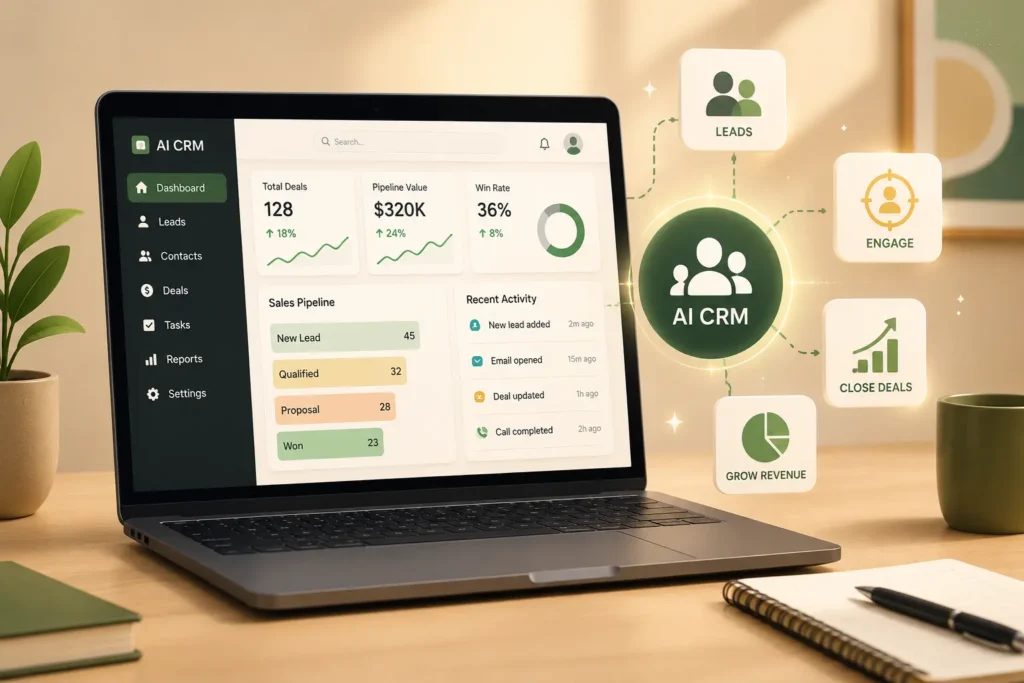
THE THING NOBODY ACTUALLY SAYS OUT LOUD
Here’s the part most glossy “best AI CRM” lists skip: the biggest reason CRM projects fail is not features, it’s the part where humans refuse to use them properly.
The numbers are brutal. Around 91% of companies with 10+ employees now use a CRM, the market is racing towards $126 billion by 2026, and yet more than half of CRM implementations still fail to meet their objectives. Not because the dashboards aren’t pretty. Because reps hate data entry, managers don’t enforce the process, and nobody trusts the numbers.
Now we’ve added AI to this mess.
Vendors promise that AI will:
- Auto‑log calls and emails
- Score leads
- Forecast revenue
- Tell reps what to do next
- “Close deals while you sleep” (sure)
In reality, when you actually run a sales team, AI does something less dramatic and much more useful: it deletes a lot of boring work and makes it obvious who’s lying about their pipeline.
Gartner‑style predictions say that by 2030, around 70% of routine sales tasks will be automated, and by 2028, AI could be closing 70% of sales cycles by handling prospecting, qualification, and parts of negotiation for straightforward deals. That doesn’t mean “robots in hoodies selling SaaS.” It means humans move higher up the stack complex deals, relationship building, strategy while AI quietly chases, logs, and nudges.
You’ll see endless lists: “best AI CRMs” including Nutshell, HubSpot Smart CRM, Salesforce Einstein, Zoho CRM, Pipedrive, Salesmate, and more. They all claim some version of:
- AI-driven lead scoring
- Predictive forecasting
- Next-best-action suggestions
- Auto-captured activity and summaries
What none of them say on the homepage: if your data is trash, the AI is just very fast at producing confidently wrong insights. Gartner literally recommends cleaning data and using AI analytics to verify it before letting AI influence decisions.
The other quiet reality:
- Salesforce is still king of “we can do anything if you can pay someone to configure it.”
- HubSpot is the golden child for “we want sales, marketing, and support in one clean-ish system.”
- Pipedrive is the “let the reps breathe, give them a pipeline, and don’t overcomplicate this” option.
- Newer AI‑leaning platforms (Salesmate, Nutshell, AI sales intelligence tools like SalesPlay) are great at “helping reps actually sell instead of babysitting CRM.”
So no, AI doesn’t magically fix CRM adoption. But it does change the job of a CRM: from static database to active teammate that chases reps, flags nonsense, and suggests next moves.
Your job is picking the one that matches the way you sell not the one with the fanciest “Einstein” branding.
HOW THIS ACTUALLY WORKS THE REAL MECHANICS
Strip away the marketing, and AI inside a CRM does four main things.
1. Capture and clean data without begging reps
Old model: reps manually log calls, emails, notes. Which they don’t.
AI model:
- Auto-logs emails and calendar events into deals and contacts.
- Uses conversation intelligence to record, transcribe, and summarize calls.
- Updates fields like “last activity,” “next step,” and even “deal sentiment” based on what actually happened, not what reps remembered.
Tools like Salesforce Einstein, HubSpot Smart CRM, Zoho’s AI, and Salesmate all do some version of this now. In practice, that’s the difference between “opportunity last touched: 45 days ago (lol)” and accurate timelines.
Opinion: This is the boring foundation everything else depends on.
2. Prioritize leads and deals
AI looks at:
- Past won/lost data
- Activity history
- Firmographic signals (company size, industry)
- Engagement (email opens, call outcomes)
Then it predicts which leads and deals are most likely to close and when. Some tools, like AI sales platforms (SalesPlay, Vivun-style systems), even combine market-level signals and “predictive revenue intelligence” with CRM data.
Opinion: When you actually use this, your pipeline view stops being a “list of vibes” and starts being a sorted to‑do list.
3. Help reps communicate better (and faster)
This is where generative AI shows up:
- Drafts outreach emails, follow‑ups, and LinkedIn messages based on deal context.
- Summarizes long threads and call transcripts into “here’s what happened and what to do next.”pipeline.
- Creates call prep briefs: who is this person, what’s their company, what have we already talked about?
Gartner-like guides suggest you track whether this actually shortens sales cycles and improves stage‑to‑stage conversion instead of just “we send more emails.”
Opinion: AI writing is only helpful when it’s grounded in your actual CRM data, not generic “hope this email finds you well” scripts.
4. Forecast and coach
AI forecasting looks at historical data, current pipeline, and rep behavior to predict likely revenue and risk. Some systems now flag deals with “happy ears” risk lots of activity, low actual buying signals and highlight under-touched, high-potential deals.
Newer thinking from Gartner and others says that in this world, you stop measuring “how many activities did a rep do?” and start measuring “how much did this rep accelerate deals with AI as their teammate?”
Opinion: if your CRM isn’t helping you coach reps not just report on them you’re leaving a lot of AI value on the floor.
Short list with actual opinions:
- Salesforce – Insanely powerful with Einstein, conversation intelligence, and custom AI apps… if you can afford the admin/dev layer.
- HubSpot Smart CRM – Best blend of sales + marketing + service with accessible AI for small to mid teams.
- Pipedrive – Still one of the best pure sales CRMs; Its newer AI features are lighter but keep reps focused on pipeline and tasks.
- Salesmate / Nutshell / Zoho – Strong “CRM with AI” options when you want value and sales‑first workflows without enterprise bloat.
COMPARISON WHAT’S ACTUALLY DIFFERENT BETWEEN YOUR OPTIONS
Here’s a simple, sales-team-first breakdown.
| Option | What it actually does | Who it’s for | The catch |
| Salesforce + Einstein | Extremely configurable CRM with AI for forecasting, scoring, insights, and automation. | Large/complex sales orgs that can afford admins/consultants. | Overkill and expensive for small teams; Setup can be heavy. |
| HubSpot Smart CRM | Unified sales/marketing/service with AI content, scoring, and insights built in. | Growing teams that want one connected GTM platform. | Can get pricey as your contacts and hubs grow; some features are gated by tier. |
| Pipedrive (with AI) | Simple, pipeline‑first CRM now with AI suggestions and insights. | SMB sales teams want clarity and minimal friction. | Less native marketing/support; AI is helpful but not as deep as big suites. |
| Nutshell / Salesmate / Zoho CRM | Sales-focused CRMs with AI assistance, automation, and reporting at SMB-friendly pricing. | Small to mid teams who want AI without enterprise cost. | Fewer ecosystem integrations than Salesforce/HubSpot in some cases. |
If you’re an AI/tech‑savvy student or early‑stage founder running a real sales motion, my take:
- Under ~20 reps → HubSpot or Pipedrive or Salesmate/Nutshell depending on budget and need for marketing integration.
- Above that, or complex B2B → Salesforce is hard to avoid, but you only win with it if you treat configuration as a serious project, not a weekend hobby.
WHAT ACTUALLY HAPPENS WHEN YOU TRY THIS
When you actually roll out an AI CRM to a sales team, the experience is less “Iron Man HUD” and more “why is this thing judging my pipeline accuracy.”
You start with a demo. The vendor shows you an AI feature that automatically logs calls, summarizes them, and suggests the next email. It looks great. You imagine reps magically becoming strategic because admin work vanished.pipeline.
Reality: the first two weeks are chaos.
- Integrations break for one or two reps.
- Data imports reveal 10,000 duplicate contacts.
- Custom fields from the old system make no sense in the new one.
- Everyone insists their way of logging deals is the “correct” way.
The first thing that surprised me the first time I helped roll this out: you don’t see AI value until you force boring discipline. When you actually clean data, define stages clearly, set required fields, and enforce that, AI magically gets smarter because it finally has something coherent to analyze.
Then the AI starts doing its thing:
- Reps stop writing every email from scratch. They use AI drafts as a base, then personalize.
- Pipeline review calls for shift from “what’s happening here?” to “the model thinks this is at 20% convince me it’s 60%.”
- Forecasts start missing less often. That 42% improvement in forecast accuracy from CRM use doesn’t come from pretty graphs; it comes from fighting over fewer imaginary deals.
A pattern other articles miss: AI CRMs expose lazy selling faster. When the system can see that a rep hasn’t meaningfully engaged with a “hot” account in weeks, and AI says the account is decaying, you can’t hide behind “I’m on it, trust me.”
Another pattern: the teams who win don’t just turn on AI features; they coach to them. They add new metrics like “deal acceleration impact,” “buyer engagement quality,” and “strategic use of AI tools” exactly the kind of things Gartner says will define top sellers.
What nobody warns you about: if you try to do this on top of already broken processes, you just get “machine‑assisted chaos.” AI will politely automate your bad habits.
When it works, though, it feels like this:
- A rep logs in and sees not “here’s your entire pipeline,” but “here are 10 deals and leads to focus on today, in this order, with suggested actions.”
- Call summaries and email threads are auto-organized by account, so prep for a meeting actually takes five minutes instead of a panicked half-hour.
- Sales leaders stop living in spreadsheets and start spending more time listening to actual calls and coaching on key moments.
And no, it doesn’t make selling easy. It just removes excuses.
THE ADVICE EVERYONE GIVES VS WHAT ACTUALLY WORKS
“Pick the CRM with the most AI features.”
This is how you end up with a system that can generate 20 flavors of follow-up emails while nobody on your team actually updates deal stages. Fancy AI forecasting means nothing if the underlying data is lies.
What works: pick the CRM that best matches your sales process without AI first. Pipeline structure, integrations, and UX should drive the decision. Then look at AI features as multipliers: do they reduce admin, improve prioritisation, or help coaching in ways you’ll actually use?
“Go straight to Salesforce; you’ll grow into it.”
You might. Or you might end up with a half-configured monster everyone resents. Salesforce with Einstein and AI add‑ons is incredible for complex B2B, but it assumes you have the money and patience for admins or partners.
What works: if you’re under, say, 20 reps and don’t have an ops team, HubSpot, Pipedrive, Salesmate, Nutshell, or Zoho are usually better starting points. Move to Salesforce when you’ve proven your process and outgrown simpler tools.
“AI will replace entry-level sales roles.”
The more realistic thing: AI is replacing mindless tasks, not the entire role. Gartner and others predict 70% of routine tasks and sales cycles being AI-assisted or AI-driven by the late 2020s, but they’re explicit: sellers remain crucial for complex judgment, EQ, and deal orchestration. AI will qualify, enrich, draft, and nudge; Humans will still negotiate, navigate politics, and build trust.
What works: learn to be someone who uses AI well. In 2026, top sellers aren’t the ones who send the most emails; they’re the ones who moved deals faster by using AI for prep, follow‑up, and insight.
“Turn on all the AI automations and you’ll see results.”
If you do this, you get spammy sequences, over‑automated cadences, and a pipeline full of ghost deals. More automation without better strategy just means you annoy more people faster .
What works: start with 1–2 AI use cases that clearly support your goals:
- Auto-logging and summarizing calls
- AI‑assisted email drafting for specific stages
- Lead scoring to help with prioritisation
- Forecasting improvements
Measure before and after: response times, conversion per stage, forecast accuracy, and rep “selling vs admin” time. If numbers don’t move, you tweak or turn things off.
THE PRACTICAL PART WHAT TO ACTUALLY DO
1. Map your sales process before touching tools.
Grab a whiteboard (or a doc) and outline:
- How leads come in (forms, outbound, product signups, referrals).
- Stages from first touch to close.
- Who does what at each stage.
- Where deals stall or die.
This sounds basic, but most teams skip it and then wonder why the CRM doesn’t fit. Every good AI CRM implementation starts with this audit.
2. Decide your “CRM level” honestly.
Rough guide:
- Solo / very small team, simple sales → Pipedrive, Nutshell, Salesmate, Zoho CRM.
- Small to mid team with marketing + sales + support → HubSpot Smart CRM.
- Larger or complex B2B, heavy custom workflows → Salesforce with Einstein, maybe + a sales intelligence layer.
Pick 2–3 that match your level and stack (email, calling, product) and actually try them. No more than three, or you’ll go insane.
3. Test them on a real two-week sprint.
Don’t test in demo sandboxes. Take one real segment say, new inbound leads in a region and run that whole motion through the trial CRM(s) for two weeks.
Watch:
- How quickly reps can log and update opportunities.
- Whether AI suggestions are actually useful or just noise.pipeline.
- How managers feel about pipeline visibility and reports.
Your goal isn’t “did we close more deals in 14 days?” It’s “does this system make it easier to sell and manage?” If reps are fighting it after a week, that’s a bad sign.
4. Clean and standardize data before rollout.
Merge duplicates. Standardize stages. Kill old fields nobody uses. Decide which fields are required at each stage (eg, budget, timeframe, decision maker before moving to proposal).
Gartner’s guidance is blunt: clean your data before letting AI near it, or you’ll make bad decisions faster. You don’t need perfection; you need “correct enough that we’re not training models on lies.”
5. Start with 2–3 AI features max.
For a new AI CRM, my default starting set:
- Auto‑logging + call transcription/summaries.
- AI‑assisted email drafting for follow‑up and recap emails.
- Basic lead/deal scoring and risk flags.
Turn these on, train reps to use them, and track impact: hours saved on admin, email volume/quality, meeting prep time, and forecasting accuracy. Only after that do you experiment with fancy stuff like AI playbooks, conversation intelligence dashboards, or generated battlecards.
6. Coach to the new metrics.
Add a few metrics to your sales one‑on‑ones:
- % of activities auto-logged vs missing.
- How often reps use AI drafts (and the quality of final emails).
- Deal slippage vs AI forecast.
- “Strategic use of AI tools” as a real coaching topic.
You’re not trying to catch people out. You’re teaching them how to treat AI as a teammate, not a toy.
7. Re-evaluate after 90 days.
After three months, ask:
- Did admin time drop meaningfully? (Some studies suggest CRM can cut admin burden and improve productivity by ~34%.)
- Did sales per rep or pipeline conversion improve at all?
- Is forecast accuracy better or worse?
- Do reps hate the tool less, more, or about the same?
If you can’t point to specific, measurable improvements, adjust features, additional training, or if needed the CRM itself.
QUESTIONS PEOPLE ACTUALLY ASK
What is the best AI CRM for sales teams in 2026?
There is no single winner. For most growing B2B teams, Salesforce with Einstein is the most powerful but only if you have the budget and people to configure it properly. HubSpot Smart CRM is usually the best all-rounder for small to mid teams that want sales, marketing, and service in one AI-powered platform. Pipedrive, Nutshell, Salesmate, and Zoho are strong picks for small sales teams that want AI help without heavy complexity.
Does using an AI CRM actually increase sales?
On average, yes assuming people actually use it. CRM use in general is associated with about a 29% increase in sales revenue and a 34% bump in sales productivity, with ROI of roughly $3–9 per $1 spent depending on whose numbers you believe. Adding AI on top automates more of the admin, prospecting, and forecasting work, so reps spend more time selling and leaders make better calls. But if adoption is poor, AI just becomes another unused feature.pipeline.
What’s the best AI CRM for small sales teams or startups?
For small teams, Pipedrive and HubSpot are the two most common picks. Pipedrive wins when you want simple, pipeline-first sales execution with clearer pricing. HubSpot Smart CRM is better if you also need marketing automation and customer service features connected to your deals. Nutshell, Salesmate, and Zoho CRM are also good options when you want sales-focused features and AI at lower price points.
Are AI features in CRM just hype?
Some are. The useful ones are boring: auto-logging, call summaries, lead scoring, and forecast improvements. The hype shows up when vendors promise AI will “close deals for you” without showing clear workflows or metrics. Look for features that clearly tie to less admin time, faster cycles, or better predictions and insist on measuring those before and after rollout.
Will AI CRM software replace sales reps?
No. Gartner and other analysts are pretty clear: AI will automate a growing portion of sales activities, especially routine tasks like prospecting, qualification, and basic follow-ups, but it won’t replace sellers entirely. Instead, it will change what top performers do: more complex deals, emotional navigation, and strategic use of AI insights. If anything, it raises the bar for what “good” looks like in sales.
Which is better for AI in CRM, HubSpot or Salesforce?
Salesforce has deeper enterprise AI capabilities with Einstein, custom models, and advanced analytics it’s the heavyweight if you need maximum control and scale. HubSpot Smart CRM is more approachable, with good AI built into sales, marketing, and service tools that smaller teams actually use. If you’re under 50 reps or don’t have a dedicated RevOps team, HubSpot is usually easier to make work in real life. If you’re running complex multi‑segment B2B with budget for admins, Salesforce wins.
How much does AI CRM software cost?
It varies widely. Pipedrive, Nutshell, Salesmate, and Zoho have entry tiers in the tens of dollars per user per month, with AI add-ons sometimes included or as cheap extras. HubSpot starts “free” but gets more expensive as you add hubs and contacts. Salesforce licensing plus Einstein and related features quickly lands in the hundreds per user per month for many configurations. The important thing is ROI: many companies see positive payback within about 12 months when CRM is used well.
What should I track to see if AI in my CRM is working?
Don’t just track logins. Track:
- Time spent on admin vs selling
- Stage-to-stage conversion rates
- Sales cycle length
- Forecast accuracy vs actuals
- Revenue per rep and opportunities per rep
Gartner suggests focusing on whether AI visibly compresses parts of the sales cycle and improves conversion, not just whether reps are sending more messages. If those numbers aren’t moving after a few months, your AI setup might be noise, not value.
SO WHERE DOES THIS LEAVE YOU?
You’re stuck between two worlds: old-school CRM hell (manual updates, questionable forecasts) and shiny AI promises (“we’ll close 70% of your deals by 2028”). Meanwhile, your actual problem is that reps are still forgetting to log calls and deals keep dying quietly.
The honest state of play: AI CRM is real, but it’s not evenly distributed. Some teams are using it to cut admin by a third, tighten forecasts, and give reps laser-focused daily plans. Others have “Einstein” and “Smart CRM” stickers on a system that might as well be a spreadsheet.pipeline.
One concrete thing you can do today: take your current sales process, pick one AI CRM that matches your size (HubSpot, Pipedrive, or Salesforce, realistically), and run a two‑week trial on one segment with just three AI features turned on: auto‑logging, call summaries, and lead/deal scoring. At the end of those two weeks, ask your reps a simple question: “Did this make your day easier or not?” and check whether your pipeline data is any less embarrassing.
It won’t be clean. You’ll find bad records, weird automations, and at least one rep who insists they’re “too senior” to use the system. But if you stick with it for a quarter, and use AI to support good process instead of hiding bad process, you’ll end up with something rare: a CRM your team doesn’t hate.
You just read a long article about AI CRMs, which probably means you’re the poor soul who’ll get blamed if the next rollout goes sideways.
Here’s the good news: you don’t need to be a “CRM wizard” to make a smart call. You just need to match the tool to your sales reality, keep the first AI features boring and practical, and measure actual outcomes instead of demo vibes. The reps will forgive almost anything if the system genuinely helps them close more and type less.
Your next move is simple: short‑list two options that match your team size and process, map one small segment into each, and run a head‑to‑head pilot. The CRM that wins is the one your reps quietly start using without you chasing them.