

If you’ve ever opened Webflow, stared at the canvas, and quietly closed the tab, this list is for you.
There are now dozens of “AI website builders” promising a full site from one prompt. Some actually deliver a decent site in under an hour; Some deliver something that looks like a group project from 2013.
This list focuses on: speed from idea to live site, how much you can tweak without code, design quality, SEO basics, and pricing once the promo dust settles. By the end, you’ll know exactly which tool fits your situation solo dev, student project, small business, or portfolio and which ones to skip.
If you’re a hardcore front-end dev who hand-codes everything, this list will mostly confirm your life choices. If you want something online this week without touching CSS, keep reading.
How We Ranked These The Criteria
I looked at real 2026 hands‑on tests where people actually built full sites across multiple AI builders, not just landing pages from marketing screenshots.
The main criteria:
- Speed to first usable site: How long from “describe your idea” to “I could send this link to someone without apologizing”? Some tools, like ChilledSites‑style generators and Durable, can spit out a site in about 60 seconds; others need more setup.
- Design quality and flexibility: Does the site look modern out of the box? Can you tweak layout, typography, and components without code? Framer AI, Squarespace AI, and Webflow AI consistently rank higher for visual quality.
- Real “no-code” experience: Can a non‑dev actually use it long‑term, or do you hit a wall unless you know CSS/JS? Webflow AI, for instance, is powerful but still has a learning curve.
- What’s included in the real price: Domain, hosting, SSL, forms, analytics, decent traffic limits once you add these, some “cheap” builders are not so cheap.
- SEO and performance basics: Mobile responsiveness, clean structure, meta tags, and page speed.
Deliberately excluded:
- Pure AI “site mockup” tools that don’t host or export usable code.
- Enterprise‑only systems that no student or small business will touch.
- Builders where AI is just one tiny assistant that writes headlines inside a regular editor.
Limitations: pricing shifts, and new tools appear every month, but the core players (Framer, Wix, Squarespace, Webflow, Durable, 10Web, Hostinger, etc.) have stabilized enough that this list gives you a solid 2026 snapshot.
1. Framer AI (Best for Portfolio & Landing Page Snobs)
Framer AI is what you use when you care how your website feels , not just that it technically exists. It lets you describe the site you want in plain English, then generates full layouts with nice typography, animations, and modern spacing that don’t scream “template.”
What makes it stand out is the combination of AI‑generated first drafts and a visual editor that still feels like a real design tool. You can regenerate sections, swap layouts, and then dive in to adjust component spacing, hover states, and transitions. Reviews from 2025–2026 often put Framer AI near the top for designers and creators who want Figma‑level control without coding.
A detail most listicles skip: Framer AI is weirdly good at multi‑section landing pages hero, features, social proof, pricing, FAQ all with consistent styling. When you actually try it, you realize it’s faster to generate 2–3 options and tweak than to stare at a blank canvas.
The honest limitation: this is not the easiest tool for someone who has never touched a web editor before. The learning curve isn’t brutal, but it’s there; also, it’s more opinionated towards one-page sites, portfolios, and marketing pages than deep blog/commerce setups.
Verdict: choose this if you’re a design-sensitive student, indie dev, or creator who wants a beautiful, modern site and is happy to learn a real editor. Skip it if you want a “set and forget” small business site with built‑in e‑commerce and blog management.
2. Wix ADI / Wix AI (Best All-Rounder for Non-Technical Users)
Wix ADI (their AI builder) has been around for years, and in 2026 it’s still one of the safest default picks if you want “website + apps + AI help” in one place. You answer a few prompts about your business or project, and it generates a multi‑page site: home, about, services, contact, maybe a blog.
The real strength is the ecosystem: Wix App Market, bookings, e‑commerce, forms, email marketing, all wired up inside one UI. AI is not just for initial layout it also suggests copy, images, and even site structure, then lets you refine everything with drag and drop.
Most 2026 comparisons say roughly the same thing: Wix ADI sites work and look “fine,” but can feel generic compared to Framer or Squarespace unless you spend time customizing. One detail that only shows up in honest reviews: Wix can get heavy lots of scripts, apps, and widgets which can hurt page speed if you go wild with plugins.
Limitation: If you care a lot about ultra‑clean code, performance, or extreme design precision, Wix will frustrate you. Also, the upsell ladder is real; once you add all the nice extras, the cost creeps up.
Verdict: choose this if you want a “business‑ready” AI site with booking, blog, and basic SEO without learning design. Skip it if you’re picky about aesthetics or performance and willing to invest more time.
3. Squarespace AI (Best for Aesthetic Brand & Simple Commerce)
Squarespace’s whole thing has always been “make normal people look like they hired a designer,” and its AI tools continue that pattern in 2026. Their AI helps pick layouts, suggest color palettes, and generate starter copy based on your niche and goals.
What makes Squarespace AI stand out: the generated sites feel cohesive typography, spacing, imagery, and color choices tend to align well, especially for creative brands, portfolios, and simple commerce (courses, physical goods, or services). AI helps you get to a first version quickly, and then the standard Squarespace editor takes over with block-based editing.
A detail many miss: Squarespace AI is particularly strong at things like “suggest a site structure for a wedding photographer / yoga studio / personal brand” and building that out with relevant sections already in place. When you actually use it, you spend more time editing images and text than wrestling with layout.
Limitation: it’s less flexible than Framer or Webflow for experimental layouts, and more opinionated about structure. If you need unusual interactions or complex app-like behavior, this isn’t it. Pricing is also on the premium side once you add commerce.
Verdict: choose this if you want your site to look polished and brand‑ready with minimal design skills especially for creative or lifestyle projects. Skip it if you plan to build complex custom flows or heavy web apps.
4. Webflow AI (Best for Ambitious No-Coders Willing to Learn)
Webflow has long been the “designer’s dev tool,” and its AI layer is there to help you build faster, not to hide complexity. In 2026, Webflow AI can generate sections, suggest layout structures, and help with copy, but you still get the full Webflow engine underneath.
The standout feature: you can combine AI‑generated pieces with Webflow’s CMS and interactions to build serious sites multi‑page marketing sites, content hubs, even relatively complex front‑end logic all while exporting clean, production‑grade code. Many designer‑dev hybrids still pick Webflow when they care about both design and underlying HTML/CSS quality.
One detail most light lists skip: Webflow AI is not the fastest way to get a site if you know nothing. When you actually try it as a beginner, there’s a learning curve around the box model, classes, and CMS collections. The payoff is that you grow real front-end instincts without writing raw CSS.
Limitation: overkill for tiny sites and non-technical users who only want a simple brochure page. Pricing is also more “professional tool” than “cheap starter,” especially for multiple sites and CMS usage.
Verdict: choose this if you’re an AI/tech student or aspiring front‑end dev who wants to learn serious web design while letting AI handle repetitive layout tasks. Skip it if you just want something live today with zero learning curve.
5. Durable (Best for “I Need a Simple Site in 60 Seconds”)
Durable’s pitch is “AI website builder that makes a site in 30 seconds,” and 2026 tests suggest it’s not far off: you describe your business, pick a vibe, and get a multi‑section one‑pager with images, copy, contact, and basic SEO in under a minute.
What makes it stand out is speed and simplicity especially for tiny local businesses, consultants, and side projects that mostly need a clean landing page and contact form. Several comparisons note that Durable is almost as fast as the fastest AI builders they tested, but with more polish than the weakest competitors.
A small but important detail: Durable also layers in business-friendly tools like simple CRM-ish features, invoicing, and quick updates. When you use it as an owner, you’re not just editing a site; you’re managing basic client interactions.
Limitation: You’ll quickly hit limits if you need serious content structure, advanced SEO, or complex layouts. Design can feel a bit “AI template” unless you customize.
Verdict: choose this if you’re a solo freelancer or small business owner who needs “good enough and live fast” more than “pixel‑perfect and highly custom.” Skip it if you’re building a content-heavy site or care deeply about design control.
6. 10Web AI (Best for WordPress-Like Power Without Manual Setup)
10Web AI leans into “AI + WordPress under the hood.” You answer a few questions, and it generates a WordPress-powered site on their managed infrastructure with AI-created layout and content.
The appeal: you get the massive plugin ecosystem and flexibility of WordPress without manually handling hosting, themes, and endless setup screens. AI helps build pages, and their optimization stack focuses on page speed and Core Web Vitals. 2026 guides often list 10Web among the top AI builders for businesses that want more power than pure SaaS builders.
A detail most people miss until they try it: because it’s WordPress underneath, you can gradually “graduate” from AI‑generated blocks to more custom pages, plugins, and themes if you decide to grow.
Limitation: still more complex than pure SaaS builders like Wix or Squarespace, and you’re tied into 10Web’s hosting and stack. Some users will find the WordPress layer confusing if they want a totally abstracted experience.
Verdict: choose this if you want AI to handle the boring parts of WordPress setup but still want the long‑term flexibility of that ecosystem. Skip it if you have zero interest in touching WordPress concepts at all.
7. Hostinger AI Website Builder (Best Budget-Friendly All-in-One)
Hostinger’s AI Website Builder targets people who want domain + hosting + builder in one low‑cost plan. Their AI engine generates a complete site structure, copy, images based on a short description, then lets you edit with a drag‑and‑drop interface.
What stands out is value. Several 2026 roundups mention Hostinger AI as one of the most affordable ways to get an AI‑generated site plus hosting, custom domain, email, and basic SEO tools. It’s not the fanciest editor or the most advanced AI, but for many people that’s not the point.
A detail most product pages don’t emphasize: Hostinger leans heavily into performance and simplicity their AI templates are mobile‑responsive and reasonably fast out of the box if you don’t overload them.
Limitation: design quality and flexibility can lag behind Framer, Webflow, and Squarespace. You’re also locking yourself into one provider for both hosting and builder, which may or may not bother you later.
Verdict: choose this if budget is a big constraint and you want “AI site + hosting + domain” without juggling multiple services. Skip it if you’re design-obsessed or need advanced CMS features.
8. Lovable / Appy Pie / Other Lightweight Builders (Best for Micro-Sites & Simple Apps)
Tools like Lovable, Appy Pie’s site builder, and similar “lightweight” AI builders are great when you want something tiny and functional: a landing page for an app, a link‑in‑bio‑style site, or a simple MVP.
Lovable, for example, focuses on turning prompts into simple apps and sites with an easy workflow. Appy Pie emphasizes quick, no-code creation with simple AI assistance. They won’t win design awards, but they do get an idea online quickly.
A specific detail: some of these tools integrate with automation platforms so you can wire simple forms and flows without touching code. When you actually use them, you realize they’re closer to “AI‑assisted templates” than full design tools.
Limitation: limited design control, weaker SEO options, and sometimes clunky outputs compared to the top-tier builders.
Verdict: choose this if you need a fast micro‑site, hackathon project, or temporary page. Skip it for long‑term brand sites or anything you’re driving serious traffic to.
9. ChatGPT / Claude / Gemini + Static Hosts (Best for Dev-Curious “No-Coder” Who’s Willing to Copy-Paste Code)
This is the slightly “off-menu” option: using AI assistants like ChatGPT, Claude, or Gemini to generate HTML/CSS/JS and then hosting it on platforms like Netlify, Vercel, or GitHub Pages.
What makes it interesting is control: you can ask the AI to generate a static site with your sections, tweak the code in small ways, and still avoid writing everything from scratch. A 2026 article even compares ChatGPT/Claude/Gemini as “AI website builders” in their own right, especially when combined with tools like Madra that layer human review on top.
The detail that matters: this path is not drag-and-drop. When you actually try it, you’ll be copy-pasting code, fixing small bugs, and learning basic HTML/CSS whether you meant to or not. For some tech-curious readers, that’s a feature.
Limitation: no visual editor, no built‑in CMS, and more opportunities to break things. Also, you’re responsible for deploying and maintaining.
Verdict: choose this if you’re a student or dev who wants to learn a bit of front‑end while getting AI to do 80% of the grunt work. Skip it if you truly want zero code and zero setup.
Head-to-Head Comparison Table Top Picks
Here’s a quick comparison of the four options most people will end up choosing between.
| Name | Key Strength | Main Weakness | Price/Cost (typical) | Best For | Rating (out of 10) |
| Framer AI | Beautiful, modern landing pages and portfolios with strong AI layout. | Learning curve for non-designers; less “business app” focus. | Mid-range monthly; more for advanced sites and hosting. | Creators, designers, SaaS landing pages. | 9.0 |
| Wix ADI/AI | All-in-one business builder with apps, bookings, and e‑com. | Can feel generic; can get bloated and pricey with add‑ons. | Wide pricing range; good starter tiers, upsells later. | Non-technical small businesses needing “everything in one.” | 8.5 |
| Squarespace AI | Great visual cohesion and branding out of the box. | Less flexible for unusual layouts; premium pricing. | Higher than bare‑bones builders; includes hosting. | Creatives, personal brands, simple commerce. | 8.7 |
| Hostinger AI | Strong value: AI builder + hosting + domain on a budget. | Design/UX behind top-tier tools; limited advanced features. | Budget-friendly bundles, often among the cheapest. | Students and small businesses with tight budgets. | 8.0 |
For the most common use case “I want a good‑looking site without coding that doesn’t embarrass me” Framer AI or Squarespace AI win if you care about design, while Wix AI wins if you care about business features baked in. If money is tight, Hostinger AI is the most practical bundle.
How to Choose the Right One for Your Situation
Before picking a tool, answer these questions honestly.
- How fast do you need to live?
- “Today or this weekend” → Durable or Hostinger AI for a basic one‑pager.
- “I can spend a week refining” → Framer AI or Squarespace AI for better design.
- Do you care more about design or built‑in business features?
- Design‑first → Framer AI, Squarespace, Webflow AI.
- Features‑first (bookings, forms, e‑com, email) → Wix ADI, 10Web, Hostinger AI.
- What is your technical tolerance?
- “I never want to see code or hear the word ‘CSS’” → Wix AI, Squarespace, Durable, Hostinger AI.
- “I’m okay learning some layout concepts” → Framer AI, Webflow AI.
- “I’m up for light code copy‑pasting” → AI assistants + static hosting, 10Web.
- What’s your budget over the next 12 months?
- As low as possible → Hostinger AI, Durable starter plans, some promo bundles.
- Willing to pay for polish → Framer AI, Squarespace, Webflow.
- How complex will your site be in 6–12 months?
- Likely staying simple → Durable, Squarespace, Hostinger AI.
- Likely growing with blog, CMS, complex layouts → Webflow AI, 10Web (WordPress), Wix AI.
If your answers are: “I want design, I can learn a bit, budget is medium, and the site may grow,” go with Framer AI as a default. If your answers are: “I just want business functions working and never want to think about code,” go with Wix AI or Squarespace AI depending on whether you care more about features or looks.
What to Avoid in This Category
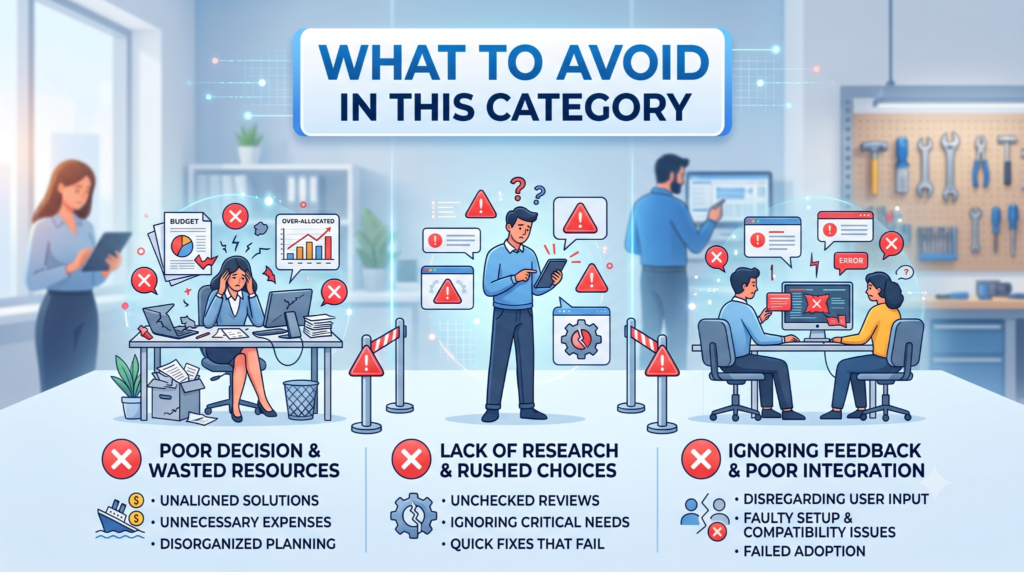
There are a few common traps when picking AI website builders.
- Overvaluing the “one prompt to full site” promise. Yes, some tools produce surprisingly decent first drafts in ~60 seconds, but you will still need to edit copy, swap images, and tweak structure. Any builder that pretends you can launch a serious business site without touching anything afterwards is overselling.
- Ignoring ongoing costs. Many guides point out that the real price appears after you add domain, SSL, e‑com, forms, higher traffic limits, and basic marketing features. It’s easy to overpay by picking a tool that forces add-ons for everything.
- Confusing demo visuals with actual editor experience. A lot of marketing shots are from hand-designed templates, not pure AI output. When you actually test the editor, you might find it clunky, limited, or too free‑form.
- Paying for enterprise features you don’t use. Some builders push advanced analytics, team collaboration, or huge CMS limits. If you’re a solo creator or student, you’ll never touch most of that.
- Assuming AI fixes bad content strategy. AI can generate sections and text, but if you don’t know who your site is for or what you want them to do, you’ll get a nice‑looking brochure that converts nobody.
One thing people commonly overpay for: unnecessary “agency‑as‑a‑service” layers where AI drafts are then human‑refined and delivered as a done‑for‑you site (Madra‑style offerings, etc.). These can absolutely be worth it for businesses with budget, but if you’re a student or small creator, a standard AI builder plus a few evenings of work probably gets you 80–90% there.
Frequently Asked Questions
What is the best AI website builder for beginners with no coding skills?
If you want the easiest, most “hand-held” experience, Wix ADI/AI and Squarespace AI are often recommended as top picks for beginners. They ask simple questions, generate full sites, and provide friendly editors with lots of templates and integrations. For ultra‑basic sites on a budget, Hostinger AI or Durable also do well.
Can AI really build a website from one prompt?
Yes, several tools can generate a multi‑section site from a single description often in under a minute. Framer AI, Durable, Wix ADI, Hostinger AI, and others all offer this. But the “one prompt” is only the beginning; you still need to edit copy, replace stock images, fix details, and connect forms or domains. Think of it as skipping the blank page, not skipping the entire process.
Which AI website builder is best for small businesses?
For most small businesses, Wix AI and Squarespace are the main contenders because they bundle bookings, e‑com, email tools, and SEO basics into one platform. If you want WordPress power without manual setup, 10Web AI is a strong option. If the budget is tight, Hostinger AI offers a very affordable all-in-one package.
Are AI website builders good for SEO?
Most serious AI builders now handle the basics: mobile‑friendly layouts, editable meta titles and descriptions, clean URLs, and decent page structure. Some, like 10Web and Hostinger, emphasize speed optimization as well. But SEO is not just the builder you still need good content, internal links, and real backlinks. AI can help write first‑draft copy and structure, but you should review everything.
What’s the difference between Framer AI, Webflow AI, and Wix ADI?
Framer AI and Webflow AI are more design‑ and developer‑oriented: they give you finer control over layout, components, and interactions, and are loved by designers and front‑end‑minded teams. Wix ADI is more business-oriented: less control over low-level layout, more focus on apps, bookings, and integrations in a single UI. As a beginner, you’ll get online faster with Wix; as a design-minded builder, you’ll likely prefer Framer or Webflow.
Are AI website builders better than hiring a developer?
They’re different tools for different budgets and stages. For many students, early-stage creators, and small local businesses, AI builders are “good enough” to get a professional-looking site without a big upfront cost. For complex apps, custom workflows, or large brands, hiring designers and developers (sometimes using AI builders as prototyping tools) still produces better results. Some agencies now use AI builders for early drafts and then refine manually.
Can I move my AI-built site to another platform later?
It depends. Some tools (like Webflow) let you export clean HTML/CSS and migrate more easily. Many SaaS builders (Wix, Squarespace, Durable, Hostinger AI) lock you into their editors you can move content, but not the exact site structure or themes. If portability matters, pick a builder with export options or plan to rebuild later if you outgrow it.
Which AI website builder is cheapest overall?
Looking at 2026 pricing breakdowns, Hostinger AI and some of Durable’s lower tiers stand out as among the most affordable when you factor in hosting, domain, and basic features. Wix and Squarespace have solid starter plans but tend to cost more once you add e‑com, extra storage, or advanced features. Always check renewal prices, not just promotional offers.
Conclusion
If you skim everything else, here’s the short version:
- Framer AI is the top pick if you care most about modern, beautiful design and are willing to learn a bit of layout thinking. It’s ideal for portfolios, SaaS landing pages, and creative projects.
- Wix ADI/AI is the default small‑business choice when you want bookings, blog, and e‑com wired up without touching code, even if the design is a bit more generic.
- Hostinger AI is the budget bundle for students and lean businesses that just need “AI site + hosting + domain” at the lowest possible price.
For the most common case “I’m a non‑dev who wants a legit‑looking site soon” start with Framer AI if aesthetics matter most, or Wix AI if business features matter more. Your next move is simple: pick one, write a short description of your project, let the AI generate a draft, and spend one evening shaping it into something you’re actually willing to put your name on.