If you’ve ever filmed a decent video at 10 pm and then stared at your editing software thinking, “Yeah, this is never seeing daylight,” congratulations you’re a content creator in 2026.
Everyone on the internet says “just post more video.” Nobody mentions the part where editing one 45-minute talking head into 10 good clips feels like a part-time job. So we all do the same thing: record a lot, edit a little, and let 90% of our footage rot on SSDs.
The good news: AI video tools are finally past the “we added auto-captions, clap for us” stage. You’ve got editors that auto-clip your long videos, tools that cut based on transcript, apps that spit out TikToks from your YouTube in minutes, and platforms that basically exist to save you from CapCut fatigue.reap+7
This guide is for you if you’re an AI/tech-savvy student or creator who doesn’t want to turn into a full-time editor just to keep a channel alive. We’ll talk about what actually works for creators: clipping, captions, repurposing, and basic edits not Hollywood.
THE THING NOBODY ACTUALLY SAYS OUT LOUD
Nobody wants to be a video editor.
You want the result of video editing.
Most “best AI video editor” articles quietly pretend you’re excited to learn timelines, keyframes, LUTs, masks, and export presets. You’re not. You just want your face to look normal, your audio not to sound like it was recorded in a bathroom, and your clips to be cut tightly enough that people don’t scroll away in the first three seconds.
Here’s the uncomfortable truth: for 90% of content creators, “best AI video editor” really means “whatever helps me turn long videos into clean short clips with captions, fast.”blitzcutai+3
Real reviewers have already said the quiet part. One 2026 comparison called Reap the best overall AI system for turning long videos into multiple repurposed shorts because it combines clipping, caption control, Auto Reframe, voice workflows, and batch publishing. Another ranked BlitzCut, CapCut, Descript, and VEED for short‑form, and then just said, “For most creators, BlitzCut wins speed and simplicity beat everything.”reap+1
Meanwhile, tools like Descript, VEED, and CapCut have basically carved up the market by workflow: Descript for dialogue-heavy stuff and podcasts, VEED for browser-based editing and subtitles, CapCut for chaotic short-form edits and effects.setapp+3
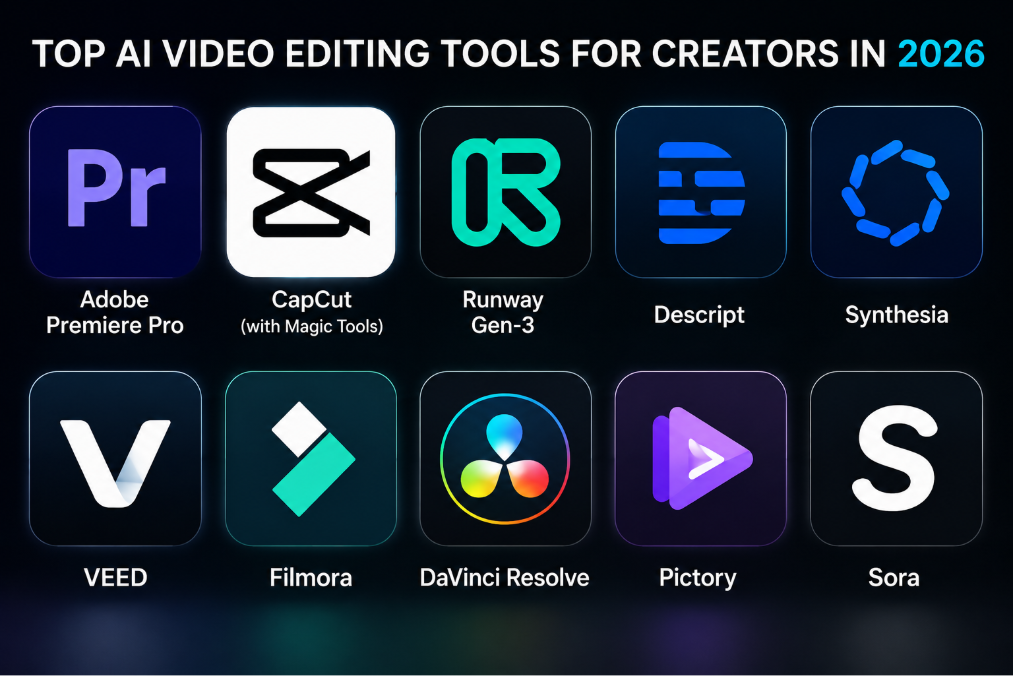
And yet, you still get YouTubers saying “just learn Premiere” like you’re not already drowning in deadlines. Premiere Pro and DaVinci Resolve are still amazing and they now ship with AI tools for auto-reframe, speech to text, smart trimming, and more. But let’s be honest: most solo creators and students will give up way before they get to the part where AI actually helps.chatcut+1
The part nobody says out loud: you don’t need the most powerful editor. You need the editor that aligns with your actual laziness.
- If you hate timelines → you want transcript-based editing (Descript, ChatCut, some Reap workflows).happyscribe+3
- If you hate desktops → you want CapCut or a mobile-first tool.
- If you hate exporting 10 versions → you want something like Reap, Vizard, OpusClip, or BlitzCut that batch-clips and formats for you.corebrief+3
Also, fun fact: many creators now record vertically by default because that’s what performs and then use AI tools to backfill horizontal edits and YouTube formats, not the other way around. The whole editing stack flipped, and a lot of old-school guides never updated.blitzcutai+1
So no, you do not have to “become an editor.” You do have to stop pretending that raw, uncut 20‑minute monologues will magically go viral.
HOW THIS ACTUALLY WORKS THE REAL MECHANICS
AI video editing is messy from the outside. “Generative video,” “video GPT,” “auto editing,” “AI captions”… Let’s demystify it with the parts that matter to a working creator.
Underneath, most tools do one or more of these jobs:
- Transcribe and understand your video
- Tools like Descript, HappyScribe, and many AI editors use automatic speech recognition to turn your audio into text.hand+4
- Once your video is text, the editor can cut video by editing text. Delete a sentence, that chunk of video disappears. It’s basically “Google Docs, but for video.”
- Find highlights automatically
- Tools like Reap, OpusClip, Vizard, and BlitzCut scan long videos and detect “hooks” based on what you say (engaging phrases, questions, spikes in energy).aihustleguy+3
- They auto-generate short clips ready for TikTok/Reels/Shorts, sometimes with “virality scores” and suggested titles.aihustleguy+1
- Add captions, crops, and formats for you
- CapCut, VEED, Reap, Submagic, and BlitzCut can auto-caption, style subtitles, and adjust framing (Auto Reframe) so you don’t chop your face in half when switching between horizontal and vertical.canvas+3
- They handle platform ratios: 9:16, 1:1, 16:9. You pick where you’re posting, they do the math.
- Help you edit visually or conversationally
- Descript and ChatCut let you literally tell the editor what to do: “Remove all ‘uhs’ and long pauses,” “cut everything before I say X,” “swap this take with that one.”setapp+3
- Some tools (Flixier’s VideoGPT, OpusClip, Reap) promise “draft a video from a text prompt,” but for creators, the real win is semi-automatic assembly, not full generation.getblend+2
- Handle upload and distribution
- Reap, Vizard, Repurpose.io, and similar tools will not only clip but also schedule and post your content to multiple platforms.happyscribe+2
- For high-output creators, this is where a lot of sanity gets saved.
Short list with opinions:
- Descript → best when your content is basically talking: tutorials, podcasts, commentary, interviews.projectsupply+6
- Reap / OpusClip / BlitzCut / Vizard → best when you have long videos and want lots of shorts with minimal effort.corebrief+3
- CapCut / VEED → best when you want to do “real editing,” but with AI helping on captions, cropping, templates, and effects.work+6
- Premiere / DaVinci + AI → best when you already know your way around serious editors and want AI to just stop wasting your time on boring tasks.chatcut+1
What generic guides ignore: AI doesn’t replace editing decisions. It just makes the “let me cut out every dead moment and resize this for five platforms” part less soul-destroying.
COMPARISON WHAT’S ACTUALLY DIFFERENT BETWEEN YOUR OPTIONS
Here’s a simplified view of four tools you’ll see in nearly every 2026 creator stack.
| Option | What it actually does | Who it’s for | The catch |
| Description | Transcript-based editing, podcast workflows, screen recording, overdub, basic clips.setapp+6 | Creators with dialogue-heavy content: tutorials, pods, commentary. | Not ideal for heavy visual effects / cinematic edits. |
| CapCut | Mobile/desktop editor with templates, effects, auto-captions, AI tools, social export.projectsupply+4 | Short-form creators who want TikTok/Reels-style edits fast. | Can turn your feed into “CapCut template soup” if you never customize. |
| Reap / OpusClip | Auto-clipping long videos into shorts, captions, reframing, multi-clip workflows.reap+2 | People with long videos (streams, podcasts, webinars) and zero time. | Outputs need curation; raw auto-clips are rarely perfect. |
| VEED | Browser-based editor with AI subtitles, cleanup, templates, and team features.setapp+4 | Teams and solo creators who prefer editing in the browser. | Heavy projects can feel slow; not as deep as full NLEs for complex edits. |
If you’re starting out and mostly doing short-form and simple YouTube, my honest recommendation: CapCut + one auto-clipping tool (Reap, BlitzCut, OpusClip or Vizard) + Descript if you talk a lot. If you already live in Premiere/Resolve, you’re not replacing those; you’re just adding AI helpers around them.projectsupply+6
WHAT ACTUALLY HAPPENS WHEN YOU TRY THIS
When you actually put these tools into your workflow, it doesn’t feel like magic. It feels like “huh, that saved me an hour” mixed with “why did the AI randomly cut mid-sentence.”
You start with something like CapCut or VEED because they’re everywhere. You import a clip, press the big “auto captions” button, and for the first time in your life you have subtitles in under a minute that don’t look horrible. You drag on a template, tweak a couple of fonts, export, and suddenly your video looks “internet professional” instead of “Zoom recording dropped straight into YouTube.”canvas+3
Then you try Descript. You record a talking-head or a screen tutorial, it transcribes your speech, and you edit by literally deleting text. The first time you highlight every “uh” and “umm” and remove them in one shot, you will question why anyone edited audio the old way. When you actually do this for a few videos, you realize the bottleneck isn’t cutting anymore it’s deciding what you want to say.setapp+3
The real change hits when you feed a long video into Reap, OpusClip, Vizard, or BlitzCut. A 45‑minute stream goes in; 15 potential shorts come out with captions, crop, and suggested hooks. Are they all perfect? No. But 4–6 of them are “good enough with tiny tweaks.” That’s six posts from something that would’ve just sat in your “edit later” graveyard.reap+3
One thing that surprised me the first time I did this seriously: AI doesn’t just save time; it lowers the “activation energy.” When you know you don’t have to manually scrub through an entire recording, you’re more willing to hit record in the first place. It feels less like committing to an all‑nighter in Premiere just because you had one decent thought into a camera.
There’s a pattern most “tool roundups” miss: creators who win with AI video tools don’t chase 20 platforms. They pick a stack .
Example stack that actually happens in the wild:
- Record in OBS / phone / camera.
- Drop long video into Reap or OpusClip, get 10–20 shorts.corebrief+2
- Use Descript to clean up the main YouTube video via transcript edits.chatcut+1
- Tweak a few shorts in CapCut for trend sounds or extra effects.projectsupply+2
- Schedule everything out via Repurpose.io or Reap’s built-in posting.getblend+2
That’s it. It’s not cinematic. It’s consistent.
The part nobody warns you about: AI will happily produce mid content at scale. If your original footage is boring, no tool will make it not boring. What these tools actually buy you is more shots on goal more clips, more experiments, more chances to learn what your audience reacts to.
THE ADVICE EVERYONE GIVES VS WHAT ACTUALLY WORKS
“Just learn Premiere or DaVinci, they’re industry standard.”
True… if you want to be an editor. For YouTube channels making cinematic stuff, film projects, or commercial work, Premiere Pro and DaVinci Resolve with their AI features (auto color, speech to text, smart cut, etc.) are great. But for a student creator trying to push 3-5 videos a week across TikTok, Reels, and Shorts, trying to live inside Resolve 20 is like solving a Rubik’s cube every time you want to post.hand+1
What actually works: treat heavy NLEs as a “later” skill. Start with CapCut/VEED/Descript where you can learn pacing, hooks, and storytelling without fighting the software. When you outgrow them or need advanced control, you’ll move into Premiere/Resolve with context instead of trauma.blitzcutai+4
“AI will edit your videos for you; you don’t have to do anything.”
No. AI will get you from 0 to 0.7x. You still have to push it over the line. Auto‑clipping tools like OpusClip, Reap, Vizard, and BlitzCut are amazing at finding potential hooks and doing 80% of the layout. But they still miss nuances: they cut jokes too early, leave dead air, or misinterpret what’s actually interesting.aihustleguy+3
What works: use auto tools as rough cuts, not final exports. Quickly scan the clips they generate, keep the strong ones, and spend 5–10 minutes polishing each inside CapCut/VEED/Descript. That’s still way faster than starting from a blank timeline.reap+3
“Pick one video editor and stick to it.”
Nice for your sanity, not how real creator workflows look anymore. Different tools are good at different layers: clipping vs editing vs finishing. Even reviewers now openly recommend mixing: Descript for dialogue, VEED for browser editing, CapCut for social, Reap for repurposing.setapp+6
What works: pick one editing environment (CapCut or Descript or VEED) and one clipping/repurposing tool (Reap, OpusClip, BlitzCut, Vizard). Everything else is optional.projectsupply+5
“You should customize every single video manually for each platform.”
You could . You will burn out. If you’re posting daily across multiple platforms, hand‑tuning every clip is a fast way to stop posting at all.
What works: let AI handle 80–90% of platform formatting captions, aspect ratios, safe zones and hand‑tune only your best performers or big hero videos. Accept that some clips will be “good enough” and move on. Content volume plus learning beats perfection at one clip per week.blitzcutai+2
THE PRACTICAL PART WHAT TO ACTUALLY DO
1. Decide what kind of creator you are (for now).
Are you:
- Mostly talking to camera / podcasts / tutorials? → You’re a dialogue-first creator.
- Mostly doing B‑roll, edits, visual memes, trend sounds? → You’re visual/trend-first .
- Mostly repurposing long content (streams, webinars, long YouTube)? → You’re repurpose-first .
Pick one. This choice runs your tool selection.happyscribe+5
2. Pick a base editor that matches that.
- Dialogue‑first → start with Descript.hand+4
- Visual/trend‑first → start with CapCut (mobile/desktop) or VEED.work+5
- Repurpose‑first → start with Reap, OpusClip, BlitzCut, or Vizard.corebrief+3
Download or sign up, and commit to using one as your “home” for 30 days.
3. Build a simple AI pipeline around one long video.
Take a 30–60 minute video: stream, podcast, lecture, whatever.
Run it through:
- Auto-transcription (built-in or via Descript/HappyScribe).happyscribe+3
- Auto‑clipping (Reap/OpusClip/BlitzCut/Vizard) to get 10–20 shorts.aihustleguy+3
- Auto‑captions/crop (CapCut/VEED) for the ones you like.canvas+2
Your goal is to publish at least 3-5 clips from that one video this week. Not perfect. Just shipped.
4. Make a “default look” to avoid design hell.
Spend 1–2 hours creating:
- One caption style (font, colors, size).
- One frame style (background, blur, maybe a simple border).
- One intro/outro template if you absolutely must.
Save it as a template in your tool. From then on, all clips reuse this unless there’s a good reason not to. Consistency beats “new aesthetic every Tuesday.”canvas+3
5. Timebox your edits.
Give yourself strict limits:
- 30–60 minutes to clean the main video in Descript/CapCut.
- 60–90 minutes to review auto‑clips and polish 5–10 best ones.
When the timer ends, you stop editing and schedule what you have. Some tools like Reap and Repurpose.io can handle direct posting; use them.getblend+2
6. Watch analytics, not vibes.
Check which clips actually perform: retention graphs on YouTube Shorts, watch time on TikTok, saves/shares on Reels. Notice patterns: intros that work, hook phrases that hit, formats that die.chatcut+2
Next time, use AI tools to cut around those patterns. Ask, “Find segments where I say X style of hook” or “focus on questions I ask.” It’s not just editing; it’s research.
7. Only then, consider leveling up.
Once you’re consistently shipping and seeing patterns, then consider:
- Learning more advanced CapCut/VEED features.
- Adding Premiere/Resolve with AI tools for special projects.hand+1
- Testing more niche tools like Runway for AI VFX or Veo for generative video if your content needs it.zapier+2
Don’t start there. Earn it with published videos, not tutorial bingeing.
QUESTIONS PEOPLE ACTUALLY ASK
Which AI video editor is best for beginners?
If you’re starting from zero, CapCut is the easiest “full” editor to get something decent out of, especially for short-form. It has templates, auto-captions, effects, and direct export to social platforms. For people who hate timelines, Descript is also beginner-friendly because you edit video like text: cut sentences, remove filler words, and let it handle the rest. Start with whichever matches your brain better: visual or text-based.work+6
What is the best AI tool to turn long videos into short clips?
Tools like Reap, OpusClip, Vizard, and BlitzCut are built exactly for this. They scan your long videos, auto-detect hooks, and generate multiple short clips with captions and vertical framing. Some reviewers in 2026 call Reap the best all-round repurposing system and BlitzCut the winner for social media talking-head content because of speed and simplicity. You still need to review and tweak, but they cut hours of manual scrubbing.reap+3
Is Descript better than CapCut or VEED?
They’re good at different things. Descript is best for dialogue-first content: podcasts, interviews, tutorials, commentary anything where the words matter more than the B‑roll. CapCut and VEED are better for visually rich, social media-style content with lots of overlays, animations, and trends. A lot of creators now use Descript to clean the base edit, then CapCut to add platform-specific flair.work+7
Are AI video editors good enough for YouTube?
For most non-cinematic YouTube content, yes. AI-powered tools like Descript, CapCut, VEED, Flixier, and even Premiere/Resolve with AI assist can easily handle editing tutorials, commentary, reviews, and vlogs. High-end, cinematic channels still benefit from full NLEs and manual control, but even they use AI for subtitles, rough cuts, and reframing. The trick is to use AI for grunt work and keep creative choices human.setapp+6
Which AI video editor is best for TikTok, Reels, and Shorts?
CapCut is still king for short-form because it’s tightly integrated with TikTok and packed with mobile-friendly features. BlitzCut, Reap, and OpusClip are strong for generating lots of clips from long videos, then you polish a few in CapCut. VEED and Vizard are good browser-based options if you prefer editing on desktop with AI subtitles and templates.projectsupply+7
Are AI video editing tools expensive?
Many have decent free tiers or low-cost plans. CapCut is free or very affordable for most use cases. Descript, VEED, and Reap/OpusClip-style tools typically use SaaS pricing with limits on export minutes or projects. For most student creators, the main cost is time, not cash a single subscription that saves you hours per week is usually worth more than the price of one night of takeout.chatcut+6
Can AI tools replace a human editor?
For high-volume social content and simple YouTube videos, AI can absolutely handle the first 70–80% of the job rough cuts, basic pacing, captions, formats. But serious channels, brand work, and storytelling-heavy projects still benefit from a human editor for timing, emotional beats, and consistency. Think of AI as your very fast, slightly chaotic assistant, not a director.blitzcutai+4
How do I stop my videos from all looking like the same template?
That’s on you, not the tools. If you rely on default templates forever, your feed will look like everyone else’s. Use templates to get started, then customize colors, fonts, caption styles, and layouts so they reflect your brand. Create 2-3 “looks” and reuse them instead of whatever is trending in CapCut that week.setapp+3
SO WHERE DOES THIS LEAVE YOU?
You live in a world where your phone camera is overpowered, your editing motivation is underpowered, and everyone tells you to “post more video” like that’s a personality trait.
AI video tools won’t magically make your content good. They will, however, make it easier to ship enough content to actually get good. Tools like Reap, OpusClip, BlitzCut, CapCut, Descript, and VEED are not toys anymore they’re the reason some creators can post every day without sacrificing sleep.hand+7
If there’s one concrete thing you can do today, it’s this: take your longest unedited video sitting on your drive, run it through one auto‑clipping tool and one simple editor, and get at least three clips live this week. Not perfect. Just live. The mess will teach you more than any comparison article.corebrief+5
It won’t be neat. You’ll hate your first exports. You’ll see captions you want to fix and frames you want to move. But a month from now, you’ll have a stack of real posts and a workflow that actually fits your brain and that’s worth more than learning every button in a pro editor you secretly never open.
You made it to the end of an article about AI video editors instead of just downloading another one and forgetting it exists. Respect.
The three big takeaways: pick tools that match your actual content type, use AI for the boring 80% of editing and save your energy for hooks and ideas, and stop treating every video like a film school project. Descript + CapCut + one good clipping tool will take you frighteningly far in 2026.aihustleguy+6
Your next move is cheap: pick a stack for 30 days, stick to it, and measure output, not vibes. If your published videos per week doesn’t go up, the stack isn’t working. If it does, keep going. The algorithm can’t like your videos if they never leave your hard drive.