
You want to run real AI models on your own hardware, but every second blog post throws ten names at you and says “just use quantisation lol.”
This list exists so you don’t waste a week pulling random models from Hugging Face, burning your VRAM, and still ending up back on a cloud API.
I’m focusing on open‑source and open‑weight LLMs that you can actually run for free (aside from your hardware/electricity) on a decent consumer GPU or even CPU not research‑only monsters that need eight H100s. By the end, you’ll know which model to pick for local chat, coding, agents, and lightweight edge use, and roughly what GPU/VRAM you need.
This is most useful if you’re an AI/tech student, indie dev, or tinkerer. If you’re an enterprise architect deciding between 24‑node GPU clusters, you already have white paper for that.
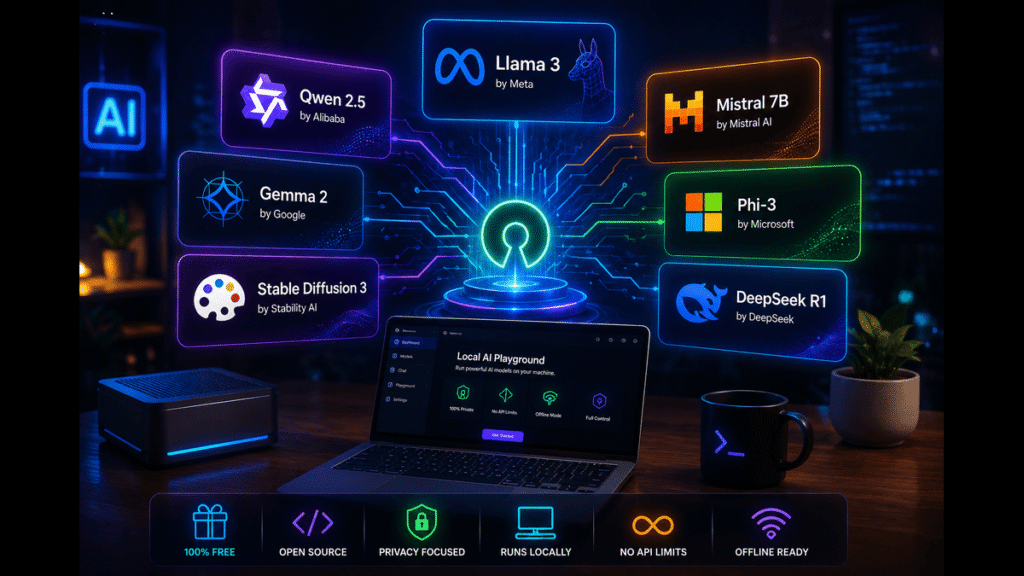
How We Ranked These The Criteria
Most “best open LLMs” lists talk like everybody has a rack of A100s in their closet. Here we’re realistic.
Models were evaluated on:
- Local friendliness: Can you run a useful variant on a laptop GPU (8–16 GB VRAM) or a single mid‑range desktop GPU (eg, 3060–4090)? Several 2026 guides now explicitly map model sizes to typical VRAM: about 3B models on laptops/NPUs, 7–13B on a single 4090, 70B with heavy quantization on high‑end setups.
- License and “openness”: I include both fully open‑source (eg, Apache/MIT) and “open‑weight” models (like Llama) where you can download weights and run them locally, with some commercial use allowed under custom licenses.
- General capability: Reasoning, instruction following, coding, and tool‑use quality, based on 2026 benchmark roundups and hands‑on write‑ups.
- Ecosystem and resources: Availability in tools like Ollama, LM Studio, text‑generation‑webui, and how easy it is to find quantized variants.
Deliberately excluded:
- Models that are technically “open” but realistic only for multi‑GPU data‑center setups.
- Models with very restrictive licenses that prohibit many practical uses.
- Niche research models with no community support or tooling.
Limitations: the open‑source LLM scene is moving fast. By mid‑2026, one detailed survey notes seven “anchor” families (Llama 4, DeepSeek R2/V3, Qwen 3, Mistral, Phi‑5, Gemma, OLMo) that dominate serious self‑hosting. New variants appear, but your choices broadly stay in that set.
1. Qwen 3 (Alibaba/Tongyi) [“Default pick for local devs”]
Qwen 3 is the model family that a Hugging Face 2026 guide literally described as “the quiet answer to ‘what should I run locally?’ for most developers.” It’s a series of open‑weight LLMs with strong reasoning, strong coding, and good multilingual support, and they ship in multiple sizes that target everything from laptops to serious GPUs.
What makes Qwen stand out is balance: you get solid instruction following, competitive coding ability (Qwen‑Coder variants), and practical model sizes like ~7B–14B that run on a single modern GPU with quantization. One 2026 coding‑model roundup calls Qwen3‑Coder Next and Qwen3.6‑27B some of the best choices for local coding agents.
A detail most basic lists miss: Qwen models are aggressively optimized for tools like Ollama and LM Studio, and 2026 local‑LLM guides show one‑line commands like ollama run qwen3.5starter examples.
Honest limitation: licensing is “open‑weight,” not pure MIT/Apache, and documentation/community content may lean more toward CN/Alibaba ecosystems. You’ll be fine as a hobbyist, but large commercial deployments will want legal eyes on the license.
Verdict: choose this if you want a strong, well-rounded local model for chat, coding, and agents on a single decent GPU. Skip it if you need fully OSI-approved licensing or are completely allergic to vendor-style licenses.
2. Llama 4 / Llama 3.x (Meta) [“Big ecosystem, safe general-purpose choice”]
Meta’s Llama family is the reason “open‑weight LLM” is even a phrase people know. By mid‑2026, Llama 4 has taken over from Llama 3 as Meta’s flagship open‑weight line, with multiple sizes and a huge ecosystem.
The key strengths:
- Broad community support virtually every self-hosting tool (Ollama, LM Studio, text-generation-webui, LocalAI, etc.) has tuned Llama builds.
- Strong general capabilities: meta’s earlier Llama 3 models already benchmarked favorably against open competitors from Google and Anthropic; Llama 4 continues that pattern and adds multimodal and mixture‑of‑experts variants according to 2026 benchmark overviews.
- Good scaling: from ~8B‑class models that are workable on a single GPU up to frontier‑grade MoE models for those with serious hardware.
One detail people skip: Meta’s license isn’t pure “open source” by OSI standards, but it does allow broad research and commercial use, and their 3.x/4.x releases are explicitly positioned as “openly available foundation models,” downloadable from Meta’s site and Hugging Face.
Limitation: you often need more VRAM than some of the more efficiency‑obsessed families running the higher‑end Llama 4 variants locally may require 24 GB+ or aggressive quantization, and small devices are better served by Phi/Gemma‑class models.
Verdict: choose this if you want a widely‑used, well‑documented, general LLM with tons of tutorials and integrations. Skip it if you’re squeezed onto 8–12 GB VRAM and care more about efficiency than ecosystem.
3. Mistral (Small / Open variants) [“Lean, fast, production-friendly”]
Mistral’s open models popularized the idea that you don’t always need a 70B beast to get good performance. In 2026, “Mistral Small 4” and other open variants are regularly recommended for production deployments and efficient local runs.
Strengths:
- Strong instruction following and reasoning in relatively small models, many under 10–12B parameters.
- Apache 2.0 on some variants, making licensing straightforward for commercial self-hosting in many cases.
- Good fit for local servers and on-prem setups where latency and cost matter; one 2026 agentic‑coding guide names Mistral Small 4 as a “strong enterprise deployment option.”
A detail lots of high‑level lists miss: Mistral often trades a bit of raw score for better performance/latency per dollar it’s a “get things done under constraints” family, not just a benchmark trophy.
Limitation: ecosystem is smaller than Llama’s, and some specialized tasks (like advanced coding agents) may be better served by Qwen, DeepSeek, or Kimi K2.6 according to 2026 coding benchmarks.
Verdict: choose this if you want a compact, permissively-licensed model that’s easy to run at low latency in realistic setups. Skip it if you’re chasing top-tier coding or reasoning at all costs.
4. Gemma 4 (Google) [“Surprisingly strong at small sizes”]
Gemma is Google’s family of open models derived from Gemini research. 2026 surveys mention “Gemma 4” as aiming to maximize performance relative to size, with multiple models suited for everything from edge devices to workstation‑scale setups.
Strengths:
- Efficiency: Gemma 4’s smaller variants (like ~3B–12B) are explicitly designed to run on constrained hardware, including laptops with 16 GB RAM or NPUs when quantised.to
- Multimodal and multilingual options in the newer 3/4‑series models, plus decent reasoning and tool‑use support.
- Tight integration into popular local tooling, with Ollama examples such as ollama run gemma4:12bfor 16 GB RAM setups.
An under‑the‑radar detail: several local‑LLM guides call Gemma 4 31B “the most capable model that fits on consumer/prosumer GPU hardware,” especially for people with a single high‑end GPU.
Limitation: licensing is under Google’s custom Gemma terms, not pure OSI, and community content is newer than Llama/Qwen. You’ll find enough support to be productive, but it’s not as saturated.
Verdict: Choose this if you care about squeezing strong performance out of smaller models on modest hardware. Skip it if you want the biggest community ecosystem or fully permissive licensing.
5. Phi‑5 / Phi‑4-mini (Microsoft) [“Edge and low-resource king”]
Microsoft’s Phi series has one job: be tiny and surprisingly capable. 2026 comparisons often highlight Phi‑4‑mini or Phi‑5‑class models as some of the best options when cost and lightweight inference are the priority.
Strengths:
- Very small parameter counts (often in the 2–5B range) while still maintaining respectable reasoning and language quality for everyday tasks.
- Excellent for edge devices, NPUs, and laptops without discrete GPUs several surveys explicitly mention that 3B‑class models like Phi‑5 mini run well on a single laptop NPU or modest GPU.
- Generally MIT‑style licensing, making them attractive for commercial product embedding in low‑footprint scenarios.
A detail most people realize only after trying: small Phi models are not “GPT‑4 in your pocket,” but for many on‑device helper tasks and basic chat, they’re good enough and dramatically cheaper to run.
Limitation: you will hit capability ceilings sooner than with 7-13B or larger models, especially on complex reasoning, multilingual nuance, or heavy coding.
Verdict: choose this if you want something that runs on almost anything and you care about latency and battery more than absolute IQ. Skip it if you need one local model to handle very difficult problems.
6. DeepSeek V4 / R2 [“Open reasoning and coding specialist”]
DeepSeek’s open models (R2, V3/V4 variants) are known specifically for reasoning and coding performance. 2026 benchmarks regularly put DeepSeek V4 and related models near the top among open-weight options, especially for coding and agentic workflows.
Strengths:
- Strong reasoning performance; some overviews explicitly call DeepSeek R2 a “reasoning‑optimised” model.
- Excellent coding and agent support, with some coding‑model roundups rating DeepSeek V4 Pro as one of the strongest open models for advanced coding agents.
- Open access via both downloads and hosted APIs, giving flexibility.
One specific detail you only see in nerdy blogs: DeepSeek models often punch above their parameter count on coding and chain‑of‑thought benchmarks, making them appealing for tools and dev assistants that you want to self‑host.
Limitation: licensing and documentation vary; you need to read carefully for commercial use. And some of the bigger variants are not trivial to run locally unless you have serious hardware or accept heavy quantization.
Verdict: choose this if your main goal is a strong local coding/reasoning assistant or you’re building agentic tools. Skip it if you just want a friendly general chat model and don’t care about advanced coding.
7. OLMo [“Most transparent, research-friendly”]
OLMo is the odd one out: it emphasizes full openness code, weights, and often training data making it attractive to researchers and people who care about reproducibility.
Strengths:
- Apache‑style licensing with open weights, code, and data sources, according to 2026 surveys.
- Good choice for academic work, fairness analysis, or training/fine‑tuning pipelines where you need to inspect every piece.
- Smaller variants are reasonably easy to run locally; they’re not trying to be the biggest model in town, they’re trying to be the most inspectable.
A detail many skip: OLMo will not top every leaderboard. One 2026 overview lumps it in the “open transparency” camp alongside more competitive but less open models. It’s a tool for people who care about how the sausage is made.
Limitation: fewer polished chat-oriented instruction variants and a smaller “plug-and-play” ecosystem than Llama/Qwen/Mistral. It’s more of a research tool than a default consumer assistant.
Verdict: choose this if you care deeply about open science and want a model you can dissect and modify. Skip it if you just want the strongest drop-in assistant for local day-to-day use.
Head-to-Head Comparison Table Top Models
Here’s a comparison of the four models most people will end up choosing between for local, free-ish use.
| Name | Key Strength | Main Weakness | Price/Cost | Best For | Rating (out of 10) |
| Queen 3 | Strong all-rounder: chat, coding, tools; great local sizes. | Custom license; ecosystem slightly less Western-centric. | Free weights; hardware cost only. | Devs want one local model for everything. | 9.2 |
| Llama 4/3.x | Huge ecosystem, tutorials, and integrations; strong general LLM. | Larger variants need more VRAM; license is open-weight, not pure OSI. | Free weights; higher hardware needs for big models. | General-purpose local assistants with community support. | 9.0 |
| Mistral (Small) | Efficient, low-latency, permissive license on some variants. | Slightly smaller ecosystem; not always top on hardest tasks. | Free weights; modest hardware. | Production-ish local deployments under constraints. | 8.7 |
| Gemma 4 | Very strong performance relative to size; good for limited hardware. | Custom terms; Less community content than Llama/Qwen. | Free weights; runs on 16–24 GB VRAM setups. | Students and devs with mid-range GPUs or NPUs. | 8.8 |
For the most common use case “I’m a student/dev with a single decent GPU and I want a strong all‑round model I can run for free” Qwen 3 gets the edge in 2026 surveys for local performance, with Llama 4/3.x a close second if you value ecosystem and documentation. If your hardware is constrained, Gemma 4 or Phi‑mini are the practical picks.
How to Choose the Right One for Your Situation
Ask yourself a few blunt questions.
- What hardware do you actually have?
- Only a laptop with 8–16 GB RAM and integrated GPU/NPU → small models like Phi‑mini or very small Gemma variants.
- One mid‑range GPU (eg, 3060–4070, 12–16 GB VRAM) → mid‑size Qwen , Mistral , or Gemma 4 12B with quantization.pinggy+3
- One high‑end GPU (24 GB+) → comfortable with Qwen 3 large , Llama 3/4 mid‑large , Gemma 4 31B .
- What’s your main use case?
- General chat, explanation, lightweight agents → Qwen 3, Llama 4/3.x, Mistral.
- Coding and advanced reasoning → DeepSeek V4/R2, Qwen3‑Coder, Kimi K2.6, GLM‑5.1 (for coding specifically).
- Edge/on-device helper → Phi‑mini, small Gemma.
- How much do you care about license purity?
- “Needs to be as close to OSI‑style open as possible” → Mistral open variants, Phi, OLMo, some Gemma/DeepSeek configurations.
- “Open‑weight with reasonable commercial rights is fine” → Llama, Qwen, many DeepSeek variants.
- Do you want to learn or just get stuff done?
- You want to learn about models, data, and training → OLMo, smaller Llama/Gemma with full training recipes, integration with frameworks.
- You just want a strong local assistant → Qwen, Llama, Gemma, Mistral via Ollama/LM Studio.
- How important is community and tooling?
- You want endless tutorials, prompts, and GUIs → Llama, Qwen, Mistral.
- You’re comfortable with lighter ecosystems → Gemma, DeepSeek, OLMo.
If your answers look like: “one GPU, general coding and chat, care more about power than license purity,” Qwen 3 or Llama 4/3.x are your best bets. If they’re more like: “laptop only, want something local that doesn’t melt my machine,” Phi‑mini or Gemma 4 small are the smarter call.
What to Avoid in This Category
A few common traps show up in 2026 self-hosting guides.
- Going straight for the biggest model. A 405B‑parameter open model sounds fun until you realize you need multi‑GPU H100s or insane quantization to even load it. For most setups, 7–13B models are a more practical sweet spot.
- Ignoring VRAM and RAM requirements. Benchmark posts now explicitly map model sizes to hardware: 3B on laptops, 7–13B on a single RTX 4090, 70B on H100 or dual GPUs with int4, etc. If you skip that step, you’ll sit watching OOM errors instead of tokens.
- Confusing “open-weight” with OSI open source. Multiple sources point out that Meta’s Llama license, for example, is open-weight with commercial allowances but not OSI open source. If license purity matters for your project, read the terms.
- Overpaying for hosted “open” models when you don’t need to. Some platforms charge significant subscription fees to access the same open models you could run yourself. That’s fine if you’re buying convenience, but don’t assume hosting is the only option 2026 “self‑host at home” guides show many strong models on a single consumer GPU.
- Believing local equals private by default. Local is a strong privacy improvement, but if you pipe logs to random analytics or misconfigure your server, you can still leak data.
The most common “overpay” pattern: spinning up big cloud GPU instances to run open models that would have been fine on a 12–24 GB local GPU or a cheaper shared instance, especially for dev/test workloads.
Frequently Asked Questions
What are the best open-source AI models I can run locally for free?
For general use in 2026, Qwen 3, Llama 4/3.x, Mistral Small, Gemma 4, Phi‑mini, and DeepSeek V4/R2 are the main contenders mentioned across serious surveys. Qwen 3 and Llama 4 are strong “default” choices, Mistral and Gemma focus on efficiency, Phi on ultra‑small edge use, and DeepSeek specializes in reasoning and coding.
Can I run these models on a normal laptop?
Yes, but with caveats. 3B‑class models (like Phi‑mini or the smallest Gemma) can run on laptops with NPUs or integrated GPUs, especially with quantization. 7–13B models usually need a discrete GPU with 12–16 GB VRAM for a comfortable experience. Larger models are possible with aggressive quantization and lower context, but performance will be slower. Many 2026 “run at home” guides show Ollama and LM Studio setups that work fine on gaming laptops.
Are open-source LLMs as good as closed models like GPT-5?
It depends on the task. For general chat, reasoning, and coding, top open-weight models (Llama 4, Qwen 3, DeepSeek V4, etc.) have closed much of the gap and, in some benchmarks, rival mid-tier proprietary models. Frontier proprietary models still tend to lead on the hardest benchmarks, multimodal depth, and safety tooling. But for many student and indie dev use cases, well-chosen open models are “good enough” and offer privacy and control.
Which open model is best for coding?
2026 coding‑focused roundups repeatedly highlight Kimi K2.6, DeepSeek V4 Pro, GLM‑5.1, and Qwen 3‑Coder variants as leading open coding models. For local development, Qwen3.6‑27B and Qwen3.6‑35B are often mentioned as strong practical choices, with DeepSeek V4/R2 excelling at reasoning‑heavy tasks. Mistral Small and some Llama variants are solid too, but if coding is your primary goal, start with Qwen‑Coder or DeepSeek.
What tools should I use to run these models locally?
The 2026 “local LLM tools” lists are surprisingly unified: Ollama, LM Studio, text‑generation‑webui, GPT4All, and LocalAI show up again and again. Ollama is often called the easiest CLI‑based experience (“one‑line commands, 100+ models”), while LM Studio is praised for a friendly GUI and model discovery. text‑generation‑webui is highly customizable for power users, and GPT4All is a strong beginner desktop option.
How do I know if a model’s license works for my project?
You have to read it. 2026 overviews explicitly warn that “open” now covers everything from Apache/MIT (very permissive) to custom community licenses with commercial limits. As a rule of thumb: Mistral open variants, Phi, and OLMo tend to be more permissively licensed; Llama, Qwen, and some DeepSeek models are open‑weight with specific conditions. For anything beyond personal use or tiny projects, get someone to actually look at the license.
What VRAM do I need to run a 70B model?
Short answer: more than most people have. One detailed 2026 survey says that 70B dense models realistically need a single data‑center‑class GPU (eg, H100) or two consumer GPUs with aggressive int4 quantization and careful optimization. You can technically load some 70B quantized variants on 24 GB cards, but performance and context length will be constrained. For most local setups, 7–13B models are where you should live.
Can I fine-tune these open models on my own data?
Yes, and that’s one of the main reasons people use them. Many of these models (Llama, Qwen, Mistral, Gemma, DeepSeek, OLMo) are designed to be fine-tuned with frameworks like PEFT/LoRA, DeepSpeed, or vendor-specific tooling. 2026 guides remind you that fine‑tuning still needs careful data prep and evaluation, but starting from an open base model is way cheaper than training from scratch.
Conclusion
If you want one line each:
- Qwen 3 is the “just run this” answer for a lot of local developers strong at chat, coding, and tools, with sensible sizes and active benchmarks backing it up.
- Llama 4/3.x is the safe ecosystem pick massive community, integrations everywhere, and solid general ability if you have the VRAM.
- Gemma/Phi/Mistral cover the hardware‑constrained side you trade a bit of headroom for models that actually run on normal machines.
For the most common use case one mid‑range GPU, want a local assistant and coding helper start with Qwen 3 or a mid‑size Llama via Ollama or LM Studio, and keep a small Gemma or Phi in your back pocket for laptop use. Your next move is simple: install a local tool like Ollama or LM Studio, pull one of these models, and actually see how it feels on your hardware instead of guessing from benchmarks.