
You open your laptop “just to check one thing,” and suddenly it’s 1:30 am You’ve got three tabs of lecture slides open, a PDF that looks like it was typeset in 1987, a Discord ping from your group project, and a YouTube video titled “Organic Chem in 12 Minutes (Actually Understand It).”
Somewhere in this mess, you’re supposed to learn. Not just copy. Not just survive the quiz. Actually understand enough that it doesn’t all evaporate the second you close the tab.
The good news: the AI tools in 2026 are finally good enough to act like real study infrastructure, not just fancy auto-complete. Lists of “best AI tools for students” keep converging on the same stack: a general tutor (ChatGPT/Claude/Gemini), a research helper like Perplexity, writing tools like Grammarly and QuillBot, organization via Notion AI, memory tools like Quizlet’s Q‑Chat and flashcards, plus note/transcription tools like Otter and “PDF explainers.” Used right, they don’t just help you get answers; they change how you interact with your classes.
This article is not about “10 tools that will study FOR you.” It’s about the smaller, less sexy question: which tools actually make you smarter instead of just making your homework look finished.
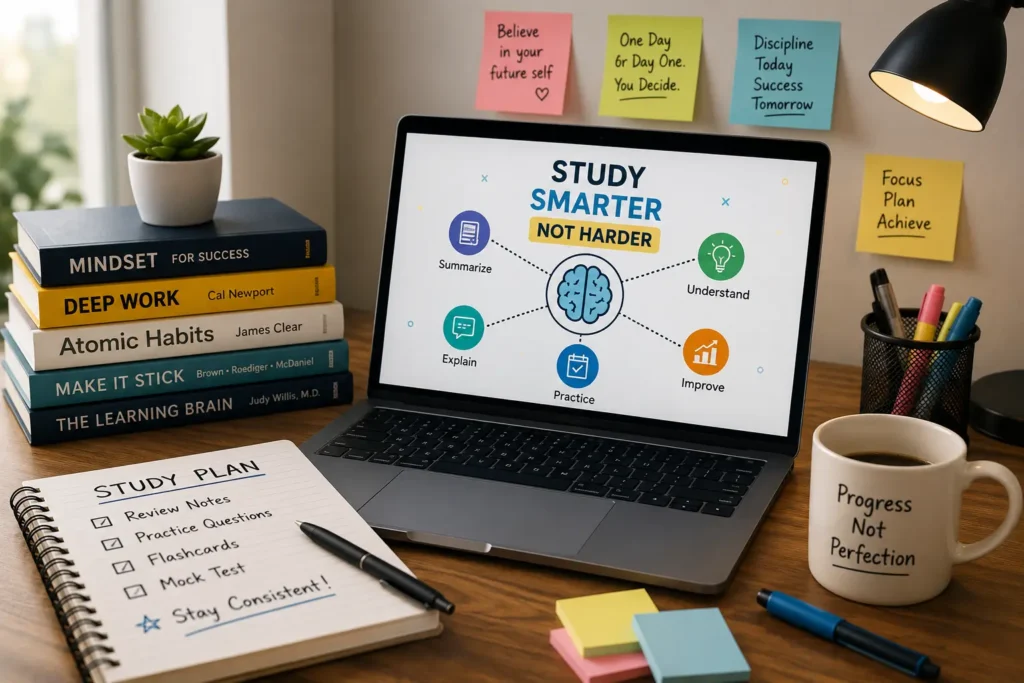
THE THING NOBODY ACTUALLY SAYS OUT LOUD
Everyone loves the line “AI helps students study smarter, not harder.” It’s on half the landing pages.
Here’s the quiet part you feel but don’t see in the glossy blog posts:
If you let AI do your thinking, you’re basically paying in future panic for present comfort.
Most honest guides now say this out loud. A 2026 “best AI tools for students” article literally opens its “how to use AI” section with: “Use ChatGPT/Claude for understanding, not copying. If you can explain it back, you’re learning.” Another education blog lists “Use AI as a learning helper, not a homework machine” as best practice #1 and follows it with “Always check the facts” and “Do not copy from others.” Translation: the people building and recommending these tools know exactly how tempting it is to cheat, and they’re begging you not to.
The reality in 2026 looks like this:
- ChatGPT, Gemini, and Claude are ranked as the top “all‑purpose AI study partners” because they explain concepts, answer questions, debug code, and help you think through problems.
- Research‑first tools like Perplexity are praised for “clean research” with citations, giving you a quick starting point for essays and projects.
- Quizlet’s Q-Chat is now an adaptive AI tutor that quizzes you, asks follow-up questions, and checks reading comprehension based on actual study sets, not random trivia.
And then in the same breath, those same guides say: verify facts with textbooks and trusted sites, don’t dump AI text into assignments, and cross-check everything important. Why? Because the tools are persuasive, not perfect. They sound confident even when they’re wrong.
The part most “Top 10 AI Tools” posts tiptoe around is the long‑term cost. If you keep letting AI write your essays and solve your problem sets, you’ll have:
- Decent grades right now,
- a brain that never built the pattern recognition your future self needs,
- and a panic attack the day you hit an exam, interview, or job task with no AI allowed.
Most students I see using these tools do a very specific thing: they use AI as a first pass (explain this, summarize that, quiz me on these terms) and then force themselves to re-explain or re-build the idea without the tool. It feels slower at the moment. It’s not. It’s the only way this doesn’t blow up in your face later.
HOW THIS ACTUALLY WORKS THE REAL MECHANICS
Underneath the branding and “study smarter” slogans, the AI tools that actually help students fall into a few very clear jobs. The trick is matching the job, not the logo.
1. Concept explainer + “tutor that doesn’t judge you”
Multiple 2026 lists start the same way: ChatGPT and Claude are the top “all‑purpose AI study tutors.”
- They explain complex topics, draft examples, walk you through math steps, and answer “dumb questions” you don’t want to ask in class.
- University blogs explicitly call Claude “brilliant for understanding complex material, not just retrieving it” you can upload a 60‑page paper and ask for explanations at your level.
The key is how you prompt: “Explain this for a 12‑year‑old,” “Show me step‑by‑step,” “Give me three examples and one counter‑example.” Those prompts turn it from answer machine into tutor.
2. Research and reading compression
The hardest part of assignments is rarely typing; it’s turning a pile of sources into something your brain can hold.
- Perplexity AI is praised in student guides as the thing you should use “before writing any essay,” because it gathers facts, cites sources, and gives you a starting point.
- Tools like Mindgrasp and PDF explainers take dense articles, textbooks, or lecture PDFs and spit out summaries, key concepts, and flashcards.
An Oxford Home Study guide lists “AI Note‑Taking & Summarisation Tool” and “AI Research Assistant” as separate, critical categories: transform long texts into clear notes, and then use a research tool to tie concepts together. That division is smart one tool condenses, the other connects.
3. Memory, quizzes, and active recall
This is the unglamorous part: you still have to get stuff into your head.
- Quizlet is in almost every “top tools” list, and its AI features now include Q‑Chat (an interactive tutor), Magic Notes, Quick Summary, and even “Brain Beats” that turns flashcards into songs.
- A 2025–2026 study-tools article recommends using Quizlet and Anki specifically for active recall and spaced repetition still the fastest way to lock in information.
Q‑Chat in particular is interesting: it turns a study set into a conversational session where the AI asks you questions, generates stories using your vocab, and tests comprehension. That’s way better than just flipping through digital flashcards while half-paying attention.
4. Writing, paraphrasing, and not sounding like a robot
Most serious guides list four tools together: ChatGPT, Grammarly, QuillBot, and sometimes Rezi for CVs.
- Grammarly handles grammar, tone, and clarity so your writing doesn’t read like a panic attack.
- QuillBot helps paraphrase and summarize while also offering citation support for academic content.
- Rezi and similar AI resume builders help you create professional, ATS‑friendly resumes in minutes when you’re applying for jobs or internships.
Education blogs hammer the same warning: use these as assistants to improve your writing, not as “paste this straight into Canvas.”
5. Organization, planning, and not missing deadlines
Everyone thinks their problem is “I don’t understand the material.” Often the real problem is “I tried to cram a week of work into one night.”
- Notion AI, paired with student templates, is pitched as “the ultimate organization hub” for notes, tasks, and projects.notion+5
- MyStudyLife, in a 2025–2026 guide, is highlighted for its timetable scanner: you scan your schedule once and it builds your academic calendar, then you build your AI study stack around it.
- Multiple sources describe “AI Study Planner & Time Manager” as a core category tools that build personalized timetables, track progress, and break big tasks into smaller steps.
Notion’s own marketplace now has AI‑powered “Study Guide 2026” templates that organize course notes into structured summaries, flashcards, and key concepts. When you wire that into your week, it quietly stops half your last-minute panic.
6. Note-taking and lecture capture
Finally, there’s the “I can’t possibly write this fast” problem.
- Otter.ai is consistently named as a go-to for real-time transcription of lectures, meetings, and group work, turning them into searchable notes.
- AI note-taking tools can turn lectures, PDFs, and textbooks into concise, structured notes, saving time and reducing burnout.
The pattern across all these categories is simple: AI tools that help you interact with material (explain, quiz, summarize, plan) tend to actually make you smarter. Tools you use to avoid touching the material at all… don’t.
COMPARISON WHAT’S ACTUALLY DIFFERENT BETWEEN YOUR OPTIONS
If you zoom out, you’re not picking “the best AI,” you’re picking roles in your study stack.fortune+8
| Option / Role | What it actually does | Who it’s for | The catch |
| ChatGPT / Claude / Gemini | General tutor: explains concepts, answers questions, drafts examples, and helps with coding. | Students who need “office hours on demand” in any subject. | Easy to slip into copying; facts must be checked. |
| Perplexity + PDF / note tools | Research + reading compression: summarizes sources, cites links, creates structured notes. | Essay-heavy or research-heavy courses. | Still need to read original sources for serious work. |
| Quizlet (Q‑Chat, Magic Notes, etc.) | Memory + practice: flashcards, quizzes, AI tutor sessions, summaries from notes. | Anyone with exams to pass and vocab/concept heavy courses. | Free access is limited; Real use usually needs subscription. |
| Notion AI / MyStudyLife | Organization + planning: integrates notes, tasks, and schedules; AI helps structure study guides. | Students juggling multiple classes, projects, and deadlines. | Setup takes effort; easy to over-optimize and under-use. |
Blunt recommendation:
- Use ChatGPT/Claude or Gemini as your main explainer.
- Use Perplexity or a PDF summary tool before big readings or essays.
- Use Quizlet/Q-Chat to lock things into memory.prnewswire+5
- Use Notion AI or MyStudyLife so all of this sits on top of a real weekly plan instead of vibes.
WHAT ACTUALLY HAPPENS WHEN YOU TRY THIS
When you actually put these tools into your life instead of just bookmarking them, the shift is subtle. You still have to work. It just feels less like drowning.
Picture this: you’ve got a 40‑page reading for tomorrow. Normally, you’d skim three pages, get lost, and end up on your phone.
Now you open Perplexity, paste the article title or PDF, and tell it: “Give me a one‑page summary, the 5 key arguments, and 3 questions I should be able to answer after reading.” It spits out an overview with citations and links. You read that first, so when you open the actual PDF, your brain has a map instead of a wall of text.Vitara+2
Then you toss the PDF into a summarizer or Mindgrasp‑type tool and generate shorter notes and flashcards. You import those into Quizlet, where Magic Notes and Quick Summary can further refine the key points and turn them into a study set. Later, you open Q-Chat for that set and let it quiz you, ask follow-up questions, or make little stories using the vocab.
The first time you do this, what surprises you isn’t that it “feels like cheating.” It’s that you remember more with less mental pain. That MyStudyLife article describes this pattern clearly: students who use AI tools for understanding, organization (MyStudyLife), and memory (Quizlet/Anki) report that they “finally feel like they have a system instead of random sprints.”
When you actually use ChatGPT or Claude as a tutor, not a shortcut, the vibe shifts again. Instead of “write my lab report,” you say “Read this prompt and help me understand what it’s asking, then outline the steps.” Or: “Here’s the theorem; ask me questions to see if I understand it and correct me if I’m wrong.” Guides from 2025–2026 literally recommend this pattern as rule #1: use generative AI to explain and quiz, not to spit out final answers.
The pattern I see almost nobody talking about in listicles: the emotional change. When your tasks live in Notion or MyStudyLife instead of your brain, and your readings have AI‑generated maps, and your memory work is split into flashcards and Q‑Chat sessions, the background dread drops. You’re still busy. But it feels like you’re moving through a plan instead of bouncing between crises.
The thing that caught me off guard reading the more honest guides? They all quietly admit the same thing: the students who win with AI are the ones using it to engage more with the material, not less. The people tanking their learning are the ones who let AI take the test for them until reality (exams, or a job) shows up and asks for proof.
THE ADVICE EVERYONE GIVES VS WHAT ACTUALLY WORKS
“Just use AI to do your homework faster”
You will get through more assignments. For a while. You will also be extremely confused later.
Why it fails:
- Multiple guides warn explicitly against this: “Use AI as a learning helper, not a homework machine,” “Avoid submitting AI‑generated text as original work,” and “Verify facts with other sources.”
- You can’t outsource exams, oral defenses, or job interviews. If you never built the understanding, you have nothing to draw on when AI isn’t allowed.
What actually works: let AI help you decode, structure, and practice. Use it for: explanations, outlines, idea‑generation, and quizzes. Then you do the actual writing and problem-solving yourself. That feels slower; it’s actually the only way this pays off.
“One AI app can replace all your study tools”
Every app wants to be “the only thing you need.” None of them are.
Why this is incomplete:
- The best‑practice articles explicitly break tools into categories: planner, summarizer, writing assistant, research assistant, maths helper, language app, quiz generator, career/CV helper, creativity tools.
- University and independent guides list stacks, not single saviors: ChatGPT + Grammarly + Notion AI + Quizlet + Otter.ai, for example.
What actually works: pick one strong tool in each job category :
- explainer (ChatGPT/Claude/Gemini),
- research (Perplexity),
- memory (Quizlet/Anki),
- organization (Notion AI/MyStudyLife),
- writing polish (Grammarly/QuillBot).
Don’t force one app to do everything badly.
“AI tools are basically cheating and you should avoid them”
This is the “I walked uphill both ways to school” take.
Why it’s too extreme:
- Universities and education blogs are now publishing their own “top AI tools for students” recommendations, with clear “smart usage” rules.
- These guides push using AI for understanding, organization, and practice, not for copy-pasting answers.
What actually works: treat AI like calculators and Wikipediacompletely normal tools with clear boundaries. Ask advisors or your institution what’s allowed, use AI to learn and plan, and assume that submitting AI‑written work as your own is still academic misconduct no matter how cool the app looks.
“If you use AI, your writing and thinking will get worse”
It can happen, especially if you never wrestle with your own drafts. But it doesn’t have to.
Why this is only half true:
- Grammarly and QuillBot are designed to teach better grammar, clarity, and structure by showing you improvements.
- Many students report that having an AI tutor (ChatGPT/Claude) to ask “Is this argument coherent?” and “Where is my reasoning weak?” makes their writing stronger over time.
What actually works: write your rough version first, then use AI to critique and improve it. Ask, “Explain what I’m trying to say here,” and “Suggest a clearer version, but keep my voice.” That way you’re learning to think better, not just outsourcing style.
THE PRACTICAL PART WHAT TO ACTUALLY DO
Here’s how to build a 2026 AI study setup that helps you pass exams without frying your brain or your integrity.
1. Build a one‑page “AI study map” for yourself
Open a doc and list:
- Subjects you’re taking
- Main pain points (reading load, problem sets, essays, time management)
For each pain point, map one AI role: explainer, summarizer, planner, memory, writing helper. This is your blueprint; without it, you’ll just hop between apps without fixing actual problems.
2. Pick one tutor, one research tool, one memory tool
Start small:
- Tutor: ChatGPT, Claude, or Gemini (whatever you have best access to).
- Research: Perplexity (for quick, cited overviews) or a similar tool.
- Memory: Quizlet with Q‑Chat if you can swing a subscription, or Anki if you’re hardcore.
Use these on one class for a week. Don’t even touch the others yet.
3. Move your brain out of your head and into a planner
Pick Notion AI or MyStudyLife (or both) to track your semester.
- Dump in all due dates, exam dates, and recurring tasks.
- Use AI templates like Notion’s AI Study Guide to structure notes and key concepts.
- If you hate setup, MyStudyLife’s timetable scanner can build your schedule from a photo, then you layer AI tools on top.
Your goal is simple: no more “oh, I forgot that assignment existed.”
4. Use AI on input first, output last
New rule:
- Before reading: use Perplexity or a PDF summary tool to get the gist and key questions.
- During learning: use ChatGPT/Claude to explain, quiz, and generate examples.
- After you write: use Grammarly/QuillBot to polish, not to compose from scratch.
This keeps you engaged with the material instead of handing the entire pipeline to a model.
5. Turn your notes into quizzes automatically
At the end of each week:
- Collect notes from lectures, PDFs, and summaries.
- Feed them into Quizlet (or a similar tool) to generate flashcards and use Q-Chat for practice sessions.
- If you’re using Notion AI, export key concepts and terms into a format you can import to your memory tool.
You’re building a habit: every week’s work becomes a small, reusable quiz bank instead of disappearing into archives.
6. Decide your own “AI ethics line” before crunch time
Write down, clearly:
- What you’re okay using AI for (explanations, outlines, brainstorming, editing)
- What you’re not okay with (writing full essays, solving graded problem sets, copying code for assignments)
Cross‑check with your school’s AI policy or ask a professor if you’re in doubt many universities now publish AI guidelines for students. Having a rule set before you’re tired and stressed will save you from “it just kind of happened” cheating.
QUESTIONS PEOPLE ACTUALLY ASK
What are the best AI tools for students to study smarter in 2026?
The strongest stack uses a few tools together. Most 2026 guides agree on a core set: ChatGPT/Claude/Gemini for explanations, Perplexity for quick, cited research, Grammarly and QuillBot for writing help, Notion AI or MyStudyLife for organization, and Quizlet with Q‑Chat for memorization and practice. Tools like Otter.ai and Mindgrasp are great additions if your classes are lecture-heavy or very reading-intense.
Is using AI tools for studying considered cheating?
It depends what you use them for and what your school allows. Education blogs and university guides say it’s fine to use AI to explain concepts, summarize readings, plan your schedule, and improve writing as long as you don’t submit AI‑generated text as your own or let it solve graded work directly. Always check your institution’s policy, and when in doubt, use AI as a tutor and editor, not as a ghostwriter.
How does Quizlet’s Q-Chat actually help me learn?
Q-Chat turns Quizlet’s flashcards into an interactive AI tutor experience. It can quiz you on sets, ask in-depth questions to probe understanding, create short stories using your vocab, and test reading comprehension. Because it’s built on Quizlet’s content and an LLM, it adjusts questions and prompts to your responses, which can make practice sessions more engaging and effective than flipping cards alone.
Is Notion AI worth it for students?
If you already like Notion for notes and planning, AI makes it significantly more useful. Notion AI can summarize long notes, extract key points, help convert messy pages into structured study guides, and even suggest tasks or questions based on your content. There are student‑specific templates like the AI Study Guide 2026 that organize course material into summaries, terms, and flashcards, which saves setup time. If you hate all‑in‑one tools, something like MyStudyLife may be simpler.
What AI tools help most with writing essays?
For writing, the usual combo is: ChatGPT/Claude for brainstorming and outlines, Perplexity for initial research with citations, Grammarly for grammar and clarity, and QuillBot for paraphrasing and summarizing sources while keeping citations straight. Some guides also mention Rezi for resumes and cover letters. The key is to write your own draft and use these tools to refine it, not to have them write full essays you turn in unchanged.
Are there good AI tools for math and problem solving?
Yes. While many general AI tutors can walk through math, some tools and categories are aimed specifically at step-by-step problem solving. Education blogs describe “AI Maths & Problem‑Solving Helpers” that give step‑by‑step solutions and explanations instead of just final answers, focusing on understanding. Even with generic tools like ChatGPT or Gemini, you can ask for step‑wise reasoning and multiple example problems to make them behave like a math tutor.
How can I stop AI tools from making me lazy?
You put rules and friction in front of the lazy options. Study guides recommend: using AI for understanding and planning, not final outputs; always rewriting answers in your own words; and double-checking facts with textbooks or academic sources. Practical tricks include writing your own solution or paragraph first and only then asking AI to critique or improve it, and regularly testing yourself with tools like Quizlet or Anki without AI hints.
Which AI tools are actually free and useful for students?
A lot of the popular tools have free tiers. Articles on free AI tools for students commonly list ChatGPT (free tier), Google Gemini, Grammarly’s free plan, QuillBot’s limited free usage, Notion’s free plan with AI trial, Quizlet with limited Q‑Chat rounds, and Otter.ai’s basic plan. You can assemble a strong stack without paying if you’re willing to work within those limits and upgrade only the ones you use heavily.
SO WHERE DOES THIS LEAVE YOU?
If school already felt like a full-time job, 2026 just added “tool selection” as a part-time one. You’re told that AI will save your time, and then you lose an evening comparing ten apps that all claim to be your “ultimate study partner.”
The reality is much less epic and much more manageable. The same handful of roles keep showing up in the most honest guides: a tutor, a research helper, a planner, a writing assistant, and a memory tool. Once you fill those roles with tools that match your brain and your workload, the noise drops. You still have to read, think, and practice but the logistics and decoding become faster and less painful.
If you want one concrete action today, make it this: pick your hardest current class, choose one AI tutor (ChatGPT/Claude/Gemini), one research helper (Perplexity or similar), and one memory tool (Quizlet with Q‑Chat if you have it), and use them on the next week of material. Let them explain, summarize, and quiz you then close the tabs and try to re‑explain the topic out loud without help. If you can do that, you’re using AI right. If you can’t, the tools haven’t made you smarter yet, they’ve just made your notes prettier.
You made it through a long article about studying instead of doom‑scrolling, which is already more focus than most of your classmates are bringing to this semester.
AI isn’t going to pass exams for you in any way that doesn’t boomerang back later. What it can do is remove enough friction that you actually show up to your own learning notes that don’t suck, explanations that don’t talk down to you, schedules that don’t ambush you. If you let the tools handle that layer and keep the actual understanding on your side, you won’t just survive 2026 classes; you’ll come out of them with a brain that still works when the Wi-Fi doesn’t.