
Ask any recruiter what work feels like and they’ll probably say something between “Excel, but emotional” and “living in a shared inbox full of strangers’ life stories.”
Now layer on hiring managers who want “top 1% talent” but also want the role filled yesterday, and you get why AI recruiting tools went from experiment to infrastructure in about two hiring cycles.
By 2026, around 67–87% of talent teams are using AI somewhere in their process, and AI adoption in HR more than doubled in a single year. When implemented properly, these tools cut time‑to‑hire by 25–50%, slash screening time by up to 75%, and expand relevant candidate pools by hundreds of percent. That’s not hype; that’s “I can maybe leave my desk before 8 pm”
This article is not “50 tools you’ll never actually use.” It’s a breakdown of the AI tools that genuinely help recruiters and hiring managers source, screen, and coordinate and how to use them without outsourcing your judgment or accidentally building a bias machine.
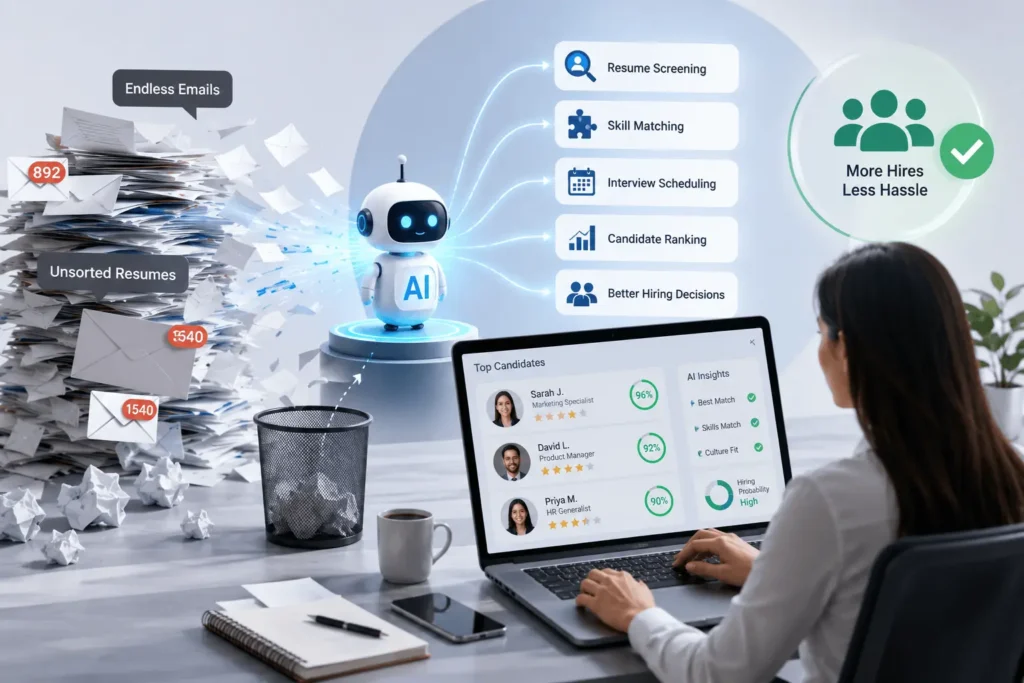
THE THING NOBODY ACTUALLY SAYS OUT LOUD
Everyone in HR tech loves to say “AI will remove bias and make hiring fair.” That’s the slide. The part you hear when you talk to recruiters after hours is a bit spicier:
AI doesn’t magically make hiring fair. It mostly makes whatever you’re doing faster good or bad.
The data is clear on speed and scale:
- 67% of talent acquisition pros now use AI in hiring; 87% of companies report some AI use somewhere in recruiting workflows.
- AI screening can cut time‑to‑shortlist by about 75%, and AI sourcing can reduce sourcing time by ~67% while expanding talent pools by roughly 340%.
- Semantic, skills-based search finds about 60% more relevant candidates and reduces false positives by over 60% compared to old-school Boolean spam.
That’s great. Until you realize that if your idea of a “good profile” is still “went to X school and worked at Y brand,” your fancy AI is now optimized to find more of the same faster.
The thing people don’t say out loud on those “future of talent” panels:
- A lot of AI recruiting tools are quietly trained on historical hiring data that already contains bias.
- Many teams plug them into workflows without re‑thinking what “qualified” should actually mean.
- Hiring managers love the idea of “AI‑validated” candidates right up until the model disagrees with their gut.
On the other side, candidates are using AI just as hard: writing resumes and cover letters, prepping for interviews, and even auto-replying to recruiter outreach. Recruiters are not the only ones with robots now.
So here’s the real truth:
- AI recruiting tools are fantastic at three things sourcing , prioritizing , and admin .
- They are terrible at ownership of risk. When a hire goes wrong or a bias case shows up, nobody is suing “the algorithm.” They’re coming for the company.
If you’re in AI/tech and thinking about hiring, the interesting part isn’t just “top tools.” It’s the emerging pattern: use AI to standardize and speed up the boring parts (sourcing, screening, scheduling, note-taking), keep humans in charge of judgment, and build compliance before regulators or the EU AI Act come knocking.
HOW THIS ACTUALLY WORKS THE REAL MECHANICS
Underneath the branding, most AI recruiting tools are doing four main jobs.
1. Sourcing & talent discovery
Tools like Juicebox (PeopleGPT), hireEZ, Gem, SeekOut, Weekday, Findem, and others sit here.
What they actually do:
- Index hundreds of millions of professional profiles across LinkedIn, job boards, GitHub, internal ATS data, and more often 600–850M profiles.
- Use semantic search and AI matching instead of raw keyword Boolean: you describe the role, skills, or outcomes, and they return ranked candidates.
- Enrich profiles with contact info and job history, then automate first outreach.
Result: massively reduced top-of-funnel suffering. AI sourcing has been shown to expand the relevant talent pool by ~340% while shrinking sourcing time by two-thirds.
2. Screening, matching & assessment
This is where AI actually decides “who should you talk to first?”
Tools in this bucket: AI screens inside ATS like Greenhouse or Bullhorn, standalone matchers like Eightfold, plus assessment platforms like TestGorilla and HireVue.
Mechanics:
- Parse resumes and applications, extract skills, titles, seniority, and experience patterns.
- Match candidates to job requirements based on skills and context, not just keyword lists.
- Run or analyze structured assessments (coding tests, situational judgment tests, video interviews) and score candidates consistently.
Stats: AI‑based skill matching can predict job performance and retention with around 78% accuracy in some studies; AI screening cuts time‑to‑shortlist by ~75%.
3. Engagement, scheduling & workflow automation
This is the “less email, more actual conversations” layer.
Examples:
- CRMs like Gem, Ashby, and Bullhorn Automation that send sequenced outreach, reminders, and nurture campaigns.gem+3
- Scheduling bots that coordinate calendars for interviews automatically.
- AI agents like Hinterview’s Hintel that join calls, take notes, and sync structured data back into your ATS/CRM.
The goal is simple: remove the admin sludge so recruiters and hiring managers spend more time evaluating and closing, less time doing logistics.
4. Analytics, quality of hire & compliance
More mature teams use AI to understand their hiring, not just speed it up.
What this looks like:
- Productivity analytics tools like Prodoscore measure recruiter activity and outcomes.
- Funnel analytics and forecasting seeing where candidates drop and which sources actually produce hires.
- Early moves into bias detection and compliance aligned with things like the EU AI Act and local regulations.
A 2026 trends report calls out agentic AI systems that not only recommend but also act, like auto-triggering nurtures or rediscovering ATS candidates as the dominant direction. Translation: recruiters move from “do everything manually” to “tune the system and handle edge cases.”
COMPARISON WHAT’S ACTUALLY DIFFERENT BETWEEN YOUR OPTIONS
Let’s compare some of the most common AI tools recruiters actually use in 2026.juicebox+11
| Option / Category | What it actually does | Who it’s for | The catch |
| AI sourcing (Juicebox, hireEZ, SeekOut, Gem, Weekday) | Semantic search across 600M–850M profiles, AI ranking, contact enrichment, outbound sequences. | Teams that struggle to find and reach relevant candidates, especially for tech roles. | Pricing, credits, and data quality vary; can drown you in “good enough” leads if you lack a clear profile. |
| ATS/CRM with AI (Greenhouse, Bullhorn, Ashby, Gem) | Manage applicants, automate workflows, apply AI to ranking, rediscovery, and nurture. | Orgs ready to treat ATS/CRM as the central nervous system of hiring. | Migration pain; AI value depends heavily on how clean your existing data is. |
| Screening & assessment (Eightfold, TestGorilla, HireVue) | AI matching against roles, skills assessments, video interview analysis with structured scores. | High‑volume hiring or roles where skill validation is critical. | Risk of over‑reliance; must watch for bias and explainability, especially under new regulations. |
Blunt recommendation:
- If your pain is “we can’t find enough decent candidates,” start with AI sourcing + solid ATS/CRM .
- If your pain is “we drown in applicants,” invest in screening/assessment tools that enforce structure and skills‑based evaluation.
- In all cases, keep humans as the decision‑makers and be clear with candidates where AI is involved; that’s where the best teams are landing.
WHAT ACTUALLY HAPPENS WHEN YOU TRY THIS
Here’s what using AI recruiting tools feels like from the recruiter/hiring manager side, not the demo deck.
You plug in an AI sourcing tool like Juicebox or hireEZ. Instead of writing a 12‑line Boolean string and praying, you type: “Senior backend engineer, US‑based, Python + Postgres, experience with high‑throughput APIs, fintech plus.” The tool chews through 600M+ profiles and spits out a ranked list in minutes.
First surprise: the top 20 profiles look… actually reasonable. Not all perfect, but clearly better than “everyone who ever mentioned Python.” You click into one, and the system has already pulled in contact info and cross-checked their job history against your ATS to see if they’re an old candidate.
Next, you tee up outreach. Instead of writing 50 custom emails, you build one smart template with variables (stack, company, project mention), and the AI personalizes them at scale. You still tweak the first line, but you’re no longer hand-crafting every message at midnight.
Downstream, candidates flow into your ATS. The AI module (in Greenhouse, Bullhorn, Ashby, etc.) starts ranking them based on skills, experience patterns, and how closely they align with the JD and past successful hires. That means your first screening pass isn’t “alphabetically from the inbox”; it’s “top 20 by predicted fit.”
When you add assessments (TestGorilla, HireVue):
- candidates complete coding tasks or situational judgment tests,
- AI scores and highlights where they stand relative to others,
- you go into interviews with structured signals instead of “vibe” and a LinkedIn stalk.
One thing that surprised me watching teams use this: the real time savings came from decision clarity , not just automation. When a tool tells you “these 15 people best match your skills criteria,” you spend less time debating who to call first and more time actually talking to them.
Another pattern: AI note‑taking and summarization during interviews. Tools like Hinterview’s Hintel join Zoom or Teams calls, record, transcribe, and extract key points skills, salary expectations, motivations then push them back into the CRM as structured notes. Recruiters stop half-hearing answers because they’re busy typing; Hiring managers stop writing “good culture fit” and nothing else.
What no glossy case study tells you:
- You will get some wild mismatches at first. AI matching reflects the rules you give it. If your inputs are vague, your shortlists will be too.
- Dirty data is brutal. If your ATS is full of half-completed profiles and lazy “Senior Engineer” catch-alls, AI rediscovery will surface garbage until you clean it.
- Hiring managers will test the tools with edge cases (“Find me someone exactly like Alex but cheaper”) and then judge the whole system based on that.
Most people find that the biggest payoff is in:
- sourcing (more relevant candidates, faster),
- shortlisting (less time on obvious “no”s),
- and coordination (fewer recruiter days eaten by calendars and manual follow‑ups).
The pattern that other articles miss: the best teams use AI to standardize their process structured intakes, structured screening, structured feedback and then layer judgment on top. Sloppy teams use AI as a band-aid on chaos and then wonder why the output feels random.
THE ADVICE EVERYONE GIVES VS WHAT ACTUALLY WORKS
“Just add AI to your ATS and hiring will scale”
Vendors love to pitch AI as a simple add‑on: toggle on, get better hires.
Why that’s incomplete:
- AI sitting on top of a messy ATS just makes you aware of how messy it is.
- If your intake process is vague (no clear must-haves/nice-to-haves), the model can’t magically guess what “great” means.
What actually works:
- Clean your data: standardize titles, locations, skills tags for existing candidates.
- Run structured intake with hiring managers and encode that into the AI’s criteria.
- Use AI to enforce the structure you agree on, not to invent one for you.
“AI will remove bias from your hiring”
It can help, but only if you’re deliberate. If you train matching models on historical hires who mostly look the same, guess what comes out.
Why this advice is dangerous:
- It encourages blind trust in outputs (“the model says this is the best candidate”).
- It hides systemic issues under a layer of “fair” branding.
What actually works:
- Use AI to mask certain fields at screening (names, photos, schools) and focus on skills and experience.
- Monitor outcomes across demographic groups and adjust models and processes when you see skew.
- Be transparent with candidates about where AI is used, as emerging regs (like the EU AI Act) expect.
“Use AI to fully automate early screening”
Tempting, especially at high volume. Also how you end up rejecting great candidates because of brittleness in your filters.
Why it fails:
- Models can misread unconventional backgrounds or non-standard resumes.
- Pure auto-reject flows are hard to defend ethically and legally if challenged.
What actually works:
- Let AI prioritize and cluster candidates, but keep a human review pass for borderline or “non-traditional” profiles.
- Use assessments that measure real skills, not just resume patterns, and let AI help score and compare.
“You need dozens of tools to keep up”
No, you need a stack you can actually maintain.
Why tool sprawl hurts:
- Candidates get lost between systems.
- Recruiters spend more time learning dashboards than talking to humans.
What actually works:
- Anchor on a strong ATS/CRM.
- Add 1–2 AI sourcing tools and 1 assessment/screening tool that integrates cleanly.
- Evaluate everything else against “does this save measurable time or improve hire quality?” not FOMO.
THE PRACTICAL PART WHAT TO ACTUALLY DO
Here’s how to build a sane AI recruiting stack instead of a Franken‑system.
1. Decide where your real pain is
Ask your team (or yourself) what hurts the most:
- “We can’t find enough qualified people.”
- “We get too many applicants and can’t screen them properly.”
- “Scheduling and coordination is a nightmare.”
Write that down. That’s your first AI use case, not “let’s be more futuristic.”
2. Clean your ATS before you pour AI on top
Spend a week:
- merging duplicates, standardizing titles, updating outdated stages, and tagging skills where possible.
- Archiving obviously dead profiles.
AI rediscovery and matching tools are only as good as the data they sit on. This is boring, but it’s where a lot of ROI comes from.
3. Pick one AI sourcing tool and learn it properly
If sourcing is your problem:
- Try something like Juicebox (PeopleGPT), hireEZ, SeekOut, Gem, or Weekday.weekday+6
- Start with 1–2 priority roles.
Build a sourcing “prompt” you can reuse: must‑have skills, nice‑to‑have skills, locations, target companies, and exclusions. Refine until the top 30 results look like people you’d actually interview.
4. Add structured screening and assessments for your busiest roles
If you drown at screening:
- Define 3–5 must-have skills and 2–3 “signal” traits per role.
- Use AI screening in your ATS or tools like Eightfold/TestGorilla/HireVue to score candidates against those signals.
Keep a human override path: a recruiter can pull in someone the model ranked low if they see something the data missed.
5. Automate scheduling and basic candidate updates
Pick a scheduling tool that plugs into your calendars and ATS.
- Let candidates book from a set of slots instead of three rounds of “what time works?” emails.
- Use simple AI‑powered CRMs/automation (Gem, Ashby, Bullhorn Automation) for “thanks for applying,” “here’s next steps,” and “we’ve paused this role” updates.
You’re not trying to be fancy here; you’re trying not to ghost people because your inbox is on fire.
6. Bring in AI note-taking where it makes sense
For recurring roles with lots of interviews, use AI to:
- transcribe and summarize calls,
- tag key topics (skills discussed, compensation expectations, red flags),
- push structured notes into your ATS.
This helps align hiring managers and reduces “gut feel only” feedback. Just make sure candidates know if calls are being recorded.
7. Measure outcomes and adjust
Track, for each new tool:
- time‑to‑source, time‑to‑shortlist, and time‑to‑hire,
- candidate satisfaction (basic survey),
- quality of hire proxy (onboarding feedback, early performance where possible).
Compare pre- and post-AI implementation. The 2026 data says you should see 25–50% faster cycles and up to 340% ROI over 18 months when done well. If you don’t, adjust prompts, criteria, or cut the tool.
QUESTIONS PEOPLE ACTUALLY ASK
What are the best AI tools for recruiters and hiring managers in 2026?
For sourcing, tools like Juicebox (PeopleGPT), hireEZ, SeekOut, Gem, Weekday, and Findem are leading options, offering semantic search across 600M–850M profiles and AI‑ranked shortlists. For screening and workflow, AI‑enabled ATS/CRMs such as Greenhouse, Bullhorn (with Automation & AI), Ashby, and Gem help with ranking, rediscovery, and nurture. Assessment suites like TestGorilla and HireVue add structured skill and video evaluation on top.
Do AI recruiting tools really reduce time to hire?
Yes, when implemented thoughtfully. Studies and 2026 trend reports show AI can cut time‑to‑hire by 25–50% overall, with AI screening reducing time‑to‑shortlist by around 75% and AI sourcing shrinking sourcing time by around 67%. High‑volume roles sometimes see even bigger gains for specific stages. The key is integrating tools into your actual workflows instead of bolting them on as disconnected experiments.
How do AI sourcing tools like Juicebox or hireEZ work?
They aggregate hundreds of millions of professional profiles from LinkedIn, job boards, internal ATS data, and other sources, then let you search using natural language and semantic criteria rather than raw keywords. You describe the ideal candidate, and the tool returns ranked profiles with enriched contact data and job history. Many also integrate with ATSs like Greenhouse or Lever so you can rediscover and re-engage existing candidates.
Can AI recruiting tools help reduce bias in hiring?
They can help, but only if they’re configured and monitored with that goal. AI can hide names and schools at screening and focus on skills and experience, and it can enforce structured scoring rather than unstructured “gut feel.” However, if models are trained on biased historical data or tuned around biased criteria, they will replicate those patterns. The companies doing this well are testing outputs, monitoring demographic outcomes, and remaining transparent with candidates about AI use.
Are AI video interviews and assessments reliable?
AI‑assisted interview platforms like HireVue and TestGorilla can standardize questions, capture structured data, and score based on defined rubrics, which improves consistency across candidates. They’re particularly useful for high-volume roles. That said, you should avoid opaque “black box” personality scoring and instead focus on clear, job-related skills and situational tests. Reliability comes from good test design and validation, not just the presence of AI.
How can recruiters avoid over‑relying on AI tools?
Treat AI as a sharp filter and assistant, not the hiring manager. Use tools to prioritize candidates, automate admin, and highlight patterns, then have humans review edge cases and make final decisions. Keep a manual override path in your process, especially for candidates from non-traditional backgrounds. Regularly sample AI “rejects” to check for missed gems and adjust your criteria.
What kind of ROI can teams expect from AI recruiting tools?
Industry data from 2025–2026 suggests companies see average ROI around 300–340% within 12–18 months of implementing AI recruiting tools, driven by lower time‑to‑hire, better recruiter productivity, and reduced cost‑per‑hire. Quick wins like scheduling automation and simple screening often show returns within 1–6 months, while more complex assessment and analytics suites take longer but have bigger long‑term impact.
SO WHERE DOES THIS LEAVE YOU?
Hiring in 2026 is not “post a job, wait, choose someone.” It’s “fight other companies who are also using AI to find, message, and close the same candidates you want often faster.”
The upside is that the same tools giving them an edge are available to you. AI can handle the worst of recruiting: the blank‑page sourcing, the resume pile triage, the scheduling gymnastics, the “what did we cover in that call?” amnesia. What it can’t and shouldn’t do is decide who you hire or what “great” means for your team. That is still a human problem, which is why you still have a job.
If you do one concrete thing today, make it this: pick one active role, define a clear success profile with your hiring manager, and test a single AI sourcing or screening tool against it for two weeks. Measure how quickly you get to a shortlist you’d actually interview. If it’s meaningfully faster and the candidates are solid, keep it. If not, tweak your inputs before blaming the tech.
You made it to the end of an article about AI recruiting tools instead of going back to scrolling LinkedIn people’s humblebrag promotion posts, which says something about you.
AI won’t magically “fix hiring” or produce perfect teams on command. It will, if you wield it with a bit of skepticism and a clear idea of what you’re solving, turn a lot of the worst parts of recruiting into something closer to tolerable. Then you can focus on what actually matters: convincing great people that working with you is a better idea than all their other options.