
There’s nothing like opening a fitness app, being asked “what’s your goal?” and thinking, “Honestly? To not wheeze when I take the stairs.”
You have no shortage of options. Every day, a new “AI coach” shows up promising personalized workouts, smart nutrition plans, sleep optimization, and probably enlightenment if you let it send enough notifications. Meanwhile, your actual routine is three good days, one all-nighter, and then two weeks off.
Here’s the part that matters: AI health and fitness apps are finally past the “count your steps and clap” era. In 2026, they’re using real-time data from your phone and wearables to build plans around your energy, stress, and schedule and adjust when life gets messy. The AI-in-fitness market is already worth over $10 billion and forecast to reach nearly $58 billion by 2035, growing at around 19% a year.
This guide is for the “AI‑curious but still human” crowd: students, early‑career folks, and tech people who want to get healthier without making fitness their whole personality.
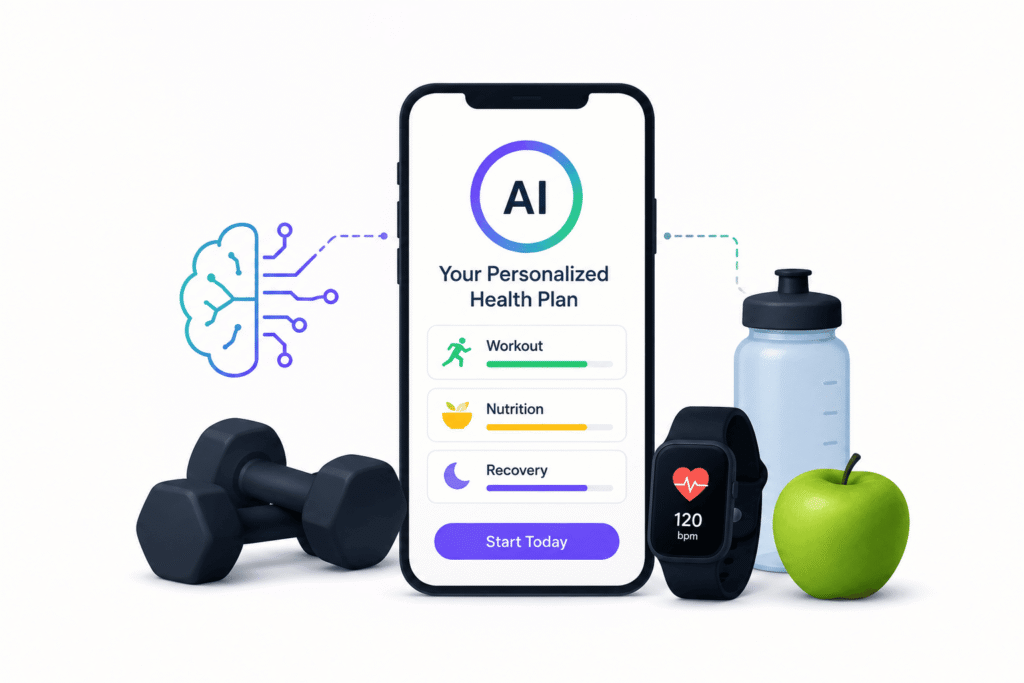
THE THING NOBODY ACTUALLY SAYS OUT LOUD
Let’s start with the lie most fitness marketing runs on: your problem is not lack of information; it’s that your life is chaotic and you’re tired.
Old-school fitness apps pretend you were a robot:
- Same plan every week.
- Same time every day.
- Same workouts, no matter how you slept, worked, or ate.
So you’d download some program, follow it for eight days, then reality showed up: deadlines, exams, family stuff, random social plans, or just being wrecked from existing. You missed a workout, the streak broke, and the app quietly punished you with red badges and shame.
AI health and fitness apps are trying (sometimes clumsily) to fix that:
- Fitbod, Freeletics, and similar AI workout apps change sessions based on what muscles are recovered, your logged soreness, and previous performance.
- Some “smart coach” apps like Hoola or Future adjust programming when they detect fatigue, lower output, or missed workouts.
- AI nutrition tools like Fitia, Healthify, MyFitnessPal’s smarter logging, and Cronometer‑style apps build meal plans around your preferences and history instead of some generic 1200‑calorie sadness diet.
Real users are already voting with their thumbs: one 2026 stats roundup found that AI fitness tracking apps are the most used category at 61%, followed by AI nutrition at 49%, mental wellness tools at 37%, and virtual training at 36%. Translation: people are using AI more to adapt their routines than to watch another form‑check video.
The quiet truth you only see when you’ve actually used these things for months:
- A perfect program you can’t follow is worse than a “good enough” one you actually do.
- The best AI fitness app is the one that fits your schedule, equipment, and attention span, not the one with the craziest algorithm.
- If tracking feels like doing taxes, you won’t track. No matter how smart the app is.
So when we talk “best AI health and fitness apps,” we’re really talking:
- Which app listens when your energy is tanked.
- Which one works with bodyweight, cheap dumbbells, or a basic gym.
- Which one doesn’t make you feel like a failure because you missed Thursday.
HOW THIS ACTUALLY WORKS THE REAL MECHANICS
Let’s break down what’s actually going on under the hood, in normal human language.
1. Adaptive workout planning
AI fitness apps like Fitbod, Freeletics, Hoola, and others look at:
- Your training history (exercises, sets, weights).
- Muscle groups you’ve hit recently.
- How hard you rated past workouts.
- Equipment you have access to.
Then they generate the next workout with exercise selections and volume that try to avoid overtraining the same muscles while nudging you forward.
Fitbod’s whole pitch is using “sophisticated exercise science + machine learning” to adapt your training so you can build muscle without writing programs yourself. Sensai’s tests comparing Fitbod, Freeletics, Future, and Trainiac found that the best apps actually changed plans when you missed days or reported soreness, not just guilt-tripped you.
Opinion: This is miles better than rigid 12-week plans that assume you never have exams or deadlines.
2. Real‑time feedback and form help
Some apps now use AI vision and sensors to check your form:
- Using your phone camera, they track joint angles and movement patterns.
- They flag obvious issues (“back rounding too much on deadlifts,” “knees caving in”) and suggest corrections.
NIX and similar dev guides point out that real‑time form feedback is one of the killer features AI brings to fitness apps: it gives people something close to coaching without a human staring at them. You see this in apps like Freeletics Coach and newer AI‑powered form tools being built into some platforms.
Is it perfect? No. Is it better than guessing alone in your room? Yes.
3. AI-driven nutrition and habit tracking
Nutrition-focused apps like Fitia, Healthify, MyFitnessPal, Lifesum, and Cronometer are increasingly using AI to:
- Auto-recognise foods from photos or text.
- Suggest macro and calorie targets based on goals and logged activity.
- Generate meal ideas that match your preferences and constraints (vegetarian, budget, time).
Fitia markets itself as a “smart calorie counter and diet app” that adapts to your eating pattern instead of forcing one rigid plan. Healthify pitches itself as an AI diet + fitness platform that tunes meal plans around your biometric data and preferences.
Opinion: This is where AI shines if you hate manual logging the less you have to type, the more likely you’ll stick with it.
4. Integrated health (sleep, stress, movement)
The smarter apps are starting to care about more than reps and calories:
- They pull heart rate, HRV, sleep, and steps from wearables and phones.
- They adjust workout intensity based on recovery signals or low sleep.
- Some include guided breathing, mental health check‑ins, or mindfulness sessions to deal with stress, not just body fat.
Stats show that alongside AI fitness tracking (61%), nutrition and mental wellness AI tools are close behind people don’t see fitness as just lifting and running anymore.
Short list with opinions:
- Fitbod – Best for AI‑driven strength training if you already lift or want to.
- Freeletics / Future / “smart coach” apps – Great if you want AI + some human guidance or higher‑intensity bodyweight training.
- Nike Training Club / Google Fit – Solid free or low‑friction options for general fitness and tracking.
- Fitia / MyFitnessPal / Cronometer / Healthify – Strong AI nutrition picks depending on how nerdy you want to get.
COMPARISON WHAT’S ACTUALLY DIFFERENT BETWEEN YOUR OPTIONS
Here’s a simple comparison of four types of AI health/fitness apps you’ll actually see in 2026.
| Option | What it actually does | Who it’s for | The catch |
| Fitbod / AI strength apps | Auto‑builds and adapts gym or home strength workouts based on your data. | People who want muscle and strength without written plans. | Best with some equipment; not ideal if you hate lifting. |
| Freeletics / smart coach apps | AI‑driven HIIT/bodyweight workouts, sometimes with human coaching add‑ons. | Users who want intense, guided sessions with minimal gear. | Can be demanding; easy to burn out if you go too hard. |
| Nike Training Club / Google Fit | Free or cheap guided workouts + basic tracking and plans. | Beginners and people who want structure without complexity. | Less personalized than premium AI coaches; more “programs” than “brain.” |
| Fitia / Healthify / MyFitnessPal AI | AI‑assisted calorie/macro tracking, meal planning, and habit nudging. | Anyone whose main struggle is food, not workouts. | Logging still takes effort; easy to obsess over numbers if you’re not careful. |
My blunt take:
- If your main goal is strength and body recomposition → Fitbod or a similar AI strength app plus a basic nutrition tracker.
- If your main goal is “move more and not die during stairs” → Nike Training Club or a smart coach app with short, adaptive sessions.
- If food is where everything falls apart → Fitia/Healthify/Cronometer class app is more important than the fanciest workout AI.
WHAT ACTUALLY HAPPENS WHEN YOU TRY THIS
When you actually install one of these apps and let it into your life, it doesn’t feel like a sci-fi training montage. It feels like “oh, this thing is annoyingly correct about how little I move on coding days.”
You open Fitbod or Freeletics, tell it you have dumbbells and maybe a pull-up bar, and it spits out a workout that looks suspiciously doable. You do day one. The next day, it asks how sore you are, what equipment you have access to today, and then adjusts more legs, less chest, or shorter sessions if you’re slammed.
The first surprise: not having to choose the workout reduces decision fatigue way more than you think. You stop wasting 20 minutes scrolling YouTube for “best chest workout” and just do what the app tells you.
You connect a nutrition app like Fitia or Healthify, sync your steps and workouts, and suddenly it’s showing you:
- How many calories you probably burn on a sedentary day vs a campus‑walking day.
- How your late‑night snacking is wrecking what was otherwise a decent plan.
- What happens to your progress projections if you swap one or two habits.
A pattern you only really notice after a few weeks: the apps that actually help are the ones that forgive missed days automatically. Sensai’s 2026 tests showed the better AI fitness apps adjusted plans when life happened instead of restarting or guilt-pushing you into doing “make-up” workouts. That “okay, let’s pick up from here” energy is what keeps people going.
What surprised me personally: the more data I fed these apps (sleep, step count, heart rate), the less all‑or‑nothing I felt. When an app like Healthify or a smart coach shows you, “hey, your sleep has been garbage, let’s keep today lighter,” it feels like collaboration, not punishment.
Something most listicles miss: the best AI health setups are stacks, not single apps. People who stick to this stuff often end up with:
- One movement app (Fitbod / Nike Training Club / Freeletics).
- One nutrition app (Fitia / MyFitnessPal / Cronometer / Healthify).
- One tracking layer (Google Fit / Apple Health / wearable app) gluing it together.
What nobody warns you about: if you turn on all the tracking at once sleep, HRV, every macro it’s very easy to burn out and treat your body like a project instead of something you live in. Start small.
THE ADVICE EVERYONE GIVES VS WHAT ACTUALLY WORKS
“Just find a program and stick to it.”
You’ve heard this from every jacked influencer with a ring light. Basic consistency does not matter. But fixed programs assume your life is controlled; yours probably isn’t. Semester crunch? New job? Sleep disaster? That 12-week plan doesn’t care.
What actually works: use AI‑driven apps that adapt the plan based on how often you actually show up and how recovered you are. Fitbod, Freeletics, and similar tools adjust load and movement selection as you train (or don’t). You still need consistency, but the plan bends instead of snapping every time you miss a Tuesday.
“Track everything: every calorie, every macro, every step.”
This country’s people are in a weird obsessive loop. Tracking can be powerful, but trying to log every crumb when you’re a full-time student or working feels like a part-time job.
What works: track the minimum that changes your behavior. For many, that’s “overall daily intake + protein + rough steps.” AI nutrition apps can help here by auto-logging common foods and suggesting targets instead of demanding perfection. You can always go nerd‑mode later if you enjoy it.
“You don’t need apps, just do bodyweight and eat clean.”
Technically true. Also technically useless to someone who is already struggling with motivation, planning, and knowing what “clean” even means. Information is free; implementation is hard.
What works: use AI tools as low‑friction scaffolding. A Nike Training Club plan or Hoola‑style smart coach gives you 20–30 minute sessions you can actually follow at home with minimal thinking. A simple AI nutrition app shows you where your calories really come from without you reading ten textbooks.
“More data = better results.”
More data often just means more things to worry about. You don’t need to track HRV, resting heart rate, sleep stages, DOMS, macros, and mood from day one.
What works: add metrics gradually. Start with movement frequency and basic calories. Once the habit exists, maybe bring in sleep. If you’re lifting, eventually start tracking rep performance or bar speed if your app supports it. AI is most helpful when it highlights patterns you wouldn’t see on your own, not when it buries you in graphs.
“If you’re not sore, you didn’t work hard enough.”
This is how people wreck their recovery and quit in week three. Good AI programming aims for sustainable progressive overload, not “destroy leg day or it doesn’t count.”
What works: treat soreness and fatigue as feedback, not the target. Many AI apps let you report perceived exertion and soreness; they then tweak sets, exercises, or intensity. Long-term progress beats short-term martyrdom.
THE PRACTICAL PART WHAT TO ACTUALLY DO
1. Pick one primary goal for the next 12 weeks.
Not “get shredded and run a marathon and sleep eight hours nightly.” One thing:
- Move more
- Build muscle
- Lose some fat
- Fix sleep
- Reduce stress
One 2026 guide literally says: nutrition app if food is your main problem, strength app if muscle is, sleep app if you’re a zombie, mental app if you’re constantly fried. Pick your main boss fight.
2. Choose one app that matches that goal (and only one to start).
Quick pairing:
- Move more / get fitter → Nike Training Club or a smart coach app (eg, Freeletics).
- Build muscle → Fitbod or similar AI strength coach.
- Food chaos → Fitia, Healthify, or a MyFitnessPal‑type AI tracker.
- Overall health (weight + steps + sleep) → Healthify or an AI‑enhanced all‑in‑one plus Google Fit/Apple Health.
Install it, turn on only the notifications you need, and ignore all the others.
3. Set a “bare minimum” habit that feels ridiculously easy.
Examples:
- 3 x 20‑minute sessions per week from your workout app.
- Logging breakfast and dinner every day, not every crumb.
- 7k steps a day instead of 10k if you’re currently at 2k.
You can always do more. The trick is choosing a baseline your “worst week self” can still handle.
4. Connect your wearable / phone data, but don’t obsess.
Sync:
- Steps
- Basic heart rate
- Sleep duration (not necessarily stages)
Let the app use this to adjust intensity and recovery suggestions. Don’t spend hours analyzing charts. Just pay attention when it says “Today might be a good day to take it easier” or “You’ve sat for 10 hours straight.”
5. Use the AI like a coach, not a boss.
Ask it things:
- “Give me a shorter workout today, I’m tired.”
- “I only have dumbbells and 20 minutes; what should I do?”
- “I want to hit 100g protein today; adjust my meals.”
Most AI coaches can handle this now. If the answer feels off, adjust; it’s a suggestion engine, not a drill sergeant.
6. Review once a week, not every five minutes.
Once a week:
- Check overall activity (workouts, steps).
- A look at nutrition trends.
- Note one thing that went well and one thing that made life harder.
Tiny adjustments beat giant resets. If Sunday review shows you always miss Friday workouts, change your plan instead of forcing it.
7. After 4–6 weeks, add a second app only if needed.
Once the first habit feels reasonably automatic:
- If you started with workouts, add a simple nutrition app.
- If you started with food, add 2-3 short weekly workouts.
- If you started with general tracking, add one focused plan (strength, cardio, or sleep).
You’re building a stack, but you earn each new layer by not letting the old one fall apart.
QUESTIONS PEOPLE ACTUALLY ASK
Which AI fitness app is best for beginners?
If you’re a true beginner, Nike Training Club and Google Fit are often recommended because they combine free, guided workouts with basic tracking and are less overwhelming than hardcore AI coaches. For people who want more personalization but still simple sessions, AI “smart coach” apps like Hoola or Freeletics are solid choices they adapt workouts without making you design a plan. Start there, then move to something like Fitbod once you get comfortable with strength training.
Is Fitbod worth it compared to free workout apps?
If your main goal is building muscle or getting stronger and you have access to basic equipment, Fitbod is one of the strongest AI options in 2026. It uses your training history, soreness, and available gear to build and adjust routines, instead of giving you a fixed “bro split.” Free apps like Nike Training Club are great for general fitness and saving money, but Fitbod is usually better if you want long‑term structured strength without hiring a coach.
What’s the best AI app for both workouts and nutrition?
Very few apps do both perfectly. Reviews often suggest pairing a strong workout app (Fitbod, Freeletics, Nike Training Club) with a strong nutrition app (Fitia, Healthify, MyFitnessPal, Cronometer) instead of hunting for a unicorn. Some all‑in‑one platforms like Healthify are trying to cover diet, workouts, and coaching with AI, which can be ideal if you prefer one ecosystem. It really depends whether you care more about training detail or food detail.
Are AI health and fitness apps accurate and safe to use?
They’re generally accurate enough for everyday training and weight management, but they’re not medical devices. Workout recommendations and calorie estimates are based on averages and your input, not lab-grade testing. Most serious guides and devs stress that these tools should support healthy habits, not replace professional advice for injuries, chronic conditions, or complex health issues. Always listen to your body and talk to a doctor before big changes.
Do I need a wearable (watch, band) for AI fitness apps to work?
It helps but it’s not required. Many AI fitness apps can use your phone’s sensors and your manual input (RPE, soreness, body weight) to adapt routines. That said, wearables improve data on steps, heart rate, and sleep, which makes recovery and load management smarter. If you’re on a budget, start without one; add a watch once you’re actually using the apps regularly.
Can AI fitness apps replace a personal trainer?
For some people and goals, yes; for others, not even close. AI coaches shine at programming, progression, and reminding you to show up. Human trainers still win at detailed form coaching, rehab, motivation for anxious beginners, and adapting to complex injuries or limitations. A lot of high‑end platforms (like Future‑style services) combine both: human coach + AI tools in the background.
How many fitness apps should I use at once?
Most 2026 roundups and dev guides implicitly converge on a simple answer: one main workout app, one main nutrition or health tracker, and your phone/wearable as the data hub. More than that and you’ll spend more time syncing than sweating. Start with one; only add another when the first feels natural.
Are AI fitness apps only for young or “already fit” people?
No. The market growth data and usage stats show adoption across age groups, with Gen Z and millennials leading but older adults catching up, especially for tracking and low‑impact coaching. Many apps have beginner, low-impact, or “returning after a break” programs built-in. The key is choosing an app whose default vibe doesn’t make you feel judged for starting where you are.
SO WHERE DOES THIS LEAVE YOU?
If you feel vaguely guilty every time you see a “10k steps a day” tweet while you’re hunched over a laptop, welcome to the club.
The honest state of 2026: AI health and fitness apps are good enough now that they can actually help you move more, eat healthier, and recover better without turning your life into a full-time optimization hobby. They won’t magically fix chronic sleep debt, a terrible schedule, or deep-rooted body image stuff. But they will remove a lot of the decision-making and guesswork that used to kill your momentum.
One concrete thing you can do today: pick a single AI workout app (Fitbod, Freeletics, or Nike Training Club) and one simple nutrition or tracking app (Fitia, Healthify, or even just Google Fit), set a laughably small weekly goal, and run that experiment for 30 days. Judge the tools by one metric: do they make it easier or harder for you to show up?
It won’t be perfect. You’ll miss days. The app will misread some data. Your schedule will blow up at least once. But if, three months from now, you’re a little stronger, a little less winded, and a little less confused about what your body’s doing, that’s already a win.
You made it through an article about fitness apps instead of just downloading three of them and never opening them again. That already tells me you care more than you admit.
If you remember one line, let it be this: the best AI health app is the one that quietly fits into your messy real life, not the one that assumes you’re an athlete with no deadlines. Start small, use the apps like teammates, and let consistency be something you grow into instead of something you fail at on day three.