
You open a job description that’s three pages long and still somehow vague. You open your resume and it looks like it was written by a past version of you who still had hope and fewer coping mechanisms.
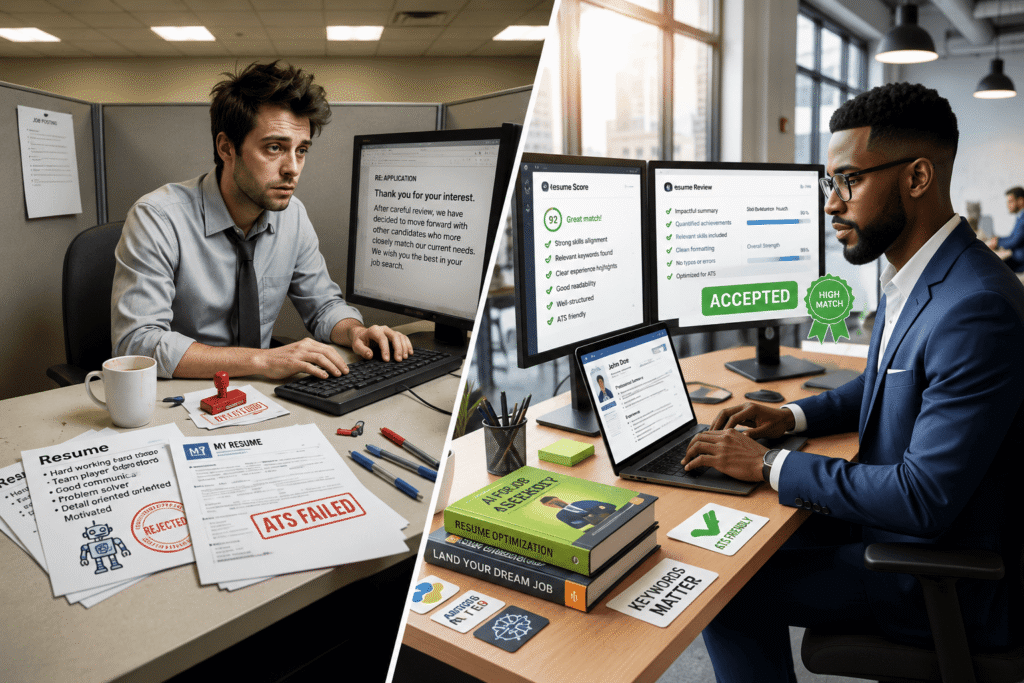
Then you remember: before any human sees this, a piece of software an ATS is going to scan it and decide if you’re “a fit” in about 0.3 seconds. No pressure.
Here’s the fun part: almost every mid‑to‑large company you’re applying to is using an applicant tracking system, and almost all Fortune 500s are. At the same time, over half a million people used AI in 2025 just to write or improve their resumes, and around 64% used AI to check ATS compatibility. You’re not the only one trying to get past the robot gatekeepers.
The goal of this article isn’t “here are fifty resume tools.” It’s “here are the few AI tools that actually make job hunting less miserable and how to use them without turning your resume into corporate fan fiction.”
THE THING NOBODY ACTUALLY SAYS OUT LOUD
Here’s the part most “best AI resume tools” listicles politely skip:
Hiring managers can now spot a generic AI‑generated resume from a mile away and so can the better ATS setups.
The tools are good. The average use of them is not.
Kickresume analyzed over 1.2 million job seekers using AI in 2025 and found that more people used AI to analyze and optimize resumes than to write them from scratch. That tracks with what you see in the real world:
- The resumes that do well don’t read like “ChatGPT, write me a resume for software engineer.”
- They read like someone fed AI very specific inputs (projects, metrics, tech stack) and then actually edited the output.
On the other side, Jobscan’s data shows that nearly all Fortune 500s use ATS, and recruiters are actively searching resumes by skills and keywords from the job description. Workday alone powers talent acquisition for almost 40% of the Fortune 500. Translation: if the keywords aren’t there in a clean format, you’re invisible.
So there’s the tension:
- If you don’t use AI, you’re fighting people who are using it to tailor, score, and batch‑apply.
- If you only use AI, your resume becomes a blur of “results‑driven dynamic team player” clichés that recruiters roll their eyes at.
The thing nobody really says: AI resume tools are not there to “make” your career look better. They’re there to help you talk about your actual career in the specific language the bots and recruiters are listening for.
Most polished articles talk about “ATS optimization” like it’s some mystical craft. It’s not. It’s:
- matching keywords from the job description
- putting them under boring, standard headings like “Experience” and “Skills”
- using simple formatting so the parser doesn’t choke
And yes, there’s a quiet class issue here. People who grew up writing in English, understand corporate tone, and know how ATS works already had an edge. AI tools level that a bit. They don’t eliminate bias, but they at least help you stop losing for stupid reasons like “your section heading said ‘What I Bring’ instead of ‘Experience’ so the ATS ignored it.”
So if you’re an AI/tech student or early‑career dev, here’s the actual play: use AI to do the grunt work (tailoring, phrasing, formatting, applying in bulk) so you can spend energy on the only part that still matters most building projects and experience that don’t sound fake when someone asks “tell me what you actually did here.”
HOW THIS ACTUALLY WORKS THE REAL MECHANICS
Let’s strip the magic off. AI resume and job-hunt tools are doing three main things under the hood:
- Parsing + matching
Tools like Teal, Jobscan, and similar platforms take your resume and a job description, parse both, and compare: skills, keywords, seniority, titles.- They output an “ATS score” or “match score” plus a list of missing skills or weak areas.
- Some tools check 10–15 dimensions: hard skills, soft skills, seniority match, keyword density, formatting, etc.
This matters because ATS software literally lets recruiters search by skill keywords and filter candidates that way.
- Generation + rewriting
AI resume builders (Rezi, Kickresume, Enhancv, OphyAI, Teal, Resume.io) use large language models to:- turn bullet points into “impact” statements
- write summaries and objective sections
- generate content from your LinkedIn profile or a rough draft
Many now also handle cover letters, resignation letters, translations, and bullet‑point rewrites.
- Workflow + tracking
Tools like Teal, OphyAI, Rezi and others add job search workflows on top:- Save jobs, store multiple tailored versions of your resume, track applications and stages
- suggest which resume variant to use for which job
- some (Rezi, for example) even generate AI interview questions based on your resume + JD.
The niche corner generic articles skip: AI is now used way more for checking and comparing resumes to jobs than for one‑click “write this for me.” Kickresume’s 2025 data shows ~64% of users used AI for ATS compatibility checks, and roughly half used it to write or improve resumes. That means the real power is in calibration , not full automation.
A short, opinionated rundown of tool types you’ll see:
- All‑in‑one AI resume builders (Rezi, OphyAI, Enhancv, Kickresume)
- Good when you want templates + AI bullets + ATS checks in one place.
- Rezi and OphyAI are often rated high for ATS‑friendliness and tech roles.
- ATS match + job tracking tools (Teal, Jobscan, some Resume.io flows)
- Teal’s builder analyzes your resume 15+ ways against any job description and gives a clear score + recommendations.
- Great if you’re applying to many roles and want to keep them organized with tailored versions.
- General AI assistants (ChatGPT, Claude) + manual templates
- Most flexible. You paste your projects, metrics, and job descriptions and ask for specific rewrites.
- This gives the best “non-cookie-cutter” results if you’re willing to edit.
Underneath all of them is the one boring rule of ATS‑friendly resumes: simple formatting, clear headings, strong keywords, no weird columns/tables/graphics. AI tools are basically there to nag you into following that rule.
COMPARISON WHAT’S ACTUALLY DIFFERENT BETWEEN YOUR OPTIONS
Let’s compare some of the most useful AI tools for resume writing and job hunting as of 2026.
| Option | What it actually does | Who it’s for | The catch |
| Rezi | AI resume builder tuned for ATS, JD‑specific tailoring, plus AI interview question generator. | Tech roles and students who want strong ATS alignment and mock interview prep. | Less pretty templates than some rivals; free tier has limits. |
| Teal Resume Builder | Builds and stores multiple tailored resumes, scores them 15+ ways against each JD, tracks applications. | People applying to lots of roles who want organization + clear “what to fix” feedback. | More about optimization and tracking than aesthetics; you still write a basic resume. |
| Kickresume / Enhancv / OphyAI | Polished templates + AI bullets, summaries, and some ATS/compatibility guidance. | When you care about design and AI help, especially early‑career and career changers. | Easy to overdo “pretty” layouts that can confuse strict ATS if you’re not careful. |
| Jobscan & similar | Analyze resume vs job description, give match/ATS score and keyword gaps. | Anyone who already has a resume and wants to tune it for specific jobs. | Not a full builder; more like a very smart “resume coach.” |
If you want a direct recommendation:
- If you’re starting from almost zero, pick Rezi or OphyAI to get a solid ATS‑friendly base and basic interview prep.
- If you already have a resume and you’re applying widely, use Teal + Jobscan‑style analysis to tailor and track.
- Then keep ChatGPT/Claude in your back pocket for rewriting specific bullets and explaining projects in plain language.
WHAT ACTUALLY HAPPENS WHEN YOU TRY THIS
Here’s what it feels like when you actually use these tools, not just read their pricing pages.
You paste your current resume into Rezi or Teal. The tool politely tells you that your proud “Worked on various projects using modern technologies” line is doing nothing for you. It flags missing hard skills from the job description, suggests stronger verbs, and points out that your “Skills” section basically reads “Google Docs, being nice.”
The first surprise: you realize how much of your resume is vibes and how little of it is specific. Output like:
- “Increased API throughput by 35% by implementing async processing in Node.js”
gets a much better score than - “Worked on backend performance improvements.”
When you actually try this with a real JD, the AI will:
- Highlight skills in the JD that aren’t in your resume at all (eg, Terraform, React Testing Library, stakeholder communication).
- suggest places to weave them in only if they’re true ideally into bullet points under relevant roles.
What nobody warns you about: you’ll be tempted to just sprinkle keywords in a Skills list and call it a day. Tools will let you do that; ATS will see them. The interview will not go well if you can’t talk about them.
Next phase: you start using AI to generate bullets from your own notes. When you feed ChatGPT/Claude or a builder like Enhancv a rough dump like:
“Interned at X, added dark mode, helped reduce bug count, worked with senior devs on CI pipeline,”
you get back bullets like:
- “Implemented UI features including dark mode for a React app used by 5K+ monthly users.”
- “Collaborated with senior engineers to streamline CI, reducing build failures by 20%.”
Is it perfect? No. But it’s way closer to “interviewable” than your brain‑fried 1 am draft, and you can tweak the details.
If you use a job tracking tool like Teal, the day‑to‑day job hunt also changes. Instead of fifty open tabs and mystery “applied here?” memories, you:
- save jobs into one board
- clone your base resume into a tailored version
- run the match score, fix the top gaps, store the result, and log where you applied and when
Pattern almost no glossy article mentions: the more serious job seekers aren’t necessarily sending more applications. They’re sending a manageable number of better-targeted ones with AI doing the boring checking. Kickresume’s data shows AI is most used for structured, task‑based job search steps; people still handle networking and interviews themselves. That’s exactly where you want to be.
One more thing that surprised me the first time I watched students use these tools: people underestimate their experience. AI will often suggest stronger phrasing or pull impact out of things they saw as “just a school project.” When you combine your raw detail with AI’s pattern‑spotting, you end up telling the truth more clearly, not faking it.
Of course, you will see the dark side too: a resume that reads like every other AI‑polished resume in the stack. That’s usually when someone pasted the JD and said, “write me a resume,” then hit download without injecting anything personal. The fix is boring but effective: always add at least one or two bullets per role that mention a specific metric, stack, or story only you could have. AI can’t invent that for you.
THE ADVICE EVERYONE GIVES VS WHAT ACTUALLY WORKS
“Let AI write your entire resume from scratch”
This is the lazy fantasy. You paste a JD, type “write a resume for me,” and magically become a Staff Engineer.
Why it fails:
- The output is generic and full of buzzwords.
- You’ll choke in interviews when someone says, “Walk me through this line,” because you never actually said that.
What actually works: feed AI your real history roles, projects, metrics, tech, context and ask for help rewriting and structuring. Use builders or ChatGPT for phrasing, not for inventing accomplishments.
“Just use a pretty template, recruiters love design”
Design helps, but ATS does not care how aesthetic your gradient is. ATS‑friendly often means “kind of boring but parsable”: simple fonts, no multi‑column chaos, standard headings.
Why this advice is incomplete:
- Some heavily designed templates break ATS parsing entirely.
- Recruiters at big companies often see your resume as raw text on their end anyway.
What actually works: pick clean, minimal templates from tools known to be ATS‑safe (Rezi, OphyAI, Jobscan‑friendly layouts). Save the heavy visuals for portfolios and personal sites.
“Blast the same resume to as many jobs as possible”
This used to work a little when everything was manual. Now ATS and recruiters expect tailoring. Jobscan’s ATS report shows recruiters explicitly search by exact skills in the JD; if they’re not there, you don’t show up.
Why it fails:
- You end up a “jack of all buzzwords” and a master of none.
- You miss easy matches because the right keywords are missing even though you have the skill.
What actually works: maintain one strong base resume, then use tools like Teal, Rezi, or Jobscan‑style matchers to tailor for each role: swap a few bullets, adjust your skills section, rewrite your summary with the role title embedded. Takes 10–15 minutes with AI, not an hour.
“AI will get you interviews by itself”
AI will get you screened in . Interviews still come from a mix of resume, timing, and networking. Kickresume’s analysis shows people are using AI heavily for resumes, but far less for cover letters, networking, or interview prep. That’s where actual humans still move the needle.
Why this is a dangerous myth:
- You treat the resume as the whole game and ignore referrals, projects, and signals.
- You panic when great AI-polished resumes don’t instantly turn into offers.
What actually works: use AI to reduce friction on resumes, LinkedIn, and basic cover letters then spend the saved time building projects, doing open source, and DM’ing people who actually work where you’re applying.
THE PRACTICAL PART WHAT TO ACTUALLY DO
Here’s a concrete way to use AI tools for resume writing and job hunting without losing your personality.
1. Build a solid “truth dump” before touching any AI
Open a doc and brain-dump:
- every project, internship, job, hackathon, and serious course
- tech stack for each
- specific outcomes (numbers, user impact, bugs fixed, performance gains, grades if relevant)
This becomes your personal training data. The more raw detail you have, the stronger your AI‑assisted resume will be.
2. Use an AI resume builder to create an ATS‑friendly base
Pick one: Rezi, OphyAI, Enhancv, Kickresume something known to play well with ATS. Paste in your truth dump and let it:
- generate bullets per role/project
- suggest a clean layout with standard headings
- create a simple, keyword-friendly skills section
Edit ruthlessly so everything is accurate and in your voice. This is your “base build.”
3. Run your base resume through an ATS matcher
Use Teal, Jobscan, or similar to upload your resume and a target JD. Look at:
- Missing or weak keywords
- skills mentioned in JD but nowhere on your resume (that you actually have)
- overall match score
Update your base resume accordingly this tunes you to roughly where the market’s language is.
4. Create 2-3 “flavors” of your resume
If you’re in AI/tech, that might be:
- software engineering‑focused
- data / ML‑focused
- product / dev‑tools / platform‑focused
Use AI to clone your base resume and tilt each version’s summary, projects, and skill ordering toward that flavor. Now every new JD gets matched with the closest flavor instead of starting from zero.
5. For each application, tailor with AI in 10–15 minutes
Workflow:
- Save the job to Teal or similar
- match JD ↔ your resume using their analyzer
- adjust 3-5 bullets and the skills section using AI suggestions
- Lightly tweak your summary to use the role title and 1–2 key phrases from the JD
This is where AI collapses “ugh, tailoring” from an hour to a focused sprint.
6. Use AI for cover letters and LinkedIn, but keep them short
Ask ChatGPT/Claude or your builder for:
- a 150–200 word cover letter that references 2–3 concrete points from the JD
- a LinkedIn “About” section that aligns with your resume’s projects and keywords
Then cut anything that sounds like “passionate, results-oriented individual” and add one or two specific details only you would say.
7. Prep interviews with AI using your own resume and the JD
Feed your resume + JD into an AI tool (Rezi’s interview feature, or just ChatGPT) and ask:
- “Generate 15 likely interview questions based on this resume + JD.”
- “For each project, ask me follow‑up questions that a skeptical senior engineer would.”
Then actually answer out loud, refine, and only afterwards write down bullet notes. That’s how you avoid the “I can read my AI‑written bullet but can’t explain it” trap.
QUESTIONS PEOPLE ACTUALLY ASK
Which AI resume builder is best for ATS screening?
Rezi, OphyAI, and similar ATS‑focused builders are strong picks because they explicitly design templates and content for ATS parsing and job‑description matching. Tools like Teal and Jobscan complement them by scoring your resume against specific JDs and highlighting missing keywords. The best setup is usually one builder + one matcher, not just a pretty template.
Do AI resume tools really help you get more interviews?
They help you get seen more often. Kickresume’s data shows hundreds of thousands of job seekers now use AI to check and optimize resumes for ATS, and ATS usage in large companies is almost universal. If your resume was previously missing key skills or had weird formatting, AI tools can significantly raise your chances of passing the initial screen. They can’t fix a complete lack of relevant experience, but they can stop you losing for dumb formatting reasons.
Can recruiters tell if I used AI on my resume?
They can usually tell if you let AI go unchecked: generic buzzwords, unnatural phrasing, and responsibilities that sound suspiciously inflated are red flags. But if you use AI to rewrite your real achievements with clearer impact and then edit the output it just reads as “good writing.” The line is simple: AI should never invent skills or accomplishments you can’t discuss in detail.
What’s the best AI tool for tech students and junior devs?
For early‑career tech roles, Rezi or OphyAI are solid for getting an ATS‑friendly base and seeing how to phrase projects, while Teal is great for organizing multiple tailored resumes across many applications. Pair those with a general AI assistant (ChatGPT/Claude) for project bullet rewrites and interview question generation. That combo covers 90% of what you need.
How do I make sure my AI‑built resume is ATS‑friendly?
Stick to simple, text-based formatting: standard headings like “Experience,” “Education,” “Skills,” clean fonts, no tables or graphics that hide content. Include relevant keywords from the JD naturally in your bullets and skills section, and save as .DOCX or clean PDF. Running your resume through ATS‑check tools (Teal, Jobscan‑style analyzers, some builder checkers) is a good sanity test.
Should I use AI for cover letters too, or just resumes?
You can, but treat cover letters as short, specific notes, not essays. AI is good at structuring 3–4 paragraphs that tie your experience to the role. You still need to add 1–2 concrete details: a particular project, a problem you solved, or why this company’s work actually interests you. A generic AI cover letter pasted everywhere is barely better than no cover letter.
Are free AI resume tools enough, or do I need to pay?
For most students and early-career people, free tiers of tools like Teal, basic AI builders, and general AI assistants are enough to significantly upgrade your resume and applications. Paid plans usually add more templates, more scans per month, or advanced tracking nice to have if you’re applying at scale, but not essential to get started.
SO WHERE DOES THIS LEAVE YOU?
You’re job hunting in a market where almost every big company hides behind an ATS and a lot of your competition is quietly using AI to tune their resumes for each role. Showing up with a single, generic, non‑ATS‑friendly PDF is basically asking to be filtered out by software before a human even has a chance to reject you properly.
The upside: you don’t need to be a prose genius or an ATS whisperer. You need a decent base resume, one or two AI tools that tell you “this is what the bots and recruiters are looking for,” and enough honesty to only claim what you can actually defend in an interview.
If you do one concrete thing today, make it this: pick one AI resume builder and one AI matcher, feed them your current resume and a real JD, and fix the top five issues they flag. Don’t try to “perfect” your entire career in an afternoon. Just get from “probably ignored by the ATS” to “I at least show up in the search results.” The rest projects, interviews, actual skills is the part you can’t outsource anyway.
You stuck through an article about resumes and job hunting tools instead of doom‑scrolling, which already puts you slightly ahead of the “I’ll update my resume someday” crowd.
AI isn’t going to magically turn you into the ideal candidate. It will, however, stop you from losing out because your bullets were vague, your keywords were off, or your layout made an ATS cry. That’s not glamorous, but it’s the kind of boring advantage that quietly stacks in your favor while everyone else keeps guessing.