
If you write code for a living (or want to), 2026 basically gave you a second brain and then flooded your feed with 200 “AI for devs” tools you don’t have time to test. This list exists to cut through that noise for app developers: web, mobile, and backend.
We’re not listing every shiny startup; we’re looking at tools that actually change your day: coding assistants, AI app builders, debugging and code review helpers, and a couple of workflow tools that quietly save hours a week.
By the end, you’ll know which tools are best for: shipping full-stack features faster, building MVPs without a team, catching nasty bugs, and surviving legacy code you secretly hate. If you just want “AI that writes my app while I watch Netflix,” this list is not for you yet the tools here still expect you to think.
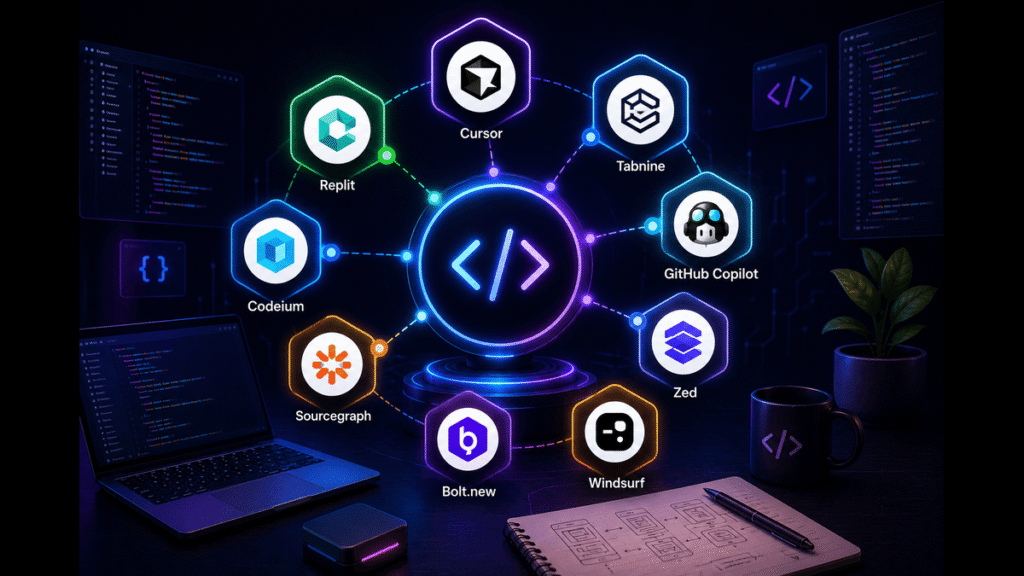
How We Ranked These The Criteria
“AI tools for developers” covers everything from serious coding environments to bots that spit out questionable snippets. So we treated this as if we were picking tools for a small dev team that actually ships.
Here’s what mattered most:
- Impact on real workflows
Does the tool help you write, ship, or maintain production code faster and safer not just generate toy snippets for tutorials? We looked for tools that show up in 2026 “best AI coding tools” and “AI app builder” reviews with strong real‑world feedback. - App developer focus
Bias toward tools that help with full apps: front end, backend, state, APIs, tests. This is why things like Cursor, Copilot, and AI app builders show up higher than generic chatbots. - Depth of integration
IDE plugins, PR bots, CI hooks, or app‑builder stacks beat tools that only live in a browser tab. If a tool fits into VS Code, JetBrains, or Git workflows, it scored higher. - Signals of quality
We leaned on 2026 roundups, benchmarks like SWE‑bench where available, and honest dev reviews: Cursor, Claude Code, Copilot, and others consistently show up as front‑runners, with tools like Replit and Lovable leading AI app building.
We deliberately excluded tools that are:
- Purely marketing fluff with thin features.
- “AI app builders” that can’t handle real data or auth flows.
- Closed, unverifiable “we’ll rewrite your whole codebase” promises.
Limitations: this list is biased toward what’s visible and widely tested in early 2026. New tools appear every month, but if they don’t have real dev adoption yet, they’re not here.
1. Cursor [Best Overall AI Coding Environment]
Cursor is basically VS Code with an AI brain built in. It’s a full coding environment where the assistant can read your repo, refactor files, generate features, and even run multi‑step agents to make coordinated changes. 2026 reviews consistently put Cursor among the top AI coding agents for real‑world dev work.
What makes it stand out is how it handles context: it understands your project structure, can navigate across files, and applies changes in a controlled way, so you can diff and review like normal code. It’s not just “chat next to your code”; it’s “AI that edits your code with you.”
When you actually try it on a real app, you notice the difference: it can update a component and its tests, or adjust an API and fix callers, instead of only writing isolated snippets.
Specific detail most lists don’t spell out: Cursor’s code review agent (like Bugbot) can hook into PRs and review changes before they hit main, suggesting fixes and tests in context. For teams, this feels like adding a persistent senior reviewer who never gets tired.
Honest limitation: it works best if you’re already comfortable with Git and modern dev workflows. If you’re a total beginner, the environment can feel heavy and the AI suggestions can be overwhelming without a sense of what “good” looks like.
Verdict: Choose this if you spend most of your day in VS Code‑style editors and want AI embedded directly in your coding and review loop. Skip it if you just want a light autocomplete tool on top of your existing setup with minimal change.
2. Claude Code [Best for Reasoning Through Complex Codebases]
Claude Code (the developer‑focused workflow for Claude models) is like having a patient senior engineer who writes long, thoughtful code suggestions and explanations instead of just snippets. 2026 dev reviews frequently praise its ability to reason about complex problems and multi‑file logic, not just autocomplete.
It stands out for context handling and clarity: you can feed it large chunks of your repository, architecture docs, and error logs, then ask for detailed plans, refactors, or implementations with explanations. This is perfect when you’re dropped into a messy legacy codebase or a half‑finished side project.
Most people find that Claude is especially good at explaining “why” it doesn’t just spit code, it talks through trade‑offs, edge cases, and alternative designs if you prompt it right. That’s gold when you’re still learning or designing new app features.
Specific detail: several 2026 comparisons call out Claude Code as a top choice when you care more about correctness and reasoning than raw speed, especially on complex backend logic and tricky bugs.
Limitation: it’s not a full IDE; you’ll usually be using it through a dedicated app, CLI, or integrated plugin. If you want a single “editor + AI” environment, Cursor or Copilot inside VS Code may feel smoother.
Verdict: Choose this if you’re building or maintaining complex apps and want an AI partner that can reason deeply about your code and explain its thinking. Skip it if you just want quick inline completions and don’t care about long explanations.
3. GitHub Copilot (incl. Agent Mode) [Best Drop-In Autocomplete for Everyday Coding]
GitHub Copilot has been the default AI coding assistant for many devs for years, and in 2026 it still shows up in top‑tool lists thanks to tight integration with GitHub, VS Code, and JetBrains IDEs. Its Agent/Chat modes add higher‑level help for refactors and explanations, but its main power is fast inline suggestions.
What makes it stand out is frictionless adoption: if you already live in GitHub and VS Code, Copilot is just there, helping with function bodies, tests, boilerplate, and even docstrings as you type. You don’t have to change your whole workflow.
Most people find that it shines for repetitive tasks: wiring endpoints, mapping DTOs, writing tests following examples, and translating patterns you’ve already shown it. It feels like a smart autocomplete more than a full agent, but that’s often what you want.
Specific detail: benchmark discussions in 2026 show Copilot lagging behind some newer agents on hardcore benchmarks like SWE‑bench, but still performing well for everyday coding, especially when combined with GitHub’s ecosystem.
Limitation: it’s not the best tool for understanding large unfamiliar repos or doing big architecture changes by itself; it’s more “speed booster” than “co‑architect.”
Verdict: Choose this if you want the easiest, lowest‑friction productivity boost inside the editors you already use. Skip it if you need deep repo‑level understanding and prefer a project‑aware environment like Cursor or Claude Code.
4. Replit & Lovable [Best for AI-Assisted App Building in a Browser]
Replit has grown from a browser IDE into a full stack AI development environment, and 2026 reviews highlight it as one of the strongest setups for building and iterating on full apps with AI assistance. Lovable sits in a similar space, focusing on generating production‑ready web apps in specific stacks like React + Tailwind.
They stand out when you want to go from idea to running app fast, especially for prototypes and internal tools. AI can scaffold project structure, generate components, wire basic APIs, and deploy all within a managed environment.
In practice, most people find that these tools shine for early versions: admin panels, dashboards, small SaaS ideas, or school projects. You get a functioning app quickly, then refine manually or with help from AI.
Specific detail: 2026 guides call out Lovable and similar builders as particularly good when you stay within their recommended stacks that’s where templates, best practices, and AI patterns are tuned. Step too far outside the happy path and you’ll be doing more manual work.
Limitation: because a lot of scaffolding and wiring is AI‑generated, long‑term maintainability can be an issue if you don’t take ownership and refactor. These tools are amazing for speed, less so for teams that want strict architecture control from day one.
Verdict: Choose this if you want to ship prototypes and small apps quickly in a browser‑based, AI‑heavy environment. Skip it if you’re building a complex, long‑lived system where you care deeply about hand‑crafted architecture.
5. v0 / AI App Builders (Softr, Power Apps, Airtable Omni, etc.) [Best for No-Code and Internal Tools]
A growing class of AI app builders like v0, Softr, Microsoft Power Apps with AI, and Airtable Omni focuses on turning natural language + data into usable internal tools and simple apps. 2026 reviews often list these among the best AI app builders, especially for non‑dev teams or devs who don’t want to hand‑code every internal panel.
They stand out because they let you describe what you want (“internal dashboard for support tickets with filters and status updates”) and generate UI plus basic logic connected to your data sources. For app developers, these are perfect when you don’t want to burn sprint cycles on internal dashboards and admin UIs.
Most people find that the real value isn’t the first generation, but the iterative flow: generate, tweak layout and logic, regenerate parts, and keep the plumbing AI‑assisted instead of manual.
Specific detail: Zapier and other 2026 roundups call out Softr, Power Apps, and Airtable Omni as particularly strong where your data already lives in those ecosystems. The more aligned you are with their stack, the smoother the AI experience.
Limitation: you trade flexibility for speed. These tools are amazing for CRUD‑heavy internal tools, not for highly custom UX, complex real‑time logic, or performance‑critical consumer apps.
Verdict: Choose this if you’re an app dev who’d rather outsource internal tools to AI + no‑code and focus your energy on the core product. Skip it if every pixel and behavior of your app must be custom‑coded.
6. AI Code Review Tools (Bugbot, CodeRabbit, Graphite Agent, etc.) [Best for Catching Issues Before Merge]
AI code review tools like Bugbot inside Cursor, CodeRabbit, and Graphite’s AI agents focus on reviewing pull requests, catching bugs, and suggesting improvements before code lands in production. They analyze diffs, run static analysis, and often understand project conventions.
They stand out because they live where you already work: in your Git hosting and PRs. Instead of a human reviewer being the only line of defense, you get an AI pass that flags potential bugs, missing tests, security concerns, and confusing patterns.
When you actually wire these into a real repo, the pattern is clear: they catch the boring but important stuff missing null checks, unhandled errors, inconsistent naming, obvious security footguns so human reviewers can focus on deeper design.
Specific detail: some tools, like CodeRabbit, learn from your feedback over time, adjusting their comments and suggestions to match your team’s style and standards. That makes them feel less like a generic bot and more like a growing teammate.
Limitation: they are not a replacement for human review. They can miss context, over‑comment, or suggest changes that don’t fit your architecture. You still need judgment.
Verdict: Choose this if you’re on a team or serious solo project and want fewer bugs slipping through PRs without burning reviewers out. Skip it if you’re working on tiny personal projects and don’t even use PRs yet.
7. AI Debugging & Testing Tools (GoCodeo, Workik, etc.) [Best for Real-Time Bug Hunting]
Real‑time AI debugging tools like GoCodeo and AI code debuggers (e.g., Workik and similar) analyze your code as you write and run it, surfacing logic errors, type mismatches, security risks, and potential bugs before you even hit run.
They stand out because they combine static analysis, LLM understanding, and historical bug patterns. Instead of waiting for tests to fail, they proactively highlight “this async usage looks unsafe” or “this input isn’t escaped.”
Studies cited in 2023–2025 show AI‑assisted debugging and testing can cut testing costs by around 20% and reduce release timelines by up to 50% when used well in teams, which explains why these tools are getting serious enterprise attention.
Specific detail: GoCodeo, for example, pitches itself as a full‑stack AI coding agent with real‑time debugging baked in, not just a linter with nicer error messages. It aims to understand code intent and cross‑file relationships, not just syntax.
Limitation: these tools can produce noise if your codebase is already heavily linted and tested. You may need to tune rules and thresholds so they’re helpful instead of nagging.
Verdict: Choose this if you maintain complex apps where bugs are expensive and want a smarter safety net while coding. Skip it if your projects are small, and your current linting/testing setup already catches most issues.
8. AI Documentation & Knowledge Tools [Best for Keeping Teams Sane]
AI‑powered documentation tools from doc generators hooked into Git to AI‑enhanced wikis help you keep docs synced with code and make them searchable via natural language. Some tools even embed assistants inside docs so teammates can ask, “How does payments retry work?” and get a targeted answer.
They stand out in app development because architecture and integration decisions rot faster than anything else. AI can summarize PRs into changelog entries, update function docs from code, and help newcomers understand systems faster.
Most teams that adopt these tools find that onboarding speed improves: new devs can query docs and code explanations instead of reading a 50‑page Confluence graveyard.
Specific detail: some platforms structure docs so they’re easy for both humans and LLMs to consume, which matters if you’re also giving your coding assistants access to internal knowledge.
Limitation: if you don’t already have at least basic docs discipline, no AI tool can invent a coherent architecture story from chaos. You still need someone to define structure and decide what matters.
Verdict: Choose this if you work in a team or medium‑to‑large app and care about onboarding and knowledge transfer. Skip it if you’re solo on small projects and can keep everything in your head (for now).
9. Qodo, Codeium, Windsurf & Friends [Best Alternatives and Niche Fits]
There’s a long tail of strong AI coding tools: Qodo, Codeium, Windsurf, JetBrains’ AI, Amazon Q Developer, Gemini Code Assist, and others. 2026 lists show these as serious competitors, often with strengths in specific languages, pricing, or privacy setups.
They stand out either for cost (some have generous free tiers), on‑prem or self‑hosted options (better for strict companies), or deep integration with specific IDEs like JetBrains.
If you’re not on GitHub, or if you need more control over data residency and model choice, these tools can be a better fit than “default” options.
Specific detail: 2026 coverage notes that tools like Qodo and Codeium perform competitively on real‑world tasks despite being less hyped, and they sometimes support a wider set of languages out of the box.
Limitation: smaller ecosystems mean fewer tutorials, community tips, and third‑party plugins. You trade “standard choice” comfort for specific advantages.
Verdict: Choose this if you have niche needs (language, cost, self‑hosting) or want to experiment beyond the big names. Skip it if you just want a mainstream, well‑documented option with lots of community support.
Head-to-Head Comparison Table Core Tools App Devs Actually Use
| Name | Key Strength | Main Weakness | Price/Cost (2026 typical) | Best For | Rating* |
| Cursor | Project-aware AI IDE, strong repo-level editing. | Requires workflow change; best for power users. | Freemium + paid tiers. | Full-time devs shipping complex apps. | 4.9/5 |
| Claude Code | Deep reasoning, great for complex problems. | Not a full IDE; more “assistant around code.” | Usage-based, model pricing. | Design, refactors, tricky bugs. | 4.8/5 |
| GitHub Copilot | Fast inline autocomplete, easy integration. | Less context on huge repos, weaker for big refactors. | Subscription, often via GitHub. | Everyday coding in VS Code/JetBrains. | 4.6/5 |
| Replit/Lovable | Rapid AI-assisted app building in browser. | Codebase can be messy for long-term scale. | Freemium + paid. banani+2 | Prototypes, MVPs, student projects. | 4.5/5 |
*Ratings reflect relative consensus across 2026 expert roundups and dev reviews, not a single official metric.
For the most common use case app devs coding daily in JS/TS, Python, or similar stacks Cursor plus GitHub Copilot or Claude Code covers almost everything: fast in‑editor help, deep reasoning when needed, and repo‑aware editing for real features.
How to Choose the Right One for Your Situation
Start from your workflow, not from FOMO. Different tools solve different pain points.
1. Where do you spend most of your coding time?
- If you live in VS Code or JetBrains, start with GitHub Copilot, Cursor, or a JetBrains AI plugin they slot into your existing editor.
- If you work mostly in the browser or on a Chromebook, Replit, Lovable, or other cloud IDEs will feel more natural.
2. Are you building from scratch or maintaining big apps?
- New projects and prototypes: Replit, Lovable, v0/Softr‑style builders to get moving fast.
- Large existing apps: Cursor + Claude Code + AI review/debug tools make more sense.
3. How comfortable are you with code review and Git?
- If you use PRs and CI, adding AI review (Bugbot, CodeRabbit, Graphite Agent) is a high‑leverage upgrade.
- If you mostly commit to main on small side projects, a heavy review bot is overkill; stick to coding assistants.
4. Do you need deep explanations or just speed?
- For fast autocomplete and repetitive coding, GitHub Copilot or Codeium is enough.
- For architecture decisions, tricky bugs, and “please explain this code,” Claude Code or similar high‑reasoning tools shine.
5. Are you solo or on a team?
- Solo devs benefit most from coding assistants and maybe one debugging tool.
- Teams see big gains from AI code review, doc helpers, and standardized tools like Cursor or Copilot across the org.
If you’re a student or early‑career app dev, a simple starter stack is: GitHub Copilot for everyday coding, Claude Code (or similar) for learning and complex tasks, and an AI app builder like Replit or Lovable for side projects and quick demos.
What to Avoid in This Category
Red flag one: tools that promise “one click app generation from a sentence” with no mention of code ownership, stack, or deployment. Those stories usually end with an unmaintainable code dump or a locked‑in black box you can’t fix when something breaks.
Red flag two: products that hide where your code and prompts go. For anything beyond toy projects, you want clear policies on data retention, training, and logging, especially if you’re touching user data or company code. That’s why serious tools advertise privacy modes, self‑hosting, or strict data policies.
Red flag three: “AI agent will manage your whole SDLC” pitches. Current tools can help a lot with coding, review, and debugging, but they’re not replacing architecture thinking, security reviews, or real QA. Claims that skip over that are usually marketing ahead of reality.
The thing people overpay for most: tool overlap. You don’t need five different autocomplete tools and three app builders all doing the same thing. One solid coding assistant, one solid app builder (if you need it), and maybe one debugging/review helper will usually beat a chaotic mix.
Frequently Asked Questions
What are the best AI tools for app developers in 2026?
For day‑to‑day coding, Cursor, Claude Code, and GitHub Copilot are the front‑runners across multiple 2026 reviews. For building apps fast in the browser, Replit and Lovable stand out, and for internal tools, platforms like Softr, Power Apps with AI, and Airtable Omni are strong options.
The “best” combo depends on your stack and workflow, but most app devs can get a huge boost from one project‑aware assistant plus one app builder or debugging tool.
Which AI coding assistant is best for beginners?
If you’re just starting, GitHub Copilot is an easy recommendation because it integrates directly into popular IDEs and helps with autocomplete and small snippets without forcing you into a new environment. Tools like Replit are also beginner‑friendly since they combine editor, runtime, and AI in the browser, reducing setup pain.
Claude Code can be very helpful for explaining concepts and code, but you get the most out of it once you already know basic syntax and structures.
Are AI app builders good enough for production apps?
They’re good enough for certain kinds of production apps: internal dashboards, CRUD‑heavy tools, admin panels, and some simpler SaaS products. Many 2026 reviews show teams using AI builders to ship real internal tools fast.
For complex, performance‑sensitive, or highly custom UX apps, most teams still move to hand‑coded or hybrid setups, using AI builders mainly for prototyping or parts of the stack.
How do AI debugging tools help app developers?
AI debugging tools analyze code and execution traces to highlight likely bugs, unsafe patterns, and edge cases while you write or review code. They combine static analysis with model‑based understanding of intent and common bug patterns.
Studies have reported around 20% testing cost reduction and up to 50% faster releases when AI is used effectively in debugging and testing, which matches what teams report anecdotally as they adopt these tools.
Do I still need tests and code review if I use AI tools?
Yes. AI tools reduce grunt work and can catch many issues, but they don’t fully understand your business logic, constraints, or edge cases. Human review and thoughtful testing are still essential, especially for security‑sensitive or user‑facing features.
The smart move is to let AI handle repetitive checks and obvious problems so humans can focus on design, risk, and behavior.
Which AI tools are best for solo indie app developers?
Solo devs usually benefit most from: a strong coding assistant (Cursor, Copilot, Claude Code), an AI app builder or cloud IDE (Replit, Lovable) for quick prototypes, and maybe one debugging or code review tool for sanity checks.
You probably don’t need heavy enterprise integrations or complex PR review setups unless you work with contractors or collaborators regularly.
Are there privacy-friendly AI tools for enterprise app development?
Yes. Many tools now offer enterprise modes, on‑prem deployments, or strict data‑control options, especially those aimed at larger organizations and regulated industries.
If you’re dealing with sensitive code or data, look for tools that clearly document training policies, data retention, and self‑hosting or VPC options before you roll them out.
How do I avoid becoming too dependent on AI tools as a developer?
Use AI to speed up what you already understand, not to replace understanding. Let it handle boilerplate, tests, and repetitive patterns, but force yourself to read and reason about its suggestions.
Over time, you should be able to predict what the assistant will suggest and know when to override it. If you’re accepting code you don’t understand, that’s a signal to slow down and ask the tool to explain its changes.
Conclusion
If you’re building apps in 2026, the core trio worth your attention is: Cursor for project‑aware coding, Claude Code for deep reasoning and explanations, and GitHub Copilot for fast inline help where you already work.
For the most common case a student or working dev shipping web/mobile apps the practical stack is: one main coding assistant (Copilot or Cursor), one “thinking partner” (Claude Code), and one builder or debugging tool (Replit/Lovable plus a review/debug bot) to handle prototypes and nasty bugs.
Right now, pick just one coding assistant from this list and integrate it into your main editor. Use it for a week on real tasks, not toy problems. Once it feels natural, add one more tool: either an AI app builder for side projects or a debugging/review helper for serious work. Let your workflow not the hype decide what you actually keep.